.svg)


.svg)
- Offices run at 53% utilization while most organizations target above 65%
- 89% of employers now require three or more office days a week
- Gartner's 2026 category requires desks, rooms, and more in one platform
- Per-resource, per-user, and bundled pricing suit different desk ratios
- 14 tools compared on features, pricing, G2 ratings, and analytics
The hybrid office has a measurement problem. Offices worldwide now run at 53% utilization, up from 38% in 2024, while most organizations set targets above 65%. JLL's 2026 benchmark puts the same gap at 18 percentage points, narrowed from 25 a year earlier. The pressure keeps building, with 89% of employers now requiring at least three days on site, up from 78% in 2025.
Desk booking software closes that gap. It lets employees reserve workspaces in advance, shows managers who's coming in, and gives workplace leaders the utilization data behind real estate decisions. Workspace booking software describes the same category under a wider name, covering meeting rooms, parking, and shared resources alongside desks. Either way, the job is turning guesswork about attendance into numbers you can use to optimize office space.
The category itself has changed. Gartner published its first Magic Quadrant for workplace experience applications in April 2026, and its market inclusion criteria require a single product to handle desk booking, room booking, at least one more resource type, wayfinding, and space management. A tool that only books desks no longer qualifies as a category entrant. Buyers are following the same logic, retiring single-feature booking apps in favor of platforms that cover desks, rooms, visitors, and analytics together.
This guide evaluates 14 desk booking software options across features, pricing, G2 ratings, integrations, and analytics.
How we evaluated these tools
Every tool here was assessed against the criteria that matter to workplace, operations, and finance teams in 2026:
- Core booking functionality: desk reservation, room scheduling, interactive floor plans, mobile access
- No-show prevention: check-in mechanisms, auto-release timers, ghost booking mitigation
- Integrations: calendar sync, Slack and Teams apps, HRIS connections, access control and WiFi
- Analytics and reporting: utilization dashboards, cost tracking, AI-driven insights
- Pricing model: per-user, per-resource, or bundled, and how costs behave as you scale
- Platform breadth: desks only, or rooms, visitors, events, and portfolio-level analytics too
The list runs from the broadest platforms to the most focused point tools, so the numbering reflects coverage rather than a quality score. A tool at number 13 can be the right answer for a 30-person startup and the wrong one for a 3,000-person portfolio.
Gable Offices is our product, and it sits first because it meets the platform breadth criteria we weighted most heavily. Its gaps are listed in the same detail as everyone else's. You can check every claim against the G2 desk booking category, where all ratings and review counts in this article were recorded in August 2026.
No-show prevention carried extra weight. Workplace analytics vendor Worklytics estimates that 25-35% of meeting room reservations end in no-shows, and desks follow similar patterns. A booking system that ignores ghost bookings will disappoint within 60 days.
The 14 tools compared
| Tool | Best for | Pricing | G2 rating | Visitor mgmt | AI features |
|---|---|---|---|---|---|
| 1. Gable Offices | One platform for desks, rooms, visitors | $2-$4.50/resource/mo | 4.4 (193) | Included | Yes |
| 2. Robin | Enterprises with complex integrations | Per-user, custom | 4.4 (211) | No | Yes |
| 3. Envoy | Front-desk experience plus desks | Per-location, tiered | 4.4 (163) | Included | Limited |
| 4. OfficeSpace | Large multi-building portfolios | Custom | 4.7 (127) | Included | Yes |
| 5. Appspace | Campuses combining booking and signage | Custom, modular | 4.7 (149) | Included | Limited |
| 6. YAROOMS | Reporting on workplace carbon | $99-$899/mo flat tiers | 4.3 (95) | Add-on | Yes |
| 7. Tactic | Mid-market teams on Google Workspace | Quote only | 4.6 (555) | Included | Yes |
| 8. deskbird | Microsoft 365-native organizations | From €2.75/user/mo | 4.5 (308) | No | Limited |
| 9. Kadence | Anchor days and policy enforcement | Per-user, custom | 4.5 (143) | No | Yes |
| 10. Joan | Desk and room displays | Per-device plus software | 4.5 (269) | Included | Limited |
| 11. Archie | Internal flex space and coworking | Per-desk | 4.9 (242) | Included | Limited |
| 12. Skedda | More employees than desks | Per-desk, tiered | 4.8 (284) | No | No |
| 13. Officely | Slack-first teams under 50 | Free to 5 users | 4.6 (158) | No | No |
| 14. Microsoft Places | Deep M365 environments | Included with E3/E5 | Not rated yet | No | Yes |
Interactive floor plans, room booking, and check-in with auto-release appear in every tool here except Officely, which has none of the three, and Microsoft Places, where auto-release is limited. Those rows would read "yes" fourteen times, so the columns above cover what genuinely differs.
1. Gable Offices
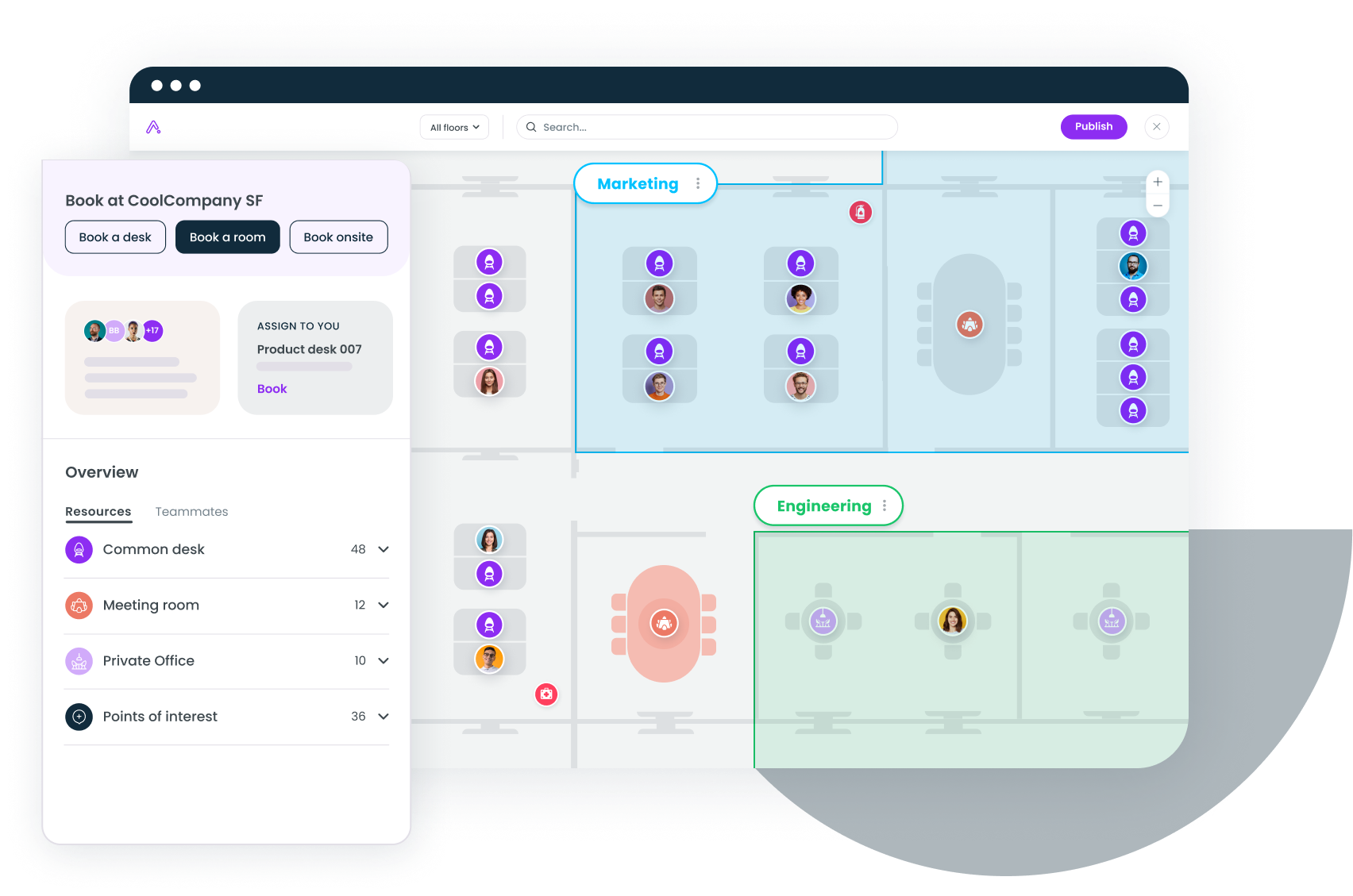
Gable Offices is built for mid-to-large hybrid teams that would rather run one platform than four. Desk booking, room scheduling, visitor management, and analytics live in a single product, with interactive floor plans, QR and NFC check-in, and an AI copilot reading the utilization data underneath.
Key features
- Interactive floor plans with drag-and-drop desk and room placement
- Desk and room booking via web, mobile, Slack, or Microsoft Teams
- QR and NFC check-in at every desk, with auto-release for no-shows
- Visitor management with custom sign-in forms, badge printing, and host notifications
- Coordinated in-office days so employees can see when colleagues plan to be on site
- AI copilot and analytics surfacing utilization trends, no-show patterns, and cost per seat
- Seat assignments and team neighborhoods for departments that need dedicated zones
- Integrations with Okta, Workday, Rippling, Brivo, Google Calendar, Outlook, and WiFi systems
Pricing
Gable bills per bookable resource rather than per employee. Essentials runs $2 per resource per month and Pro runs $4.50, with visitor management priced separately at $199 or $249 per location per month. Full details are on the pricing page. Because billing tracks desks rather than headcount, cost stays flat as your roster grows.
Pros
- Visitor management, room booking, and analytics included rather than bolted on
- AI insights extend past utilization into collaboration patterns and gathering reports
- Over 30% increase in team collaboration and 10+ hours saved per admin per month, according to Gable's customer data
- Integrates with access control and WiFi for passive occupancy tracking
- Published rates, so you can model cost without a sales call
Cons
- Visitor management is priced per location on top of the per-resource fee, which adds up across a multi-site portfolio
- Newer entrant than legacy players like Robin or Envoy
- Space planning and parking sit on the Pro tier rather than Essentials
2. Robin
Robin suits enterprise teams with 500+ employees and existing office hardware to connect. It has been in desk booking since 2014, and in 2026 it leans on AI scheduling that suggests desks based on team schedules and past booking behavior.
Key features
- AI desk and room suggestions based on team proximity and habits
- Interactive office maps with real-time availability
- Auto-release for unconfirmed bookings with a configurable check-in window
- Calendar integrations with Google and Outlook
- Presence analytics and utilization dashboards
- Hardware integrations with room display panels
Pricing
Custom per-user pricing. Robin doesn't publish rates, though industry benchmarks place it in the $5 to $8 per user per month range for mid-market plans. Enterprise pricing requires a sales conversation.
Pros
- Mature product with deep enterprise integrations
- AI suggestions reduce friction for repeat bookers
- Strong analytics layer with historical trend data
- Well-documented API for custom integrations
Cons
- No built-in visitor management, so you'll need a second tool
- Per-user pricing scales quickly at large headcounts
- Some reviewers describe the interface as dated next to newer competitors

Desk booking data is only worth collecting if you can act on it. Here's how workplace analytics turn raw utilization numbers into real estate savings.
Read the guide
3. Envoy
Envoy fits offices where the front desk matters as much as the desk pool. It built its name in visitor management and expanded into desk booking, which pays off when guest arrivals and workspace reservations need to work off the same system.
Key features
- Desk booking with interactive floor plans and neighborhood zoning
- Visitor management with pre-registration, ID verification, and document signing
- Delivery and mail management
- Capacity limits and entry requirements for compliance-sensitive sites
- Slack and Teams integrations
- Analytics covering desks, rooms, and visitor traffic
Pricing
Per-location tiered pricing. Envoy offers a free plan for basic visitor management, with paid tiers starting around $3 to $5 per user per month for desk booking. Enterprise plans are custom.
Pros
- Strong visitor management bundled with desk booking
- Clean interface that employees adopt quickly
- Capable mobile app for both booking and guest check-in
- Delivery management is a useful operational extra
Cons
- Desk booking analytics are shallower than dedicated platforms
- AI features lag 2026 competitors
- Per-location pricing gets expensive across multi-office portfolios
4. OfficeSpace
OfficeSpace is aimed at enterprises above 1,000 employees running multi-building portfolios. Its Workplace Experience Agent applies AI to space planning, move management, and desk booking in a way that appeals to corporate real estate teams rather than office managers.
Key features
- Desk and room booking with interactive multi-floor maps
- Workplace Experience Agent for space planning recommendations
- Move management and scenario planning
- Visitor management with check-in kiosks
- Sensor and badge integrations for passive occupancy tracking
- Portfolio-level analytics across locations
Pricing
Custom enterprise pricing, unpublished, typically targeting organizations above 1,000 employees.
Pros
- Deep space and facility planning capability beyond booking
- The AI agent makes recommendations rather than only rendering dashboards
- Built for multi-building, multi-city portfolios
- Sensor integrations give accurate occupancy data without manual check-in
Cons
- Overkill for small and mid-size teams
- Implementation timelines run long
- Enterprise-only pricing excludes smaller organizations
- Interface complexity reflects the feature depth
5. Appspace
Appspace works for large campuses that want booking and internal communications in one system. It combines desk booking with digital signage and employee messaging, which reduces vendor count for organizations already running lobby and hallway displays.
Key features
- Desk and room booking with interactive maps
- Digital signage management for office displays
- Employee communications including announcements and newsletters
- Visitor management with check-in workflows
- Space utilization analytics
- Integrations with Teams, Zoom, and Google
Pricing
Custom and modular. Appspace bundles workspace management with communications tools, so pricing depends on which modules you buy.
Pros
- Digital signage integration is uncommon in this category
- Communications features cut tool sprawl
- Visitor management included
- Suits large campuses with distributed displays
Cons
- Desk booking isn't the primary focus, so those features trail dedicated tools
- Bundled modules make pricing hard to compare
- Limited AI capability
- You may pay for communications tools you don't need
6. YAROOMS
YAROOMS earns its place with any team that has to report on workplace emissions. Alongside desks, rooms, visitors, and signage, it runs a Carbon Dashboard fed by per-employee commute profiles, which turns attendance data into an input for sustainability reporting. Nothing else on this list does that. If it looks close but not quite right, we've covered the YAROOMS alternatives separately.
Key features
- Desk and room booking with interactive floor plans
- Carbon Dashboard estimating workplace emissions from commute profiles
- Hybrid work scheduling with policy controls
- Visitor management and room display panels as add-ons
- Yarvis AI assistant inside Teams and email
- Workplace analytics with utilization and attendance reporting
Pricing
Flat tiers by size rather than per head: $99 per month up to 20 users, $399 up to 200 users, and $899 for unlimited users across five or more locations. Visitor management adds $99 per location per month, and annual billing takes 20% off. There's no free tier.
Pros
- Carbon reporting is a real differentiator for ESG-driven procurement
- Flat-tier pricing is predictable and published
- Strong compliance posture including SOC 2 Type II and GDPR
- AI assistant works where employees already are
Cons
- Mobile app is noticeably weaker than desktop, with floor plans hard to read on a phone
- Booking is rigid: no half-day reservations and no check-in after 10am
- No Outlook plug-in, and the Teams integration still requires a separate login
- Smallest review base of any platform in the top half of this list
7. Tactic
Tactic is the pick for mid-market teams standardized on Google Workspace, a gap most of this list leaves open. It splits into three modules covering booking and visitors, workplace operations and move management, and integrations, with 200+ connectors and an AI assistant called Tessa.
Key features
- Desk and room booking with interactive maps and office-day planning
- Visitor management inside the same module as desk booking
- Workplace request handling, move management, and space planning
- 200+ integrations, SSO, and SCIM provisioning
- Tessa AI assistant for booking and workplace questions
- Analytics on attendance and space use
Pricing
Quote only. Tactic's pricing page runs an estimator rather than publishing a rate card; a single-location setup with 150 employees and 100 desks returns a rough range of $3,600 to $4,800 per year. Third-party roundups quote per-workspace rates that Tactic doesn't confirm on its own site, so treat those as unverified.
Pros
- 555 G2 reviews, the largest review base of any pure-play desk booking tool
- Google Workspace support is first-class rather than an afterthought
- Visitor management included at no extra tier
- Integration count is genuinely useful for mixed tech stacks
Cons
- Reviewers report inaccurate availability data blocking valid bookings
- Admins can't edit floor layouts themselves and have to contact support
- Booking flow takes more steps than competitors, and mobile bookings can't be modified
- No published rate card, so budgeting starts with a sales call
Desk and room booking, visitor management, and utilization analytics in one platform, priced per resource instead of per employee.
Learn more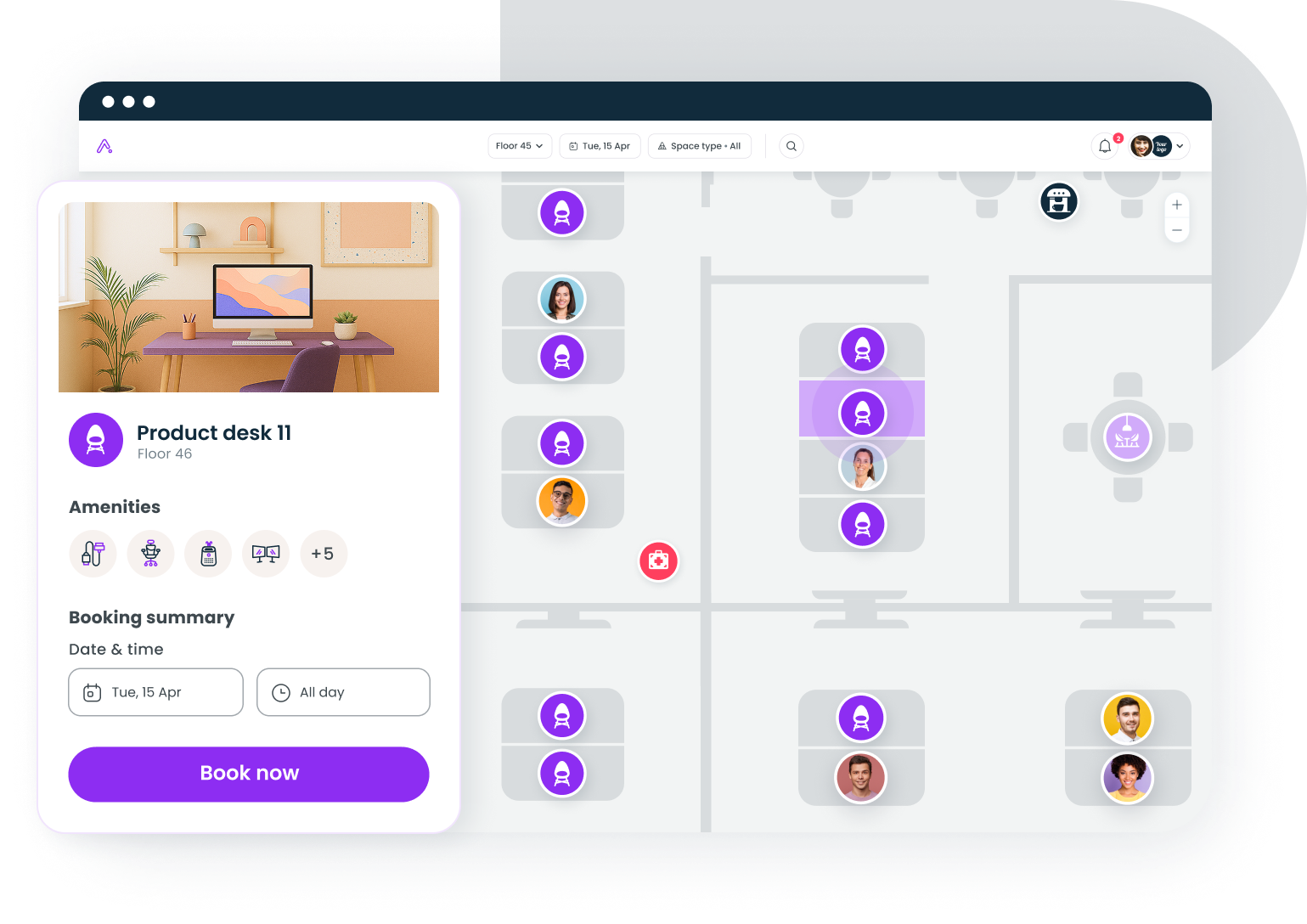
8. deskbird
deskbird is the strongest fit for Microsoft-native organizations, particularly in Europe. Its headline claim is 90%+ adoption when deployed inside Teams and Outlook, which holds up because employees never leave the tools they already have open.
Key features
- Desk booking in two clicks inside Microsoft Teams and Outlook
- Interactive floor plans with zone-based booking
- Weekly planning view for coordinating in-office days
- Auto-release for no-shows with configurable check-in windows
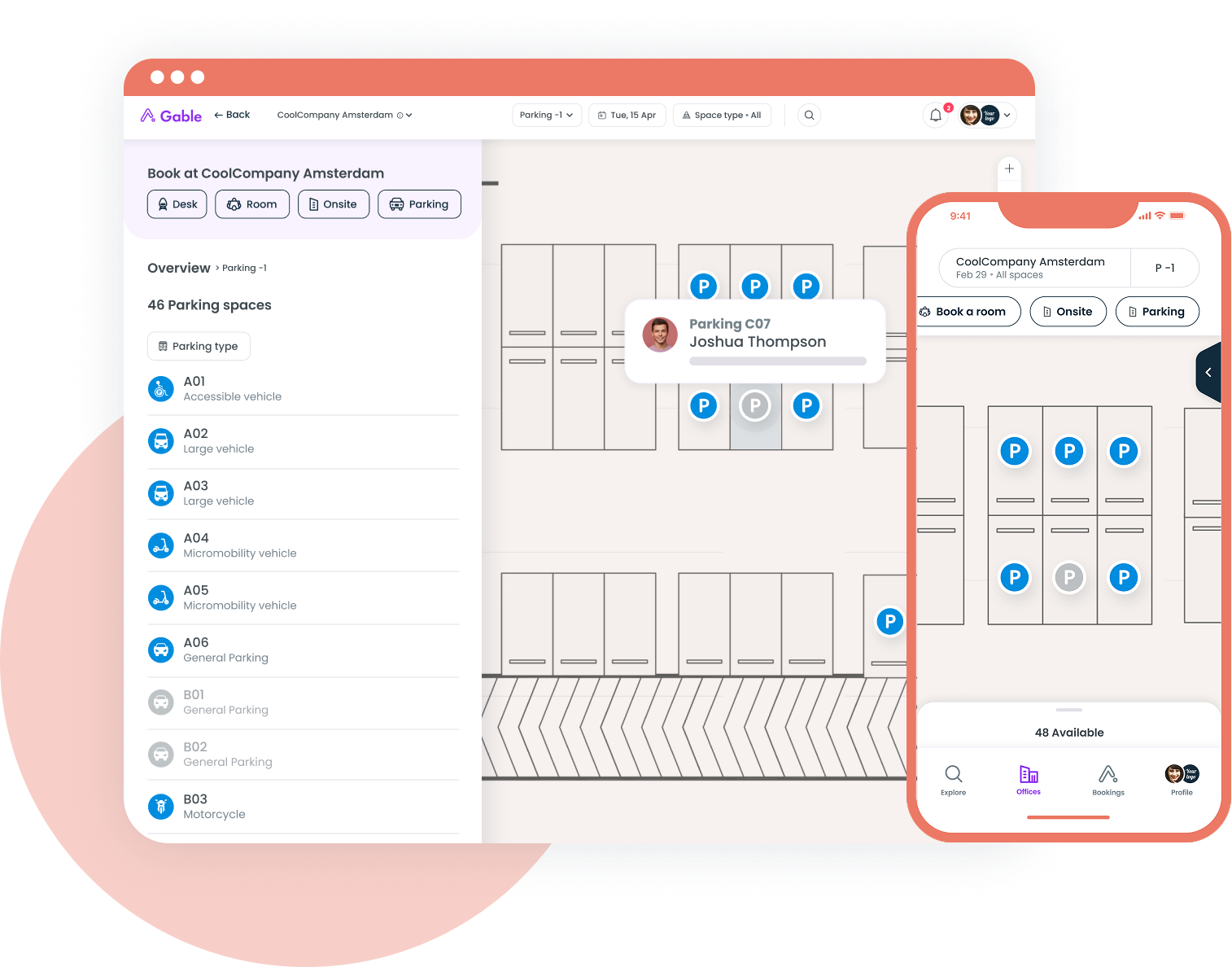
- Parking space booking
- Analytics on desk and room utilization
Pricing
From around €2.75 per user per month, among the more transparent options in this category. Enterprise tiers with advanced analytics and integrations cost more.
Pros
- Microsoft 365 integration drives unusually high adoption
- Published, affordable per-user pricing
- Parking booking is a differentiator most competitors lack
- GDPR compliance built in, with European hosting
Cons
- Google Workspace integration is weaker than the Microsoft side
- No built-in visitor management
- Analytics are solid without being AI-driven
- No room display panel support
9. Kadence
Kadence is for organizations enforcing structured hybrid policies with anchor days. Its algorithm learns team patterns and suggests which days and desks produce the most overlap, so hybrid work schedules get shaped by data rather than by whoever books first.
Key features
- AI scheduling suggesting the best days to come in based on team overlap
- Desk and room booking with interactive maps
- Team coordination showing who plans to be on site
- Policy enforcement for minimum days and team anchor days
- Analytics on collaboration patterns and space utilization
- Integrations with Slack, Teams, Google Calendar, and Outlook
Pricing
Custom per-user pricing, unpublished. Mid-market pricing is estimated at $4 to $7 per user per month based on industry comparisons.
Pros
- AI scheduling is a working feature rather than a marketing label
- Policy enforcement helps HR teams hold a hybrid standard
- Clean interface that employees find intuitive
- Strong team coordination features
Cons
- No visitor management
- Unpublished pricing makes budgeting harder
- Smaller integration ecosystem than Robin or Envoy
- AI suggestions need booking history before they're accurate
10. Joan
Joan is the choice for offices that want physical desk and room displays, especially design-conscious workplaces. It started as a meeting room display company, and the tight coupling between wireless e-ink hardware and software is still its edge.
Key features
- Wireless e-ink room and desk displays requiring no wiring
- Desk and room booking via displays, web, or mobile
- Visitor management with self-service kiosk check-in
- Interactive floor plans
- Analytics on room and desk utilization
- Integrations with Google Calendar, Outlook, and Teams
Pricing
A hybrid model: per-device pricing for hardware displays plus per-user software fees. Hardware starts around $500 per display, and software pricing is custom.
Pros
- Hardware and software integration creates a polished in-office experience
- Wireless displays install without an electrician
- Visitor management included
- Clean, modern interface
Cons
- Hardware costs mount quickly across large offices
- Software features are shallower than pure-software competitors
- Limited AI capability
- Smaller customer base means fewer third-party integrations
11. Archie
Archie fits organizations running internal flex spaces, coworking-style offices, or hub-and-spoke models. It was built for coworking operators first, and the member management and billing features that came from that origin add real value when departments get charged back for space.
Key features
- Desk and room booking with interactive floor plans
- Per-desk pricing model
- Visitor management with self-service check-in
- Member management tools carried over from coworking
- Billing and invoicing for shared spaces
- Analytics on space utilization and revenue
Pricing
Per-desk pricing based on the number of desks or resources managed, which stays predictable when space is fixed and headcount moves.
Pros
- Per-desk pricing aligns cost with space rather than roster
- Visitor management included
- Billing features handle interdepartmental chargebacks
- Highest G2 rating in this roundup at 4.9
Cons
- Member management features are unnecessary in a traditional corporate office
- Limited AI capability
- Interface is less polished than consumer-grade competitors
- Smaller integration ecosystem
12. Skedda
Skedda is the pick for cost-conscious teams with more employees than desks. It bills per desk instead of per user, so an office with 200 employees and 80 desks pays for 80 desks, and its rules engine handles booking policy without the extras you won't use.
Key features
- Desk and room booking with interactive floor plans
- Per-desk pricing model
- QR code check-in with auto-release for no-shows
- Rules engine for time limits and advance booking windows
- Calendar sync with Google and Outlook
- Basic utilization analytics
Pricing
Per-desk tiered pricing based on physical desks managed rather than employees with access. That makes it efficient wherever the cost per desk is the number finance cares about.
Pros
- Per-desk pricing is a clear advantage at low utilization
- Rules engine gives granular booking policy control
- QR check-in and auto-release handle ghost bookings well
- Setup needs minimal IT involvement
Cons
- No visitor management
- No AI features
- Analytics are basic next to Gable or Robin
- Few integrations beyond calendar sync
13. Officely
Officely is right for teams under 50 that live in Slack or Microsoft Teams and want booking to take seconds. Employees reserve desks and announce office days without leaving their messaging app, and there are no floor plans to maintain.
Key features
- Desk booking inside Slack or Microsoft Teams
- Office day announcements so teammates see who's coming in
- Simple capacity management
- Basic reporting on attendance patterns
- Free tier for teams of five or fewer
Pricing
Freemium. Free up to five users, with paid plans from around $2.50 per user per month above that.
Pros
- Fastest setup on this list, measured in minutes
- The free tier is genuinely usable for small teams
- High adoption because it lives inside existing tools
- Affordable paid plans
Cons
- No interactive floor plans
- No room booking
- No visitor management
- Minimal analytics, and no fit for granular space management
14. Microsoft Places
Microsoft Places makes sense if you're already on M365 E3 or E5 and want desk booking at no extra cost. It runs natively inside Teams and Outlook, closer to those apps than a third-party tool can get, and you trade feature depth for that.
Key features
- Desk and room booking inside Microsoft Teams and Outlook
- AI day planning suggesting in-office days based on team schedules
- Interactive floor plans
- Integration with Microsoft Viva for employee experience insights
- Occupancy signals drawn from Teams presence data
- No incremental per-user cost on M365 enterprise plans
Pricing
Included with Microsoft 365 E3 and E5 plans at no additional per-user cost.
Pros
- Zero incremental cost for M365 enterprise customers
- Runs inside Teams and Outlook natively, with no separate app to adopt
- AI suggestions draw on existing calendar and Teams activity
- Microsoft's investment signals long-term commitment
Cons
- Feature set is still maturing against established competitors
- No visitor management
- Limited value for Google Workspace organizations
- Basic analytics and limited customization
- No aggregate G2 rating yet, so peer evidence is thin
Pricing models explained
Pricing is where desk booking comparisons get confusing, because vendors bill against three different units and the cheapest headline rate rarely wins.
Per-user pricing
Robin, Kadence, and deskbird charge for every employee with access. This suits smaller teams and gets expensive as headcount grows, particularly when many employees rarely book. Typical range is $3 to $8 per user per month.
Per-resource and per-desk pricing
Gable, Skedda, and Archie charge for the desks and rooms you manage rather than the people who might use them. This model favors low desk-to-employee ratios, which is now the norm: CBRE found 48% of organizations targeting a sharing ratio between 1.01 and 1.49 people per seat, up from 21% in 2024.
Bundled and flat tiers
Officely runs a free tier for small teams, Microsoft Places comes with M365 enterprise plans, and YAROOMS charges a flat monthly fee by size band. Bundling works when you're already paying for the parent platform, though feature depth usually trails dedicated tools.
Run your own numbers before shortlisting, because the model matters more than the rate. Take the 200-employee, 80-desk office from earlier:
| Model | Annual cost |
|---|---|
| Per-user tool at $5 per user per month | $12,000 |
| Gable Essentials at $2 per resource per month | $1,920 |
| Gable Pro at $4.50 per resource per month | $4,320 |
Those tiers aren't feature-identical, so treat this as a demonstration of how billing units behave at a low desk ratio rather than a like-for-like comparison. The real money sits in the lease, not the license. At CBRE's density benchmark of 190 square feet per seat and a US average asking rent of $37.58 per square foot, cutting 40 desks releases roughly 7,600 square feet, or about $286,000 a year. Add the capex you avoid at JLL's $295 per square foot fit-out benchmark and software cost stops being the deciding factor.
How to fix ghost bookings
Ghost bookings, where employees reserve a desk and never arrive, create phantom demand. The office looks full on paper while desks sit empty, and every utilization report built on reservations rather than arrivals is wrong.
The standard fix is check-in with auto-release:
- Employees confirm arrival through the app, a QR scan, an NFC tap, or a badge swipe
- If no check-in happens inside a configurable window, typically 15 to 45 minutes, the desk returns to the available pool
- Some platforms read WiFi or badge data to detect presence passively, removing the manual step
When you evaluate tools, push past the marketing claim and ask about the configuration. Can you set different check-in windows by zone? Can assigned seats be exempt from auto-release? Can you report no-show rates by team? Those answers separate a working system from a checkbox.
What to look for in 2026
The category has matured, and four things now separate adequate tools from good ones.
Integration depth, not breadth
Every vendor claims Slack, Teams, and calendar integrations. Depth is the differentiator. Can an employee finish a booking without leaving Slack? Does the calendar entry show the desk location? Does the HRIS connection update permissions when someone changes teams? Hybrid work technology works only when it fits existing workflows.
Analytics that drive decisions
Utilization dashboards are everywhere. The tools worth paying for separate reservations from arrivals, break peak-day utilization down by zone, track no-show trends by team, and report cost per occupied seat. That's the evidence workplace leaders need to justify real estate decisions to finance.
Policy enforcement
A well-designed booking screen won't stop Tuesday overcrowding or Friday ghost towns. CBRE's data shows the concentration clearly: 73% of organizations report Tuesday as their peak attendance day, far ahead of Wednesday at 23%. Handling that requires booking time limits, team neighborhoods, zone-level capacity caps, and auto-release, all enforced by the platform rather than by email.
Platform consolidation
If you're paying separately for desk booking, room scheduling, visitor management, and analytics, the case for consolidating into one office management software platform is stronger than it has ever been. Gartner's category definition now assumes it, and unified data across desks, rooms, and visitors is what makes utilization reporting trustworthy.
How to choose the right desk booking software
The right tool follows from your size, your tech stack, and the one problem you most need solved:
- Under 50 employees, Slack-first: Officely, free or paid
- Microsoft 365 environment, budget-conscious: deskbird or Microsoft Places
- Google Workspace mid-market: Tactic
- One platform for desks, rooms, and visitors: Gable Offices
- Enterprise with multi-building portfolios: OfficeSpace or Robin
- Front-desk experience is the priority: Envoy or Gable Offices
- Carbon and ESG reporting required: YAROOMS
- More employees than desks: Skedda or Archie
- Physical desk and room displays: Joan
- Digital signage alongside booking: Appspace
Start from your non-negotiables. If desk booking data privacy is a live concern, read each vendor's data handling terms before the demo. If you manage multiple office locations, test portfolio-level analytics rather than single-site dashboards. And if you're enforcing a hybrid policy, confirm the platform can enforce it rather than suggest it.
The 18-point gap between what companies target for utilization and what they achieve is the whole business case. Software that only takes reservations narrows it slightly. Software that shows which desks earn their rent does the rest.
Book a demo to see how workplace teams coordinate in-office days, manage visitors, and make space decisions from one platform.
Get a demo