.svg)


.svg)
- UnSpot is well rated and cheap; teams outgrow it on support, mobile, and multi-site analytics
- Gable matches UnSpot’s $2.50 seat price and adds visitors, coworking, and deeper reporting
- deskbird fits Microsoft-first mid-market teams, Kadence fits schedule-first teams, Robin fits 500-plus
- Migrate in four weeks: export, pilot one floor, run both systems, then switch
- Choose by headcount, office count, and how strict your hybrid policy is
The best UnSpot alternatives in 2026 are Gable, deskbird, Kadence, and Robin. UnSpot sells desk booking, room scheduling, and hybrid scheduling from $2.50 per user per month, and its reviews are strong; the teams searching for a replacement are usually the ones that have grown past a single office or need the front desk and analytics in the same hybrid workplace software. With 52% of remote-capable US employees now hybrid, according to Gallup’s 2026 data, the coordination tool carries more of the week than it did when most teams bought it.
Why teams using UnSpot start looking for alternatives
UnSpot holds a 5.0 across 320 G2 reviews and a 4.9 across 72 on Capterra, where 67% of reviewers come from small businesses. That profile explains both the praise and the gaps. The product does the core job well: desks, rooms, parking, floor maps, room displays, and a week planner, with Google Calendar, Outlook, Slack, Teams, and Jira integrations. The complaints in those same reviews cluster in five places:
Two further gaps are about scope rather than bugs, so reviewers don’t raise them: UnSpot has no visitor management and no access to coworking space, so companies that need the lobby and the satellite office in the same system bolt on a second tool.
The features that matter most in an UnSpot replacement
Keep what UnSpot does well and close the gaps that sent you looking. In practice that means five checks:

Models, common failure points, and the practices that make a hybrid schedule stick, whatever tool enforces it.
Read the guide
The 4 best UnSpot alternatives in 2026
Gable is our product, so it sits first; we list its gaps in the same detail as everyone else’s. Pricing and G2 figures were checked in October 2026.
| # | Tool | Best for | Starting price | G2 rating |
|---|---|---|---|---|
| 1 | Gable | Desks, rooms, visitors, coworking, and analytics in one platform | From $2.50/user/mo | 4.4 (370) |
| 2 | deskbird | Microsoft 365 teams with 100 to 1,000 employees | From ~$3.75/user/mo | 4.5 (279) |
| 3 | Kadence | Teams whose problem is who comes in when | Quote-based | 4.5 (143) |
| 4 | Robin | Enterprises of 500 or more employees | Quote-based | 4.4 (211) |
G2 ratings are out of 5 with review counts in parentheses.
1. Gable
Gable keeps UnSpot’s price and widens the scope. Desk and room booking, interactive floor plans, a live team view of who’s coming in, visitor check-in, and on-demand coworking access in 900-plus cities run from one dashboard, with bookings made from Slack, Teams, mobile, or Outlook. The desk booking software layer adds QR and NFC check-in and auto-release for no-shows, so utilization reports reflect who showed up rather than who clicked. Gable’s analytics combine booking, badge, and WiFi data, which is the piece single-office tools skip. The trade-off is that Gable is demo-first; there’s no self-serve trial.
- Live team view and in-office day coordination with Slack and Teams booking
- Utilization by floor, team, and weekday across offices and coworking in one report
- Customers report a 32% reduction in unused space after switching to booking data
Pricing: Office Management from $2.50 per user per month; all-in-one plans are custom.
G2 rating: 4.4/5 (370 reviews).
Best for: Hybrid teams of 200 to 5,000 that want visitors, coworking, and analytics without a second vendor.
2. deskbird
deskbird is the closest like-for-like UnSpot replacement for mid-market teams, with a mobile-first week planner, desk and room booking, and a strong Microsoft 365 story, including a native Teams app. Pricing is per active user, which favors offices where plenty of people come in only occasionally. G2 reviewers like the interface and mention thinner analytics and the active-user model climbing with headcount.
- Week planner that shows colleagues’ office days before you book
- Teams and Outlook integrations that keep booking inside Microsoft
- Per-active-user billing from about $3.75
Pricing: From about $3.75 per active user per month, billed annually; Professional and Enterprise are custom.
G2 rating: 4.5/5 (279 reviews).
Best for: Microsoft-first companies with 100 to 1,000 employees and irregular attendance.
One platform for office booking, front desk, coworking, and the reporting behind your hybrid policy.
Learn more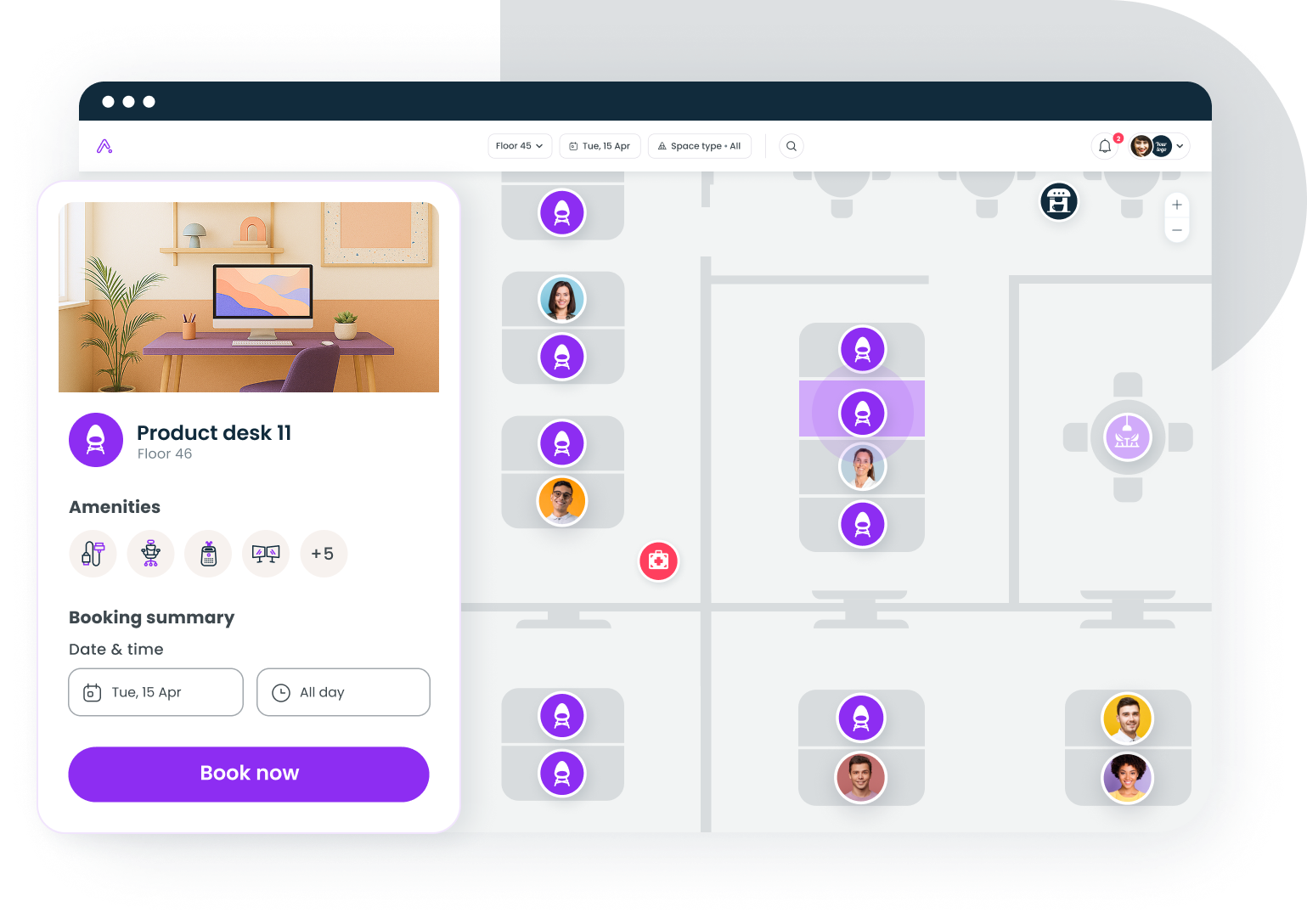
3. Kadence
Kadence starts with people rather than places. Employees see where their team plans to be and pick days that line up, then book desks and rooms on top of that coordination layer. That ordering suits companies whose real problem is an empty office on Tuesday and a packed one on Wednesday. Pricing is quote-based and billed on active users, so compare proposals side by side; visitor management is included, coworking access isn’t.
- Team scheduling that recommends which day to come in
- Desk and room booking layered on the schedule
- Active-user billing that favors irregular attendance
Pricing: Quote-based, billed on active users annually.
G2 rating: 4.5/5 (143 reviews).
Best for: Teams whose hybrid policy depends on the right people overlapping, not on seat counts.
4. Robin
Robin is the enterprise option, with mature room scheduling, floor plan analytics, and room display support. Robin’s site says it’s built for 500 or more employees and bills annually only. Reviewers on G2 like the analytics and dislike the price, and several mention floor plan edits that need vendor involvement, a step down from UnSpot’s self-serve maps.
- Room displays, check-in rules, and abandoned-meeting release
- Desk suggestions and colleague visibility that drive adoption
- Governance features for multi-region estates
Pricing: Quote-based; industry benchmarks place mid-market plans around $5 to $8 per user per month (estimate).
G2 rating: 4.4/5 (211 reviews).
Best for: Enterprises with many sites and a dedicated workplace team.
How to switch from UnSpot without breaking your office workflows
A desk booking migration fails in the week people can’t find a seat. Keep that week from happening with a four-step plan:
- Export everything first. Pull floor plans, desk and room inventories, user lists, and six months of booking history from UnSpot as CSVs. Archive the history; most teams don’t import it.
- Rebuild one floor. Load that floor’s plan and inventory into the new tool, connect SSO and calendar sync, and have the workplace team book against it for a week.
- Pilot with one department. Pick a team with a strict in-office policy so the new tool gets tested on a busy day. Collect friction in a single channel and fix it before widening.
- Run both for two weeks, then cut over. Keep UnSpot read-only for a month after the switch so nobody loses a recurring booking.
Budget four weeks end to end. Teams that skip the parallel run are the ones that end up with two half-used systems.
How to narrow down the right UnSpot alternative for your team
Match the tool to three facts about your company: headcount, office count, and how strict the hybrid policy is.
Under 300 employees, one office
At this size the switch has to pay for itself quickly, because UnSpot already covers desks and rooms at a low price. Gable makes the case when you also host visitors or send people to coworking spaces: both come in at the same $2.50 seat price UnSpot charges, and the lobby and the satellite office land in the same report as your desks. deskbird is the better fit when your whole company lives in Microsoft Teams and Outlook, since its week planner and booking run inside those tools without a separate app.
300 to 2,000 employees, two to ten offices
This is where multi-site analytics decide it. Utilization averages 54% against a 79% target, according to JLL’s 2026 outlook, and closing that gap across several sites takes a consolidated report. Gable and Kadence both deliver it; our roundup of hot desk booking software compares ten tools on that axis.
Over 2,000 employees or a mandated schedule
52% of organizations now require three or four office days a week, per JLL, and enforcing that across a large estate needs governance: regional admins, policy templates, and check-in rules. Robin and Gable fit here. Whichever you pick, pair it with the workplace scheduling software practices that keep a mandate from turning into a packed Wednesday, and treat the seating model as a decision in itself: nearly 60% of employees in unassigned offices would prefer a dedicated desk, according to Gensler’s 2026 survey.
Choosing your UnSpot replacement
UnSpot earned its reviews, and the right alternative is the one that closes your specific gap at a price that holds at your next headcount. Gable fits teams that want visitors, coworking, and analytics under one $2.50 seat. deskbird fits companies that live in Microsoft Teams and Outlook. Kadence fits teams whose real problem is getting the right people in on the same day, and Robin fits enterprises that need governance across many sites. Run the pilot before the contract; a Stanford study found hybrid schedules cut resignations by 33%, and the booking tool is what makes those schedules hold.
Walk through desk booking, attendance visibility, and utilization reporting with a Gable specialist.
Get a demo