


Let's Talk
The future of work is here. Learn how Gable can help your team work better together, from any location.
Space management software that plans with real data, not guesswork
Gable Space Planning unifies scenario planning, stack planning, and move management to optimize your portfolio and adapt to business needs.

Cut planning time from weeks to hours
Test unlimited what-if scenarios
Plan to published floor plan in one click

Gable Is Trusted By







The benefits of Gable's Office Management Software

Right-size your real estate
See supply vs. demand by floor and neighborhood. Spot underused space, model consolidation, and cut cost per seat with confidence.

Plan on live data
Every plan starts from real headcount (HRIS), real bookings, and attendance so your stack plan reflects how people use the office.

Execute without chaos
Drafts, conflict checks, and a full audit trail mean plans ship cleanly so everyone knows where they sit on day one.
Scenario planning
Test unlimited floor plan scenarios, safely
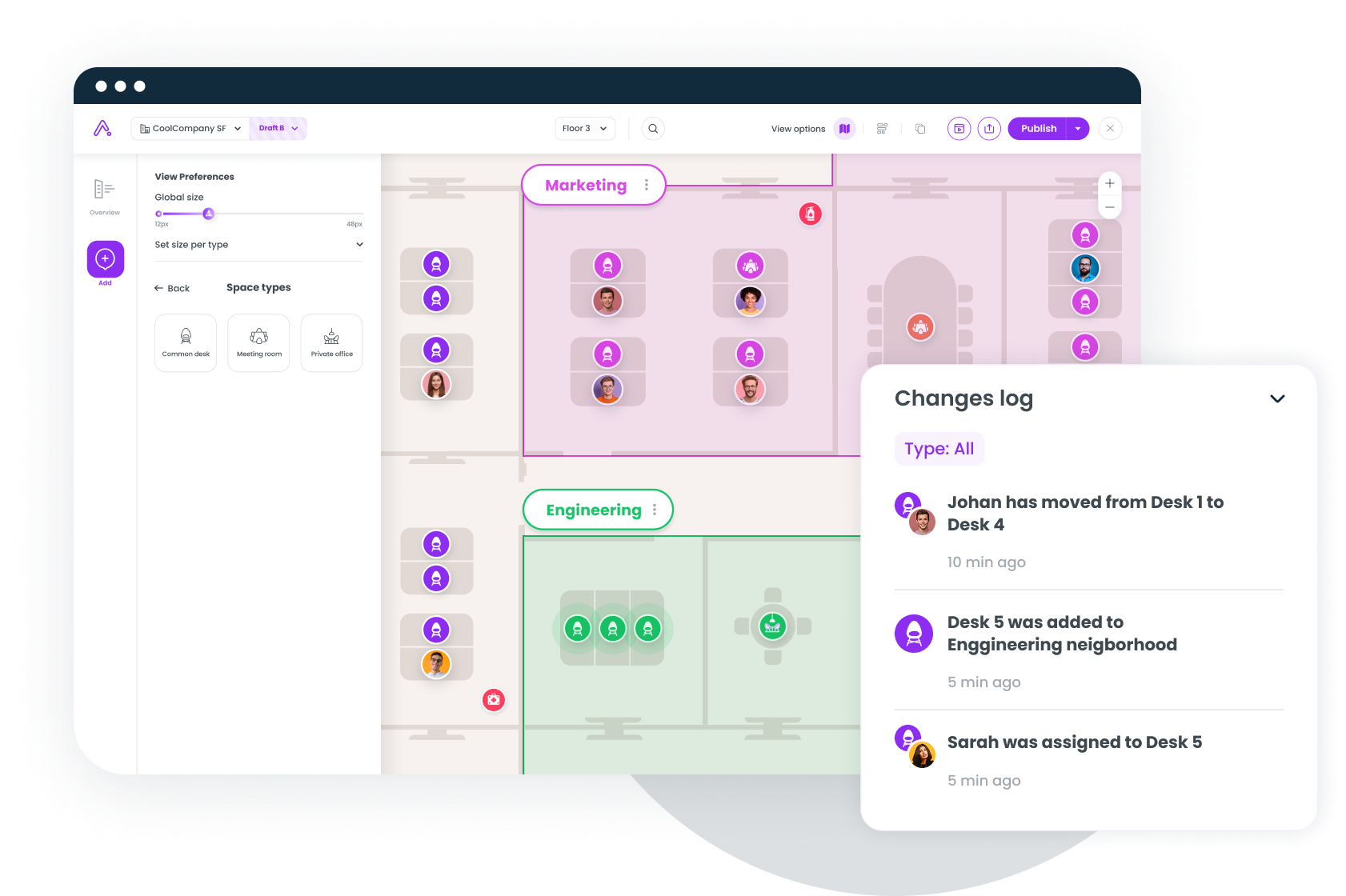
Fork your live floor plan into drafts and experiment freely: redraw neighborhoods, move desks, reassign seats. Compare drafts side by side, then publish when you're ready.
Stack Planning
Allocate teams to floors and neighborhoods at scale
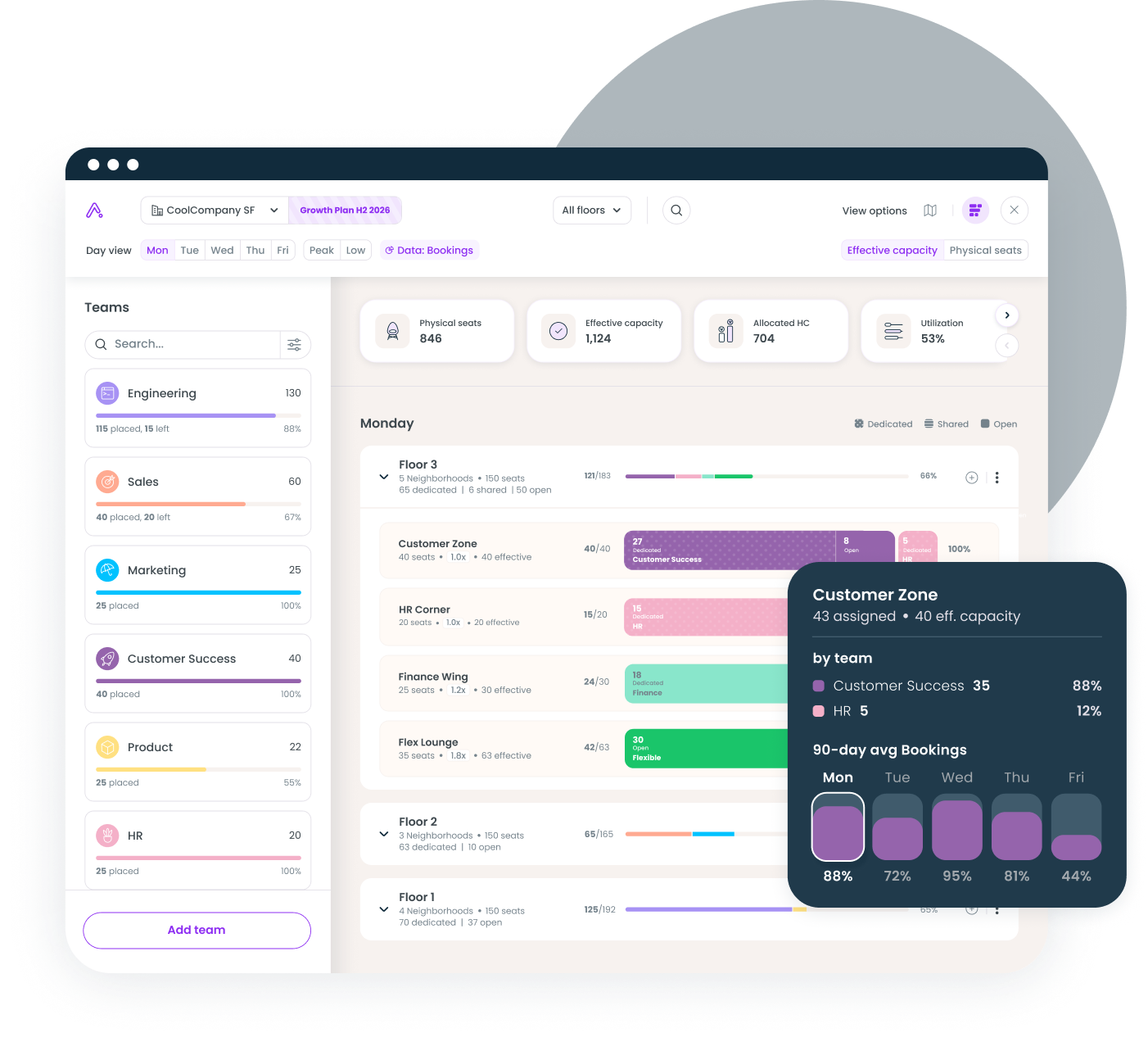
See every team, floor, and neighborhood in one view. Drag teams into neighborhoods and Gable instantly shows effective capacity against allocated headcount from your HRIS.
Move management
Moves, adds, and changes without the spreadsheet
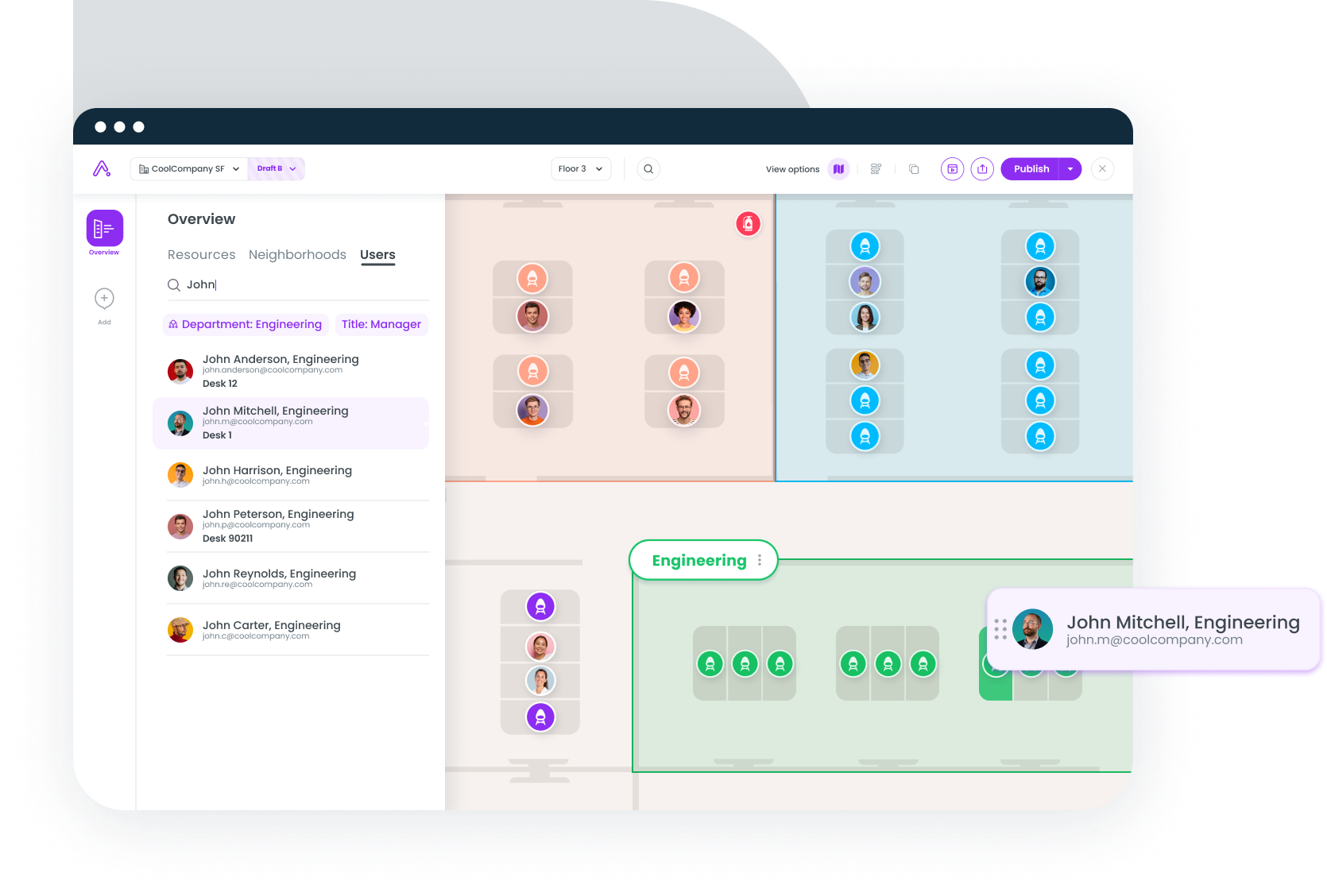
Handle everything from a single desk swap to a full-floor restack in one place. Drag and drop people on the floor plan and keep a complete history of who sat where.
Learn more

Integrate with your current tech
Gable integrates with Microsoft Teams, Slack, Microsoft Outlook, and Google Calendar, so your team members can reserve desks and rooms smoothly and efficiently. We work where you work.


Everything you need to plan, allocate, and execute

Interactive floor plans
Draw neighborhoods, desks, rooms, and points of interest on live, interactive maps.

Real utilization data
Plans informed by bookings, check-ins, and badge data - not assumptions.

HRIS sync
OKTA, Workday, Rippling, and more keep headcount and org structure current automatically.

Neighborhoods
Allocate zones by team, function, or work style with sharing ratios per zone.

Draft & publish workflow
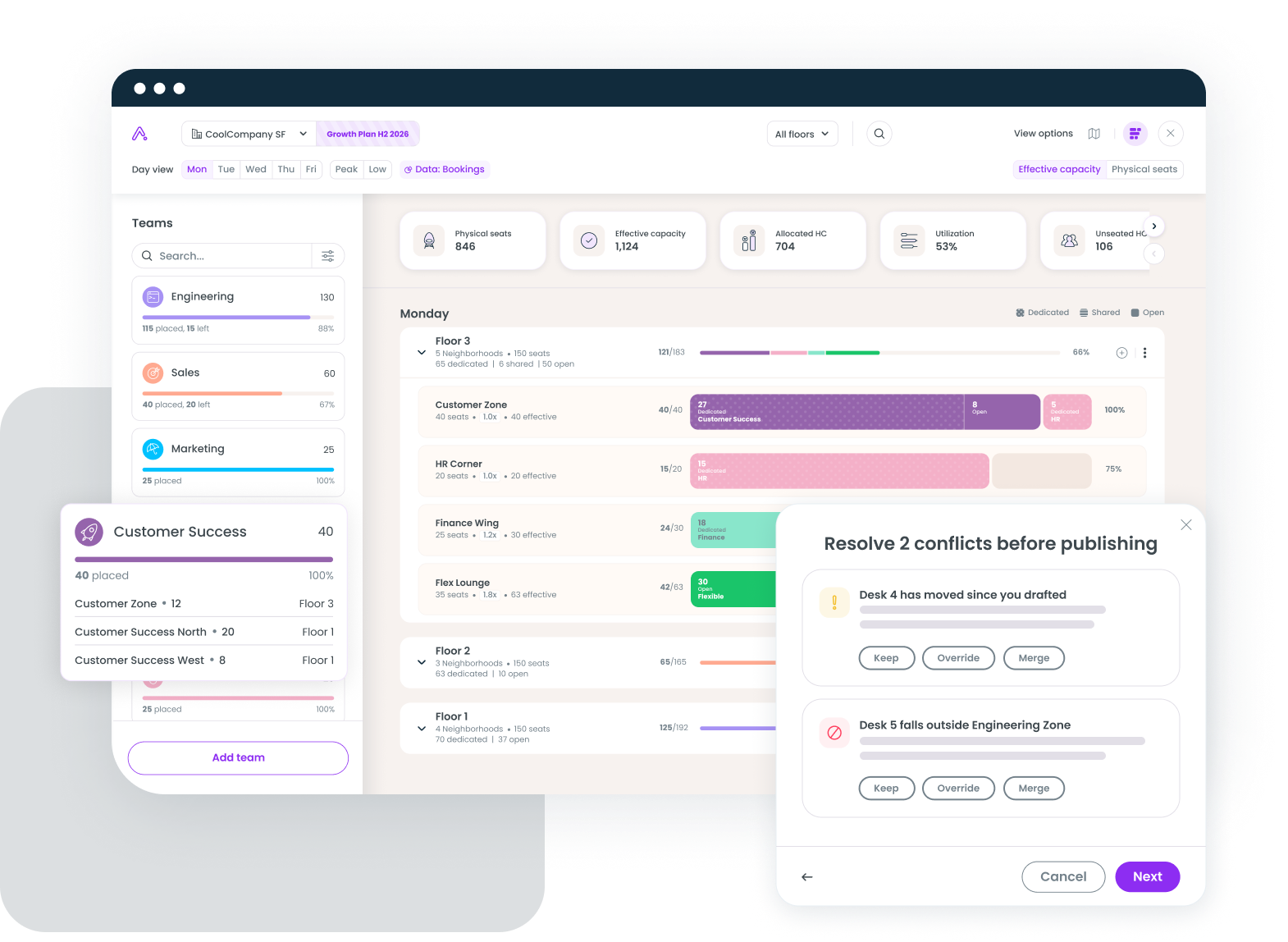
Sandbox changes, resolve conflicts, publish with confidence.

Audit trail
Every assignment change tracked: who, what, when.

Roles & permissions
Control who can draft, approve, and publish plans per office.

One platform
Space plans go live instantly in the same app employees use to book desks and rooms.
What customers have to say

“We're able to see the actual utilization of our office. How many people intend to come in and actually come in. This makes it easier for us to make future decisions about our real estate and hybrid policies."

.png)
"Gable has driven significant cost savings for us, providing customized controls that
dictate how and where teams book, enabling greater accountability and real-time cost tracking."
dictate how and where teams book, enabling greater accountability and real-time cost tracking."


“We're able to use Gable to help track headcount in our offices, which is great as we continue to know how we can rightsize our real estate footprint in a way that serves our community in the best way.”

FAQs
What is space management software?
Space management software helps workplace and real estate teams plan, allocate, and optimize office space. Gable combines stack planning, scenario planning, and move management with real booking and attendance data, so teams can right-size their portfolio and execute changes without spreadsheets.
What is stack planning?
Stack planning is the process of allocating teams and departments to floors and neighborhoods across a building or portfolio. Gable's stack planning shows effective capacity (physical seats weighted by sharing ratios), against HRIS headcount and real booking demand by day of week, so allocations reflect how teams actually work.
What is scenario planning for office space?
Scenario planning lets you model what-if changes: growth, downsizing, consolidations, hybrid policy shifts, in a draft environment before committing. In Gable, you fork your live floor plan into drafts, compare options, resolve conflicts, and publish the winning scenario in one click.
What are moves, adds, and changes (MAC)?
MAC refers to the ongoing process of moving employees between seats, adding new hires, and updating assignments. Gable automates MAC with drag-and-drop floor plan tools, HRIS-driven queues for new hires and departures, and a complete audit trail of every assignment change.


.svg)
