.svg)


.svg)
- Gable: best all-in-one for desks, rooms, visitors, parking, and analytics. From $2.50/seat.
- Officely wins for Slack-first teams. Free tier for up to 5 users.
- Robin and OfficeSpace lead on deep workplace analytics.
- Skedda offers flat-rate pricing predictability for small offices.
- deskbird suits Outlook and Google Calendar-heavy teams.
Hot desking only works when the booking software does. Bad tools create ghost bookings, frustrated employees, and floor plans no one can read. Good ones cut real estate costs, surface usage data that justifies the next lease decision, and stay out of the way.
According to CBRE's 2025 Office Occupier Sentiment Survey, 72% of companies now meet their office attendance goals (up from 61% the year prior), while only 25% still use exclusively assigned seating. The shift to shared, bookable desks is over. What matters now is picking a platform that your team will actually use.
Below are the 10 best hot desk booking platforms for 2026, ranked, with pricing, real strengths, and honest weaknesses.
The 10 best hot desk booking software at a glance
- Gable: best all-in-one for desks, rooms, visitors, parking, and analytics. From $2.50/seat.
- Officely: best Slack-native option (Teams app in beta). Free tier for up to 5 users.
- deskbird: best for Microsoft 365 and Google Calendar shops. From $3.75/user/month.
- YAROOMS: best for AI-suggested seating. From $99/month.
- Skedda: best flat-rate option for small offices. From $99/month for 15 spaces.
- Robin: best for deep workplace analytics. Custom pricing.
- Kadence: best for team-coordination-first cultures. Custom pricing.
- Tidaro: best standalone option for desks plus parking. From €69/month.
- Envoy Desks: best if you already use Envoy for visitors. Bundled in Workplace Premium.
- OfficeSpace: best for enterprise floor planning. Custom pricing.
Hot desk booking software comparison table
Pricing and feature data verified May 2026.

Our complete guide covers implementation, adoption tactics, and how to mix hot desks with assigned seating for hybrid teams.
Read the guide
The 10 best hot desk booking software for 2026, reviewed
1. Gable: Best all-in-one for flexible workplaces
Gable is the only platform on this list that combines hot desk booking, meeting room scheduling, visitor management, parking, and workplace analytics in one product at a price point typically associated with single-feature tools. For workplace leaders who don't want to stitch together separate vendors for each space type, that consolidation is the differentiator.
The platform is built around an interactive floor plan that shows real-time desk availability, who's sitting where, and which areas are filling up by hour. Employees can book from the web, mobile, Slack, Microsoft Teams, or Outlook, and the booking flows live inside each of those tools rather than redirecting out of them. That single design choice is what drives adoption higher than feature-richer competitors.
"People can quickly see which desks are available and reserve one in just a few clicks, which makes it really easy to manage hot desking in a hybrid workplace. It's also been great for giving us clear visibility of who's coming into the office on different days. It has made it much easier for us to manage hot desking at our London HQ and ensure the office space is used efficiently." -Craig R., Senior Director, Global Real Estate and Facilities, G2 review (5/5)
Key features
- Interactive floor plans with real-time desk availability and team visibility
- Native Slack, Microsoft Teams, Google Workspace, and Outlook booking
- Automatic check-in via badge, Wi-Fi, or geofence, with auto-release on no-show
- Workplace analytics: peak hours, utilization by neighborhood, no-show rates
- Built-in meeting room scheduling, visitor management, and parking management, no separate vendors needed
Pros
- $2.50 per seat is comparable to standalone desk-booking-only tools, but includes meeting rooms, visitors, parking, and analytics in the same plan
- Consolidates desks, rooms, visitors, parking, and analytics, replacing three or four separate tools
- Deep workflow integrations mean employees rarely leave Slack or Teams to book
Cons
- Some advanced enterprise configurations (custom multi-region reporting, complex SSO topologies) involve working with the team rather than fully self-serve setup
- Teams that only need basic booking, and no rooms, visitors, parking, or analytics, may not use the full platform
Pricing:
Starts at $2.50 per seat.
Gable is also a full office management software platform, with desk booking sitting alongside the rest of the workplace stack instead of as an isolated tool.
2. Officely: Best for Slack-native teams
Officely's bet is that if your team already lives in Slack, the booking experience should never leave it. Employees mark themselves in or out for the day with a single message, and the platform aggregates that into a team-level office schedule. A Microsoft Teams app is currently in beta.
Key features
- Full booking flow inside Slack (Teams app in beta)
- Daily office-attendance digest visible to teammates
- Custom booking rules by team or area
- Free tier for up to 5 users
Pros
Lowest-friction adoption on this list for chat-first cultures. Free tier removes the procurement hurdle for very small teams.
Cons
Limited analytics, fine for "who's in today" but not for justifying real estate decisions. No standalone web or mobile experience for non-chat users.
Pricing
Free tier (5 users); Basic at $2.50/user/month; Premium at $3.50/user/month.
3. deskbird: Best for Microsoft 365 and Google Calendar users
deskbird treats desk booking as a calendar event. If your team books rooms via Outlook or Google Calendar today, deskbird makes desk reservations feel like the same workflow: same view, same reminders, same logic.
Key features
- Weekly planning view that overlays desks with calendar commitments
- Filters for desk amenities (monitor, standing desk, quiet zone)
- Parking and meeting room booking alongside desks
- Native Outlook and Google Calendar integration
Pros
Cleanest calendar-first UX of the options reviewed. Minimal training required for teams already heavy on Outlook or Google Calendar.
Cons
Initial setup of floor plans and rules takes longer than chat-native alternatives. Less suited for multi-location enterprise deployments.
Pricing
Starts at $3.75 per user per month (Business plan, billed annually).
4. YAROOMS: Best for AI-powered desk suggestions
YAROOMS leans on an AI assistant that suggests desks based on team presence, past preferences, and proximity to colleagues, reducing the decision fatigue that hot desking creates on busy days.
Key features
- AI-suggested desk recommendations for each booking
- Digital desk signs displaying live availability
- Booking from web, mobile, Outlook, and Teams
- Comprehensive utilization analytics
Pros
AI suggestions reduce the "where should I sit today" friction. Strong Microsoft ecosystem fit.
Cons
Starting price is higher than many alternatives for what most teams will use day-to-day. Full feature depth is more than simple hot desking needs.
Pricing
Starter plan begins at $99 per month.
5. Skedda: Best budget option for small offices
Skedda's flat starter tier ($99/month for up to 15 spaces) makes pricing predictable for small offices, especially where most of the company comes in regularly. The trade-off is that Skedda is a rules engine first and a workplace platform second.
Key features
- Rule-based booking engine (windows, time limits, blackout dates)
- Customizable interactive floor plans
- Office neighborhoods for team-based seating
- Outlook and Microsoft Teams integration
- Check-in enforcement with auto-release
Pros
Flat starter tier is predictable for small offices. Strong customization for complex booking policies. 30-day Premium trial available.
Cons
Reporting is limited compared to dedicated analytics platforms. The Starter tier caps at 15 spaces; costs ramp on higher plans for larger offices.
Pricing
Starts at $99 per month for up to 15 spaces; additional spaces priced individually on higher tiers.
Gable's desk booking gives employees an intuitive way to reserve workspaces and gives workplace leaders the utilization data to right-size their real estate.
Learn more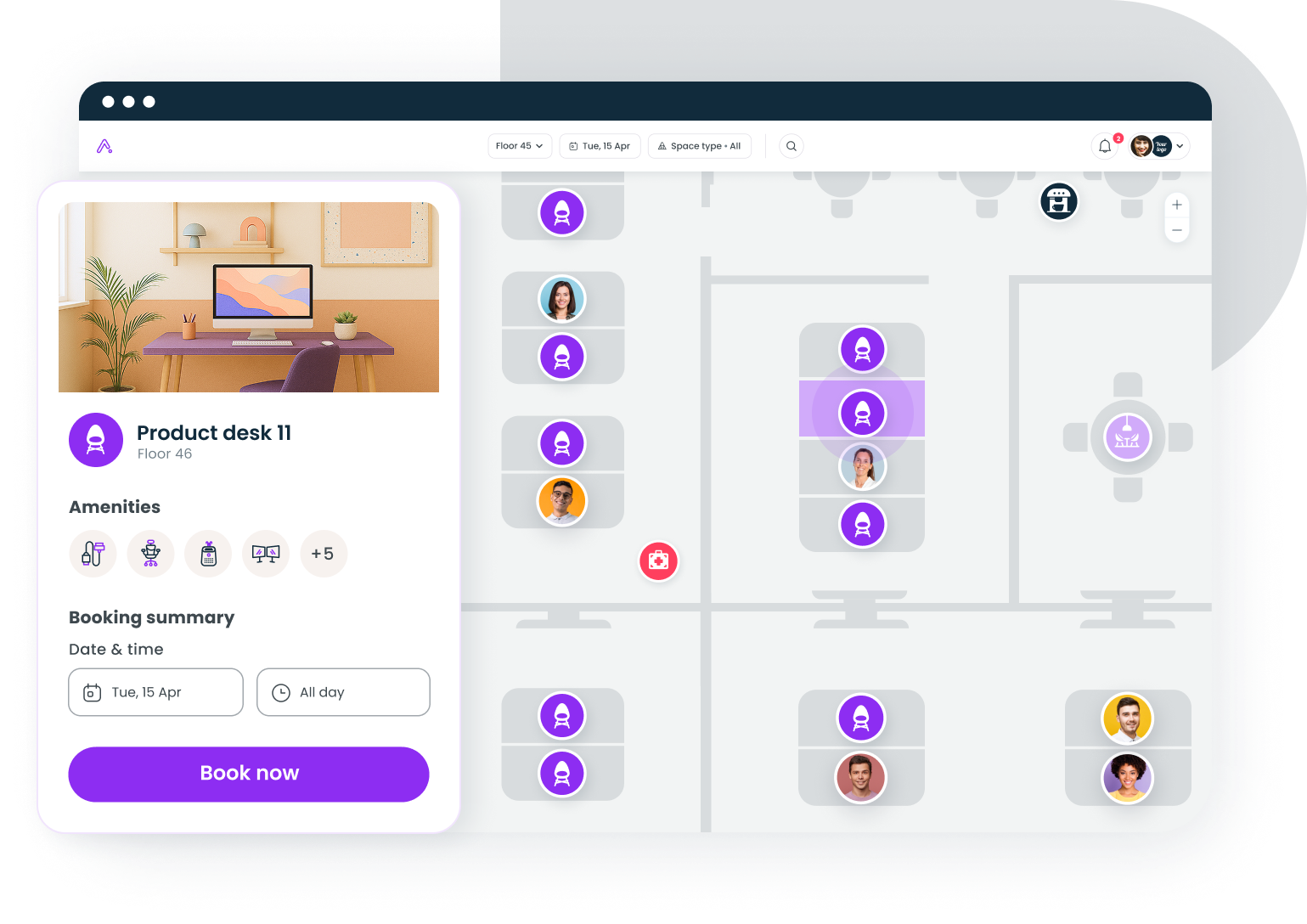
6. Robin: Best for workplace analytics
Robin is the platform most often chosen when "we need real data for the board" is the top requirement. Its reporting depth (utilization by floor, neighborhood, day of week, team) is among the deepest of the desk-booking-first tools.
Key features
- AI-powered desk suggestions based on booking history
- Multiple check-in options: QR codes, Wi-Fi, badge
- Share bookings directly in Slack for team coordination
- BI-grade analytics and exportable dashboards
Pros
Strongest reporting in the category. Deep integrations with calendar and collaboration tools.
Cons
Pricing is not public and consistently described by buyers as premium. Adoption can plateau in larger orgs unless paired with internal change management.
Pricing
Custom; contact sales.
7. Kadence: Best for coordinating team office days
Kadence is built around the question "is the team in today?" more than "is a desk free?" That makes it strong for organizations whose office strategy depends on collaborative anchor days rather than individual attendance.
Key features
- Team-coordination view (who's in, when, where) before individual booking
- AI-suggested desk selection based on team presence
- Priority access controls for specific teams
Pros
Strong for teams optimizing around collaboration days. Regular product updates.
Cons
Custom pricing trends expensive for smaller orgs. Less suited if your goal is real estate optimization rather than team coordination.
Pricing
Custom, based on organization size.
8. Tidaro: Best standalone option for desk and parking
Tidaro is a focused tool for offices that need exactly two things: simple desk booking and parking spot booking, with minimal overhead. It's a strong fit for smaller European offices where parking is a daily constraint and the workplace stack doesn't need to grow beyond those two surfaces.
Key features
- One-click desk reservations
- Parking spot booking alongside desks
- Auto-release for no-shows
- SSO integration
Pros
Cleanest experience if your scope is desks and parking only. Training-free for end users. 14-day free trial available.
Cons
Mobile admin tooling is more limited than the web app. Smaller integration ecosystem than larger platforms. If you also need rooms, visitors, or analytics, a bundled platform like Gable covers parking plus those workflows at similar total cost.
Pricing
Starts at €69 per month for up to 50 users.
9. Envoy Desks: Best for visitor and desk management combo
Envoy's desk booking is bundled into Workplace Premium, the company's paid tier that also includes its well-known visitor management system. The right fit if your front desk already runs Envoy and adding desks consolidates the vendor list.
Key features
- Hourly, daily, or weekly bookings
- Team neighborhoods for department-based seating
- Interactive workplace maps
- Usage data for layout optimization
Pros
Tight integration with Envoy's visitor flow. Polished UI and broad app marketplace.
Cons
Total cost can be high once visitor and desk bundles are layered. Outside an existing Envoy footprint, the value drops sharply.
Pricing
Available only in the Workplace Premium tier; pricing is custom and modular based on which features you include.
10. OfficeSpace: Best for advanced desk usage analytics
OfficeSpace sits at the enterprise end of the market. It's strongest when desk booking is one workflow inside a larger space-management mandate that includes floor planning, move management, and capital planning.
Key features
- Desk booking with both hot and assigned seat modes
- Conference room scheduling
- Detailed analytics and reporting
- Deliveries management with employee notifications
Pros
Strong analytics and broader space-management capability. Fits enterprise floor-planning workflows.
Cons
Multiple modules can feel disjointed compared to unified platforms. Higher complexity than most hot desking use cases require.
Pricing
Custom; contact sales.
How to choose the right hot desk booking software
The right choice depends on four things: team size, primary collaboration tool, analytics depth, and budget structure.
By team size. Under 50 employees, Officely's free tier or Gable's per-seat pricing both make sense. From 50 to 500, Gable, deskbird, and Robin cover most needs. At 500+, Robin or OfficeSpace handle enterprise complexity, though Gable scales there too at lower cost.
By primary collaboration tool. Slack-first cultures should look at Officely or Gable. Microsoft 365-heavy orgs should look at deskbird or Gable. Google Workspace shops have fewer native options, with deskbird and Gable being the strongest fits.
By analytics depth. If you only need to know who's in today, Officely or Skedda is enough. If you need to defend a lease renewal with utilization data, Gable, Robin, or OfficeSpace are the serious options. Most teams underestimate the analytics requirement until their first board-level real estate conversation.
By budget structure. Predictable flat rate at small scale: Skedda. Affordable per-seat: Gable. Enterprise with no price ceiling: Robin or OfficeSpace.
Adoption is what makes or breaks every deployment, regardless of feature set. Even the most feature-rich space management platform fails if employees don't use it. Choose the tool your team will open over the one with the longest feature list.
Bottom line: Which hot desk booking software should you choose?
Choose Gable if you want one platform for desks, meeting rooms, visitors, parking, and analytics at lower total cost than buying any two of those tools separately.
Choose Officely if Slack is your operating system and your priority is adoption over reporting depth (Teams app is in beta).
Choose Robin or OfficeSpace if you need enterprise-grade analytics for board-level real estate decisions and budget isn't the gating constraint.
Choose Skedda if you have a small office (under 15 spaces) and want predictable flat-rate pricing.
Choose deskbird if your team runs on Outlook or Google Calendar and you want desk booking to feel like another calendar event.
Choose Tidaro only if your scope is strictly desks and parking with no plans to expand. Otherwise, Gable now covers parking inside a fuller platform.
For most mid-market hybrid workplaces (100 to 1,000 employees, mixed collaboration tools, real estate as a board-level cost line), Gable is the strongest balance of features, integrations, and price.
Gable helps companies like Snowflake, Checkr, and Ironclad optimize their workspace and make every office day productive.
Get a demo