.svg)


.svg)
- Office utilization hit 53% in 2026, so manual coordination no longer scales.
- Desk, room, visitor and ticket workflows pay back fastest, in that order.
- Gable, Envoy, Robin and Eptura run space operations; Zapier and Make connect the rest.
- Slack-native tools win adoption; CMMS and HR tools win on depth.
- Automate the workflow your admins repeat most, then connect outward.
Office automation software takes the recurring coordination work in a hybrid office (who's in, which desk, which room, who's at the front door, which ticket is open) and runs it on rules and integrations instead of a spreadsheet and a shared inbox. The 11 tools below span space platforms, workflow glue, facilities ticketing, internal comms and HR onboarding, because the manual work in most offices spans all five. CBRE reports office utilization at 53% in 2026, up from 38% in 2024, so more people are back in buildings that were never designed to be coordinated by hand.
The office tasks still handled by hand in 2026
Attendance is the first one. JLL finds 52% of companies now require three to four office days a week, and in many of them the record of who showed up still lives in a manager's spreadsheet or a badge export someone reconciles monthly. Room conflicts are the second: Cushman & Wakefield tracked meeting room bookings up 22% in the Americas in a year, and when bookings grow faster than the process for releasing no-shows, the front desk becomes a human waitlist.
Visitor sign-in, package logging and "the AC is broken on 4" emails round out the list. Each is a small task; a 400-person office runs several hundred of them a week. McKinsey estimates current technology could automate activities that take up 60% to 70% of employees' time, and rule-based office coordination sits near the top of that list. Gable customers report more than 10 hours saved per admin per month once booking, check-in and reporting stop being manual.
The workflows office automation software handles best
The tasks that automate well share a clear trigger (someone books, arrives, submits or joins) and a predictable next step. In hybrid offices, five stand out.
- Desk and room booking with auto-release, plus recurring team-day bookings created from HRIS or calendar data
- Visitor and delivery flow: pre-registration, host alerts in Slack or Teams, badge printing and a signed NDA before the guest reaches reception
- Facilities requests that turn a QR-code report into a work order with an assignee and an SLA
- Onboarding, where a new hire in the HR system gets accounts, a desk group and badge access without a ticket per item
- Occupancy reporting that rolls badge, WiFi and booking data into a weekly report nobody builds in Excel
Office workflow automation works best where the data already exists in another system. If your calendar, HRIS and access control can't feed the tool, you'll be re-keying data, which is why hybrid work technology decisions tend to start with integrations rather than features.

The roundup tells you what to buy. For the six-step method to audit, pilot and roll out automation in a hybrid office, start with our implementation guide.
Read the guide
How we picked these tools
We judged each product on five things: which manual task it removes, how it connects to Slack, Teams, calendars and the HRIS, whether it runs without a developer, whether pricing is public, and what G2 reviewers complain about. Complaints below are recurring themes from G2 cons sections, not one-off reviews.
Gable is our product, so it sits first; we list its gaps in the same detail as everyone else's. Where another tool fits a setup better, the "Best for" line says so.
Office automation software compared
| # | Tool | Best for | Starting price | G2 rating |
|---|---|---|---|---|
| 1 | Gable Offices | Hybrid teams automating desks, rooms, visitors and reporting in one place | From $2.50/user/mo | 4.4 (291) |
| 2 | Envoy | Front-desk-led offices with heavy visitor and delivery traffic | $5/resource/mo + platform fee | 4.4 (163) |
| 3 | Robin | Enterprises with 500+ employees and complex room estates | Quote-based | 4.4 (211) |
| 4 | Eptura | Large portfolios pairing space with asset and maintenance data | Quote-based | 4.3 (168) |
| 5 | Officely | Slack- or Teams-first teams that won't open another app | Free to 5 users; $2.50/user/mo | 4.6 (158) |
| 6 | Joan | Offices that want room displays and e-paper signage | Per-device plus software | 4.5 (269) |
| 7 | Zapier | Connecting workplace tools to the rest of the stack, no code | Free (100 tasks); Pro from $19.99/mo | 4.5 (2,087) |
| 8 | Make | Ops teams that want visual, multi-branch workflows on a budget | Free (1,000 credits); Core from ~$10.20/mo | 4.6 (351) |
| 9 | UpKeep | Facilities teams replacing email with work orders | From $24/user/mo | 4.5 (1,106) |
| 10 | Workvivo | Internal comms automation across office and frontline staff | Quote-based | 4.8 (2,700) |
| 11 | Rippling | HR-led onboarding that provisions accounts, devices and access | From $8/user/mo | 4.8 (13,418) |
G2 ratings are out of 5 with review counts in parentheses, current as of September 2026.
The 11 best office automation software for a hybrid workplace
1. Gable Offices
Gable automates the coordination layer of a hybrid office: desk and room booking, team-day scheduling, visitor check-in and utilization reporting, fed by Slack, Teams, Google Calendar, Outlook, Okta, Workday and Rippling. Customers see a 32% reduction in unused space once booking data replaces guesswork. The caveat is that Gable is younger than Robin or Eptura, so deep asset management and CAD-level space planning aren't there yet (space management is on the roadmap).
- Auto-release of no-show desks and rooms, with recurring team-day bookings from HRIS attributes
- Visitor pre-registration, host alerts, badge printing and NDA signing at the kiosk
- AI copilot that turns badge, WiFi and booking data into a weekly utilization report
Pricing: Office Management from $2.50 per user per month; all-in-one plans are custom.
G2 rating: 4.4/5 (291 reviews).
Best for: hybrid companies with 200 to 5,000 employees that want one office management software platform for desks, rooms, visitors and reporting.
2. Envoy
Envoy started at the front desk and still automates that part of the office better than most: pre-registered guests, watchlist screening, host notifications and package logging with photo capture, with desk and room reservations on the same platform. G2 reviewers mention that modular pricing (Visitors, Reservations, Deliveries and Screens billed separately, plus a platform fee) makes the total hard to predict.
- Visitor workflows with ID checks, document signing and automatic badge printing
- Delivery alerts that photograph the label and ping the recipient in Slack or Teams
- Desk auto-release and neighborhood assignments through Reservations
Pricing: Reservations at $5 per bookable resource per month billed annually, plus a platform fee; Visitors has a free Basic tier.
G2 rating: 4.4/5 (163 reviews).
Best for: offices where the lobby is the busiest operational surface.
3. Robin
Robin is built for large room estates. Its scheduling engine handles auto-release, space suggestions by group size and real-time reassignment of rooms abandoned mid-meeting, and access control sync covers most badge systems. Robin's pricing page targets companies with 500+ employees, and G2 reviewers describe a premium price and a longer setup than the smaller tools here.
- Automatic room booking and space suggestions from calendar invites
- Access control sync so badge swipes update presence data
- Analytics AI assistant for custom reports (an add-on)
Pricing: Quote-based, by seats or desks.
G2 rating: 4.4/5 (211 reviews).
Best for: enterprises with hundreds of rooms across multiple offices.
4. Eptura
Eptura folds the former Condeco, Proxyclick, Archibus and Serraview products into one suite, so it can automate space, visitors, asset maintenance and preventive work orders from the same data model. The trade-off, per G2 reviewers, is a product family that still feels stitched together, with different interfaces across modules and a long implementation.
- Pattern-based reservations and team-wide scheduling from behavioral data
- Preventive maintenance work orders in the same suite as space planning
- Visitor processing with facial recognition and pre-registration
Pricing: Quote-based, by modules and headcount.
G2 rating: 4.3/5 (168 reviews).
Best for: large portfolios that want space and facilities asset data under one vendor.
5. Officely
Officely lives inside Slack and Microsoft Teams, so employees book a desk, see who's in and get nudged about team days without opening a browser tab, which is why adoption is where it beats bigger platforms. G2 reviewers point out that reporting is thin and admins lack a full web app for floor-plan-level control.
- Weekly "who's in" prompts and anchor-day reminders posted in chat
- Recurring desk bookings with auto-release for no-shows
- Meeting room and parking add-ons at a flat per-space rate
Pricing: Free for up to five users; paid plans from $2.50 per user per month.
G2 rating: 4.6/5 (158 reviews).
Best for: Slack- or Teams-first teams under 500 people.
6. Joan
Joan pairs e-paper room displays with booking software, so the automation is physical: the screen outside the room shows availability, releases the booking if nobody checks in and lets someone claim it with a tap. Software now covers desks, visitors, parking and signage too. Hardware drives the cost, and G2 reviewers find features beyond room displays lighter than dedicated desk-booking tools.
- Check-in on the display, with automatic release of no-show meetings
- Desk, parking and asset booking from the same app
- Signage CMS for wayfinding and announcements
Pricing: Per-device hardware plus software; Joan's site lists software plans from $51 per month, displays extra.
G2 rating: 4.5/5 (269 reviews).
Best for: offices where the room-door display is the primary interface.
If your team still reconciles attendance and chases empty rooms by hand, Gable plugs into the calendar, HRIS, chat and access control tools you already run so the data does the work.
Learn more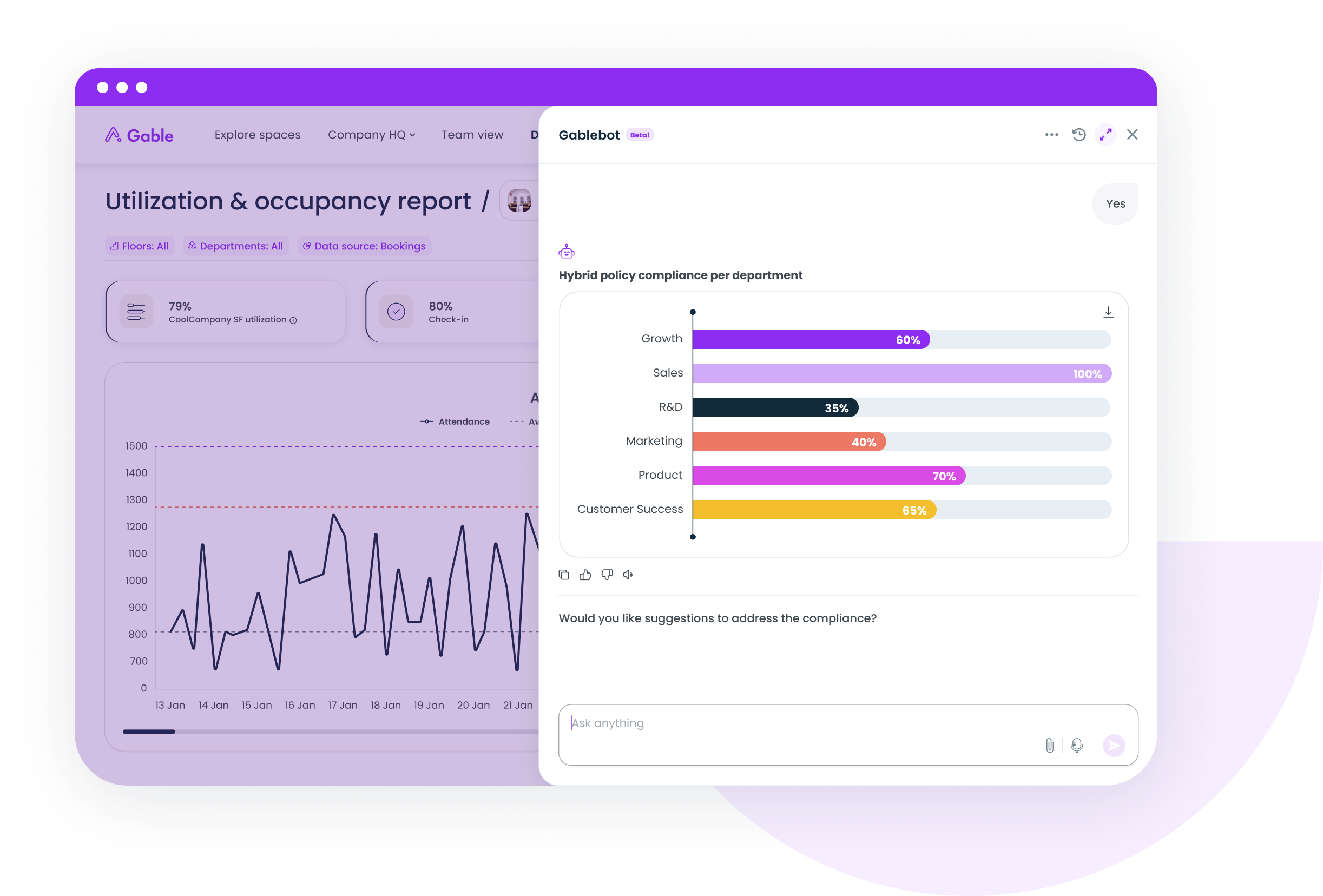
7. Zapier
Zapier is the glue between everything above and the rest of your stack: a new hire in the HRIS triggers a desk assignment and a welcome message, a visitor check-in posts to a security channel, a closed facilities ticket updates the monthly report. It connects 8,000+ apps without code. The recurring G2 complaint is cost at scale, since every step in a multi-step Zap counts as a task, plus Zaps that fail silently.
- Multi-step workflows with conditional paths, filters and delays
- Webhooks for tools without a native Zapier app
- Tables and Forms for lightweight request intake
Pricing: Free for 100 tasks a month; Professional from $19.99 per month on annual billing.
G2 rating: 4.5/5 (2,087 reviews).
Best for: workplace and ops teams connecting three or more tools without engineering help.
8. Make
Make does the same job as Zapier on a visual canvas that shows the whole scenario, branches and error handling included, which ops teams prefer once workflows pass five steps. It's cheaper per operation. G2 reviewers flag a steeper learning curve, technical error messages and credits that drain faster than expected during testing.
- Visual scenario builder with routers, iterators and aggregators
- Built-in error handlers and one-minute scheduling intervals
- 3,000+ app connectors plus HTTP modules for anything else
Pricing: Free for 1,000 credits a month; Core from about $10.20 per month on annual billing ($12 monthly).
G2 rating: 4.6/5 (351 reviews).
Best for: operations teams that want more control per dollar and will spend a few hours learning it.
9. UpKeep
UpKeep is a CMMS, and it belongs here because facilities tickets are the office workflow most often still running through email. A QR code on the wall opens a request; the request becomes a work order with a priority, an assignee and a checklist; preventive maintenance schedules itself. G2 reviewers mention filter gaps in work-order reporting and slow performance at peak hours, and smaller offices call per-user pricing steep.
- Work-order intake from QR codes, a request portal and mobile
- Preventive maintenance schedules with custom checklists
- Asset and parts inventory tied to each ticket
Pricing: Essential from $24 per user per month; Premium $55; higher tiers custom.
G2 rating: 4.5/5 (1,106 reviews).
Best for: facilities teams with a technician roster and recurring maintenance.
10. Workvivo
Workvivo, owned by Zoom, is employee experience software that automates internal comms: announcements targeted by office, team or shift, event RSVPs, pulse surveys and a feed that reaches frontline staff who never open email. For hybrid offices it carries anchor-day reminders and building notices. G2 reviewers cite notification fatigue and a sluggish mobile app.
- Audience-targeted announcements with scheduled publishing
- Event management with RSVP and attendance tracking
- Surveys and people intelligence (Seer) for engagement data
Pricing: Quote-based, by licenses.
G2 rating: 4.8/5 (2,700 reviews).
Best for: companies with 1,000+ employees, especially with deskless staff.
11. Rippling
Rippling automates the onboarding sequence that otherwise generates a dozen IT and facilities tickets: create the employee, and accounts, devices, badge access and payroll follow from one workflow, so a new hire's desk group exists before day one. G2 reviewers mention a steep learning curve, add-on modules that inflate the bill and a platform built primarily for US operations.
- Onboarding and offboarding workflows that provision apps and devices
- Identity and device management alongside HR data
- Custom triggers on any employee attribute change
Pricing: From $8 per user per month; totals depend on modules, so quotes are custom.
G2 rating: 4.8/5 (13,418 reviews).
Best for: HR and IT teams that want onboarding to trigger workplace setup automatically.
The office setups that gain most from automation
The payoff scales with coordination load. Gallup puts 52% of remote-capable US employees on a hybrid arrangement as of May 2026, so most offices have more people with access than seats, the exact condition automation is built for.
- Multi-office companies with anchor days: attendance, team-day bookings and cross-site reporting go first, since one admin can't watch four buildings
- Offices with heavy visitor traffic: pre-registration and host alerts remove the reception queue and give security a log
- Smaller offices with a busy Slack: a chat-native booking tool covers most of the need at a fraction of the cost
- Buildings with an in-house facilities team: a CMMS pays back on preventive maintenance alone
- Fast-growing headcounts: onboarding automation stops the ticket avalanche before it starts
A fully flexible office with no anchor days gains less from booking automation and more from data, since space utilization metrics are the only way to know how much of the lease you can give back.
Where to start when everything looks like a priority
Sequence by frequency. Desk and room booking usually go first because they run daily and every employee touches them; a Stanford trial of 1,612 workers found hybrid schedules cut resignations by 33% with no productivity loss, and finding a seat is where that policy either works or doesn't. Visitor automation comes second if the lobby is busy, facilities ticketing third because a work-order system needs a team behind it, and onboarding and comms last, since they ride on platforms HR is already buying.
Run one workflow for six to eight weeks before adding the next, and measure admin hours and no-show rate before and after. Our hybrid work model best practices guide covers the policy side of the same sequence, and the AI workplace use cases piece covers what to layer on once the basics run themselves.
Pick the platform first, then the glue
Smart office software works when one platform owns the space workflows (desks, rooms, visitors, reporting) and a connector like Zapier or Make handles the exceptions. Buying five point tools and wiring them together creates a new manual job: maintaining the wiring. Our best workplace management software comparison goes deeper on the platform choice.
If attendance reconciliation, room no-shows and visitor logs are still manual in your office, a 30-minute walkthrough will show which of them Gable can take off the list this quarter.
Get a demo