.svg)


.svg)
- A workplace operating system unifies booking, access, visitors, and analytics under one identity
- Point solutions create data silos; a workplace OS eliminates them
- Three layers matter: people, space, and data
- Build vs. buy comes down to total cost of ownership, not feature checklists
- Implementation works best in stages, not big-bang rollouts
Most companies have six or more tools managing their physical workplace. One for desk booking. Another for visitor check-ins. A third for occupancy data. Maybe a fourth for room scheduling. None of them talk to each other, and nobody trusts the reports any of them produce. A workplace operating system is the answer to that fragmentation: a single platform that connects people, spaces, and data so you can actually manage where work happens instead of just hoping it works out.
What is a workplace operating system?
The term "operating system" gets thrown around loosely in B2B software. Monday.com calls itself a "Work OS." Slack has used the phrase. But those platforms manage tasks, projects, and communication. A workplace operating system is different. It manages the physical and operational reality of your offices: who's coming in, where they're sitting, which rooms are booked, how space is actually used, and what all of that data means for your real estate decisions.
Think of it the way you'd think about an actual OS on your laptop. Your computer's operating system doesn't do any one thing; it provides the foundation that lets everything else work together. A workplace OS does the same for your offices. It's the connective layer between your HRIS, your calendar tools, your access control hardware, your floor plans, and your analytics dashboards. One user identity. One data model. One source of truth.
This isn't a rebrand of traditional IWMS platforms, though there's overlap. IWMS grew out of facilities management and real estate compliance. A workplace OS starts from the employee experience and works outward to operations and strategy. The difference matters because it shapes what gets built first, what data gets prioritized, and who the primary user is.
How a workplace OS differs from point solutions
Point solutions solve individual problems well. The trouble is that workplaces don't have individual problems. They have interconnected ones.
Here's a scenario most workplace leaders recognize. Your desk booking tool says 80 desks were reserved on Tuesday. Your badge data says 62 people actually showed up. Your meeting room system shows 14 rooms booked, but occupancy sensors counted bodies in only 9. Your visitor management log recorded 23 guests, but nobody knows which team hosted them or whether the visits correlated with higher space usage. Four tools, four datasets, zero coherent picture.
The average enterprise uses 900 apps, and only 28% are integrated. In workplace operations specifically, the fragmentation is acute. Each tool has its own login, its own admin console, its own reporting format, and its own definition of "utilization." Reconciling them requires manual exports, spreadsheet gymnastics, and a lot of squinting.
A workplace OS collapses those silos. Booking data, badge data, visitor logs, and sensor feeds flow into one system. When someone books a desk, the OS knows who they are (people layer), where they're sitting (space layer), and can surface that information alongside historical patterns (data layer). That's not a nice-to-have. It's the difference between managing your workplace and just administering a collection of tools.
The cost argument is straightforward too. Licensing fees for five or six point solutions add up. So do the integration costs, the vendor management overhead, and the IT hours spent maintaining custom API connections that break every time one vendor pushes an update. Organizations that consolidate onto a workplace management platform typically find the total cost of ownership drops meaningfully within the first 18 months.
The three layers of a workplace operating system
Every workplace OS, regardless of vendor, needs to handle three things: people, space, and data. The quality of each layer, and how well they connect, determines whether the platform actually works or just looks good in a demo.
1. The people layer
This is where employees, visitors, and contractors interact with your workplace. Desk booking. Room reservations. Visitor check-in. Event coordination. The ability to see which colleagues are coming in on a given day and plan accordingly.
The people layer is also where experience lives. A clunky booking flow that requires six clicks and a separate app download isn't a people layer; it's a barrier. The best implementations feel invisible. An employee opens Slack or Teams, books a desk near their teammates, and moves on. A visitor gets a pre-registration email, scans a QR code at the lobby, and their host gets notified automatically.
What makes this a "layer" rather than just a feature set is identity. One user profile connects to everything: their bookings, their badge access, their team membership, their visit history. That single identity is what lets the other layers work.
2. The space layer
This layer manages the physical environment. Floor plans, desk inventory, room configurations, neighborhoods, zones. It answers the question every facilities team gets asked: "Do we have enough space, and is it the right kind?"
The space layer is where office space planning meets daily operations. It's not just a static map; it's a living model of how your space is configured and how that configuration changes over time. When you convert a bank of assigned desks into a hot-desking neighborhood, the space layer reflects that. When you add a new floor or close a satellite office, the space layer updates.
For multi-location companies, this layer becomes critical. You need a consistent view across all your sites, not a different tool and a different floor plan format for each one.
3. The data layer
This is where the workplace OS earns its keep. The data layer aggregates signals from the people and space layers, combines them with external inputs (badge swipes, WiFi connections, calendar events, sensor data), and produces actionable occupancy insights.
Without a unified data layer, you're stuck making real estate decisions based on anecdotes and booking data that doesn't reflect reality. With one, you can answer questions like: What's our actual peak occupancy across all locations? Which neighborhoods are consistently underused? Are our meeting rooms sized correctly for the meetings that actually happen in them?
The data layer also feeds forward into forecasting. Once you have six months of unified data, you can start predicting demand patterns, identifying seasonal trends, and modeling scenarios like "what happens if we consolidate from three floors to two?"

Evaluating a workplace OS starts with the right questions. This step-by-step guide walks you through building an RFP that surfaces what actually matters.
Read the guide
Key capabilities that separate a real workplace OS from a rebranded point solution
Not every platform that calls itself an "operating system" actually is one. Some vendors have bolted a dashboard onto a desk booking tool and called it a day. Here's what to look for.
Unified booking across space types. Desks, rooms, parking spots, lockers, phone booths. If you need a separate system for each, it's not an OS.
Visitor management that connects to the rest of the system. Your visitor management workflow should know which employee is hosting, which desk they booked, and which room they reserved for the meeting. Disconnected visitor logs are a security gap and an experience gap.
Native integrations with your existing stack. A workplace OS doesn't replace your HRIS, your calendar, or your access control hardware. It connects to them. SSO, HRIS sync, Outlook and Google Calendar integration, Slack and Teams support, badge system APIs. If the platform requires you to rip and replace your existing infrastructure, it's not operating as a layer; it's operating as a silo.
Real-time and historical analytics. You need both. Real-time tells you what's happening today (useful for facilities teams and front desk staff). Historical tells you what's been happening over weeks and months (useful for real estate decisions and workplace analytics ROI conversations with your CFO).
Role-based access and permissions. Different stakeholders need different views. A facilities manager needs floor-level utilization data. An employee needs to book a desk. A CISO needs audit logs. The OS should handle all of these without requiring separate admin consoles.
AI-powered recommendations. This is where the market is heading fast. The IWMS market is projected to reach $13.09 billion by 2033, growing at 13.1% CAGR, and AI-driven space optimization is a primary growth driver. A workplace OS that can recommend space reconfigurations, flag underutilized areas, or predict no-show rates based on historical patterns is materially more valuable than one that just reports what already happened.
Build vs. buy: The real decision framework
Every workplace leader eventually faces this question. Do we stitch together best-of-breed point solutions with custom integrations, or do we buy a unified platform?
The honest answer: it depends on your scale, your technical resources, and your tolerance for ongoing maintenance.
The case for building (integrating point solutions). If you have a strong IT team, a small number of locations, and very specific requirements that no single platform meets, a custom integration approach can work. You pick the best desk booking tool, the best visitor system, the best analytics platform, and connect them via APIs or middleware.
The problem is maintenance. APIs change. Vendors get acquired. Data formats drift. What starts as a clean integration becomes a brittle dependency chain that nobody wants to touch. We've covered this tradeoff in depth in our build vs. buy analysis, and the pattern is consistent: the build approach costs less in year one and more in years two through five.
The case for buying a unified platform. You get a single vendor relationship, a single data model, and a single integration surface. Updates happen in one place. Training covers one system. When something breaks, there's one support team to call.
The tradeoff is flexibility. A unified platform may not have the deepest feature set in every category. Your visitor management module might not match a dedicated visitor management vendor's feature list. But the integration value, the unified data, and the lower total cost of ownership usually outweigh the feature gap.
The hybrid approach. Most mature organizations land here. They adopt a workplace OS as the core platform and extend it with specialized tools where needed. The OS handles booking, visitors, occupancy, and analytics. A specialized tool handles, say, advanced energy management or complex lease accounting. The key is that the OS remains the system of record for people and space data.
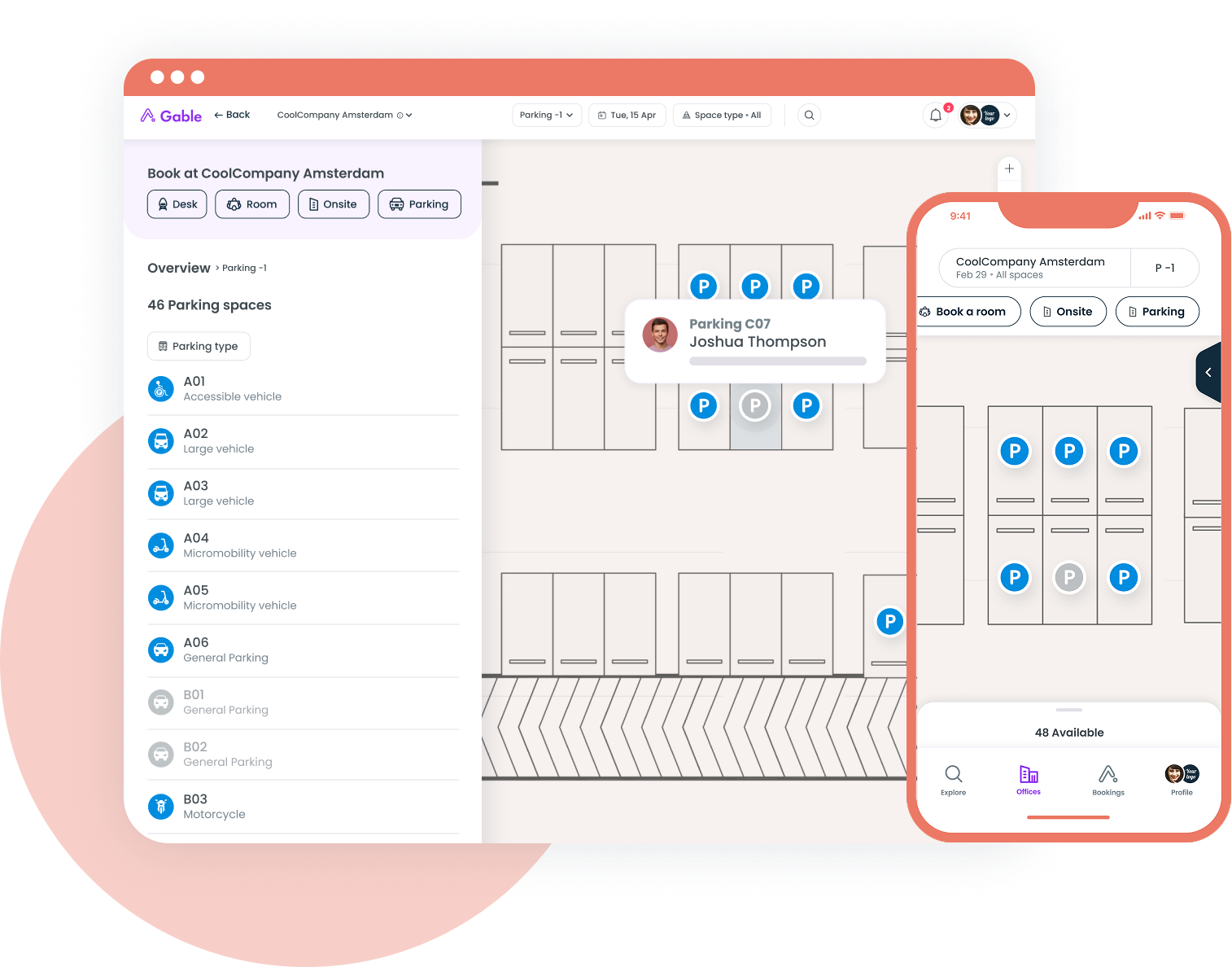
Desk booking, room scheduling, visitor management, and utilization data in one platform. One identity, one source of truth.
Learn more
Implementation maturity: A staged approach that actually works
Rolling out a workplace operating system isn't a weekend project. But it doesn't have to be a two-year enterprise implementation either. The most successful deployments follow a staged maturity model.
Stage 1: Foundation (weeks 1 through 8)
Get the basics live. Desk booking, room booking, and visitor check-in. Migrate off spreadsheets, shared calendars, and whatever ad hoc system your front desk has been using. Connect your SSO provider so employees don't need yet another login.
This stage is about adoption, not optimization. The goal is to get employees using the system daily so you start generating the data you'll need later. Don't over-engineer it. Don't try to launch with AI-powered recommendations on day one.
Stage 2: Integration (weeks 8 through 16)
Connect the workplace OS to your broader tech stack. Sync your HRIS so employee profiles, team structures, and office assignments stay current automatically. Integrate your calendar tools so room bookings flow into Outlook or Google Calendar. If you have badge access hardware, connect that too.
This is also when you start aligning your hybrid work software strategy. The OS becomes the coordination layer that helps distributed teams plan their in-office days around each other, not just around available desks.
Stage 3: Intelligence (months 4 through 8)
Now you have enough data to do something with it. Turn on workplace analytics dashboards. Start tracking actual occupancy against bookings. Identify no-show patterns. Compare utilization across floors, neighborhoods, and locations.
This is the stage where the workplace OS starts paying for itself in real estate savings. You can see which spaces are consistently underused and make informed decisions about consolidation, reconfiguration, or lease renegotiation. The demand for real-time analytics to optimize workplace operations is one of the primary drivers of IWMS market growth, and for good reason: you can't optimize what you can't measure.
Stage 4: Automation and prediction (months 8 and beyond)
This is where AI earns its place. Predictive no-show detection that automatically releases unreserved desks. Space reconfiguration recommendations based on usage patterns. Automated reports that surface anomalies (a floor that's suddenly 40% busier than usual, a meeting room that hasn't been booked in three weeks).
Not every organization will reach Stage 4 in year one. That's fine. The maturity model is a direction, not a deadline.
What the market looks like in 2026
The workplace technology landscape has consolidated significantly over the past two years. Standalone desk booking tools that were viable in 2022 are struggling to compete against platforms that offer booking plus analytics plus visitor management plus integrations. The buyers have changed too. Workplace leaders aren't shopping for features anymore; they're shopping for platforms.
Cloud-based solutions now dominate the IWMS landscape, which has lowered the barrier to entry for mid-market companies that couldn't justify on-premise deployments. That's important because it means a 200-person company can now access the same caliber of workplace technology that was previously reserved for enterprises with dedicated facilities teams.
Sustainability reporting is also pushing adoption. ESG requirements increasingly demand granular data on space utilization, energy consumption per occupied square foot, and commute-related emissions. A workplace OS that tracks occupancy and space usage becomes a data source for ESG reporting, not just an operational tool.
The AI angle is real but overhyped in some corners. The platforms that are delivering actual value with AI are the ones using it for pattern recognition and recommendation, not for flashy demos. Can the system tell you that your Tuesday occupancy has been declining for six weeks and suggest a policy adjustment? That's useful. Can it generate a 3D rendering of your future office? Less useful.
The workplace OS is an operating model, not just software
The biggest mistake companies make with workplace technology is treating it as a procurement decision instead of an operating model decision. A workplace operating system changes how you make decisions about space, how you coordinate teams, how you onboard new employees, and how you justify your real estate spend to the CFO.
That means the rollout isn't just an IT project. It involves workplace operations, HR, real estate, finance, and IT. The platform is the enabler, but the operating model is the thing that actually changes outcomes. Companies that treat the OS as "just another tool" get tool-level results. Companies that treat it as the foundation for how they manage their physical workplace get compounding returns as their data matures and their processes tighten.
The fragmented approach had its moment. It made sense when hybrid work was new and nobody knew which tools would stick. We're past that now. The companies that are running their workplaces well in 2026 have converged on a platform-first approach, and the data is proving them right.
Gable brings desk booking, room scheduling, visitor management, and space analytics into one platform. See how it works for your team.
Get a demo