.svg)


.svg)
- FM software spans five major categories; picking the wrong one wastes budget on features you'll never use
- CMMS is the fastest-growing segment, but it only covers maintenance
- IWMS handles everything, yet takes 12+ months to show strategic ROI
- Hybrid work has made space utilization the most urgent FM problem to solve
- Start with your operational pain point, not a vendor's feature list
Facility management software is any platform that helps organizations plan, operate, and maintain their physical spaces, from scheduling preventive maintenance to tracking how conference rooms get used. The category has fractured into at least five distinct software types, and most buyers pick the wrong one because the acronyms blur together. This guide breaks down what facility management software actually does, maps the major categories, and gives you a framework for choosing the right system in 2026.
Why facility management software matters
The business case for FM software used to center on maintenance: fewer emergency repairs, longer asset life, lower downtime costs. That's still true. But the last three years added a second, equally expensive problem: space waste.
Average peak utilization hit just 25% in recent enterprise studies, meaning the typical company gets productive use from only one in four seats during its busiest hours. When workplace real estate eats 10 to 20 percent of your P&L, that's not an inconvenience. It's a financial drag.
Meanwhile, the software market is growing fast. FM software is projected to reach $4.97B by 2030, up from $2.66B in 2025, at a 13.3% CAGR. Cloud adoption, IoT integration, and tightening regulatory requirements are the primary drivers. The question isn't whether you need FM software. It's which kind.
The shift from reactive to proactive operations is the throughline connecting every FM software category. Paper-based work orders, spreadsheet-driven space plans, and email chains about broken HVAC units all share the same flaw: they're slow, error-prone, and invisible to leadership. FM software makes operations visible. Visibility is what lets you act before problems become expensive.
The core functions of facility management software
At its broadest, FM software centralizes operations across locations and provides real-time access to maintenance schedules, asset data, compliance records, and space usage. But "centralize operations" is vague. Here's what that actually means in practice.
Work order management and automation. Someone reports a leaking pipe. The system creates a work order, assigns it to the right technician based on skill and availability, tracks time to resolution, and logs the cost. No email chains. No lost tickets. Modern platforms automate recurring tasks like filter changes or fire extinguisher inspections on a calendar, so preventive maintenance doesn't depend on someone remembering.
Asset tracking and lifecycle management. Every piece of equipment, from an HVAC compressor to a desk chair, has a cost history, a maintenance history, and an expected lifespan. FM software tracks all three. When an asset's repair costs start approaching replacement cost, the system flags it. This is how you shift capital planning from gut feel to data.
Space utilization and planning. This is where FM software intersects most directly with workplace analytics. How many desks are occupied on Tuesdays? Which meeting rooms sit empty despite being booked? Are you leasing 50,000 square feet when 30,000 would do? Space modules answer these questions with sensor data, badge swipes, or booking records. For organizations navigating hybrid work, this function has moved from "nice to have" to "the reason we're buying software."
Compliance and regulatory documentation. Fire safety inspections, ADA audits, environmental permits, OSHA logs. FM software stores documentation, tracks deadlines, and generates audit trails. If you've ever scrambled to find a certificate of occupancy the day before an inspection, you understand the value.
Energy management and sustainability reporting. Tracking energy consumption by building, floor, or system. Identifying waste. Generating data for ESG reporting requirements. As carbon disclosure mandates expand globally, this function is becoming non-negotiable for large portfolios.
The five major categories of FM software
Here's where most guides fail buyers. They list features without explaining that FM software isn't one product. It's five overlapping categories, each designed for a different primary problem. Vendors use the acronyms inconsistently, which makes comparison shopping feel like translating between dialects.
Let's fix that.
1. CMMS: Computerized maintenance management system
CMMS is the workhorse of facility maintenance. It manages work orders, schedules preventive maintenance, tracks spare parts inventory, and logs asset repair histories. If your primary pain point is unplanned downtime, reactive repairs, or maintenance staff spending half their day on paperwork, CMMS is where you start.
CMMS is the fastest-growing FM segment at a 16% CAGR, outpacing every other category. The reason is straightforward: maintenance is where most facilities lose money right now, and purpose-built maintenance tools deliver results faster than multi-module enterprise platforms.
ROI timeline: Fast. You can measure preventive maintenance completion rates within 30 days, track the shift from reactive to planned maintenance within 60 days, and identify the first prevented breakdown within 90 days. Full payback typically lands within 3 to 12 months.
Best for: Maintenance-focused operations, manufacturing, healthcare, hospitality, and small-to-mid organizations that don't need space planning or real estate portfolio tools.
Limitation: CMMS doesn't do space management, lease administration, or workplace experience. It's a maintenance tool, not a workplace tool.
2. CAFM: Computer-aided facility management
CAFM software focuses on space. It combines facility data with CAD-based floor plans to visualize how space is allocated, occupied, and used. Think of it as the spatial layer that CMMS lacks: floor plan visualization, move management, room reservations, and asset mapping tied to physical locations.
CAFM is most commonly used by organizations managing complex or distributed facilities, including universities, hospital campuses, government agencies, and corporate real estate teams with multiple buildings. For a deeper dive into this category, our CAFM software guide covers features, vendors, and selection criteria.
ROI timeline: Medium. Space utilization improvements become visible within 60 to 120 days, but the value depends heavily on user adoption. If employees don't book through the system, the data is incomplete.
Best for: Organizations where space planning, move management, and layout optimization are the primary needs. Campus environments. Distributed facilities with complex floor plans.
Limitation: Traditional CAFM tools can feel heavy for corporate offices that just need desk booking and room scheduling. They're built for facility managers, not for the employees who actually use the space daily.
3. IWMS: Integrated workplace management system
IWMS is the enterprise platform. It combines maintenance management, space planning, real estate portfolio management, lease administration, capital project management, energy optimization, and workplace experience into a single system. If CMMS is a scalpel and CAFM is a drafting table, IWMS is the entire operating room.
The complete IWMS guide on our blog covers this category in detail, but the short version: IWMS is designed for large enterprises managing multi-site portfolios where real estate decisions, maintenance operations, and workplace strategy need to share data.
ROI timeline: Long. Strategic real estate optimization benefits typically materialize over 12 to 36 months as data accumulates across modules. The upfront investment is significant, both in licensing and implementation effort.
Best for: Enterprises with 500,000+ square feet across multiple locations, dedicated CRE teams, and the budget for a 6 to 18 month implementation.
Limitation: Overkill for mid-market companies. Implementation complexity means many organizations never fully deploy all modules. You end up paying for an IWMS but using it like a CMMS.
4. EAM: Enterprise asset management
EAM overlaps with CMMS but extends into asset lifecycle economics: depreciation schedules, capital planning, total cost of ownership analysis, and procurement workflows. Where CMMS asks "is this asset maintained?", EAM asks "should we repair, replace, or retire this asset, and what's the five-year financial impact?"
Best for: Asset-intensive industries like utilities, transportation, oil and gas, and manufacturing where capital equipment represents the largest line item on the balance sheet.
5. BMS: Building management system
BMS (sometimes called BAS, Building Automation System) controls the building itself: HVAC, lighting, fire suppression, elevators, access control. It's the operational technology layer that FM software sits on top of. Modern BMS platforms feed data into CMMS, CAFM, or IWMS systems, but they're a distinct category focused on real-time building performance rather than facility operations management.
Best for: Smart building initiatives, energy optimization, and organizations pursuing aggressive sustainability targets. Our guide to sustainable office design covers how building systems data connects to broader environmental goals.

If you're stuck choosing between CAFM and IWMS, this guide breaks down where each system fits and when you actually need the enterprise platform.
Read the guide
How to choose the right facility management software
The biggest mistake buyers make is starting with a vendor demo instead of starting with their operational problem. Every FM software vendor will tell you their platform does everything. Most don't. And even the ones that do will bury you in modules you'll never configure.
Here's a decision framework that works.
Step 1: Identify your primary pain point
Be honest about what's actually costing you money or creating risk right now.
- "We're drowning in reactive maintenance." → Start with CMMS.
- "We're paying for space nobody uses." → Start with CAFM or a space management platform.
- "We need to consolidate real estate decisions, maintenance, and workplace strategy." → Evaluate IWMS.
- "Our building systems are inefficient and we can't measure energy waste." → Start with BMS integration.
- "Our hybrid teams need desk booking and room scheduling, not industrial maintenance tools." → Look at office management software purpose-built for the modern workplace.
Step 2: Match to organization size and complexity
Step 3: Evaluate integration requirements
FM software doesn't operate in isolation. It needs to talk to your HRIS, your access control system, your calendar tools, and your financial systems. Before you shortlist vendors, map your integration requirements. The workplace technology RFP guide walks through how to structure this evaluation.
Key integration questions:
- Does it connect to your SSO provider?
- Can it pull badge data from your access control system?
- Does it sync with Outlook, Google Calendar, or Slack?
- Can it export data to your BI tools or financial systems?
Step 4: Assess total cost of ownership, not just license price
CMMS platforms might cost $5 to $15 per user per month. IWMS implementations can run into six or seven figures when you factor in configuration, data migration, training, and ongoing administration. The cheapest license isn't the cheapest system. Factor in:
- Implementation and configuration time
- Data migration effort (how clean is your current asset data?)
- Training and change management
- Ongoing administration headcount
- Integration development or middleware costs
Implementation best practices
Buying the software is the easy part. Getting people to actually use it is where most FM software projects stall.
Start with data quality
Your FM software is only as good as the data inside it. If your asset records live in spreadsheets with inconsistent naming conventions, missing serial numbers, and outdated locations, importing that mess into a new system just gives you a faster way to access bad data.
Before implementation, standardize your asset taxonomy. Decide on naming conventions. Verify locations. Prioritize your top 50 critical assets for Week 1 import, then expand from there.
Phase the rollout
Trying to launch every module simultaneously is how implementations drag from three months to eighteen. A structured approach works better:
- Week 1: Import critical assets and configure the system hierarchy
- Week 2: Set up preventive maintenance templates and work order workflows
- Week 3: Train users by role (technicians get different training than managers)
- Week 4: Go live with core functionality
This timeline applies to CMMS. CAFM implementations typically need 8 to 12 weeks. IWMS can take 6 to 18 months depending on scope.
Choose cloud over on-premise (in almost every case)
Cloud FM software is the right choice for the vast majority of facilities teams in 2026. Automatic updates, mobile access without VPN, multi-site deployment without infrastructure, and significantly lower total cost of ownership. On-premise only makes sense for organizations with strict data sovereignty requirements that preclude cloud storage.
Invest in change management
The workplace change management playbook covers this in depth, but the short version: if frontline staff don't see the software as making their jobs easier, they won't use it. That means involving technicians and space managers in vendor selection, not just IT and procurement. It means training that's role-specific, not a generic webinar. And it means measuring adoption weekly during the first 90 days.
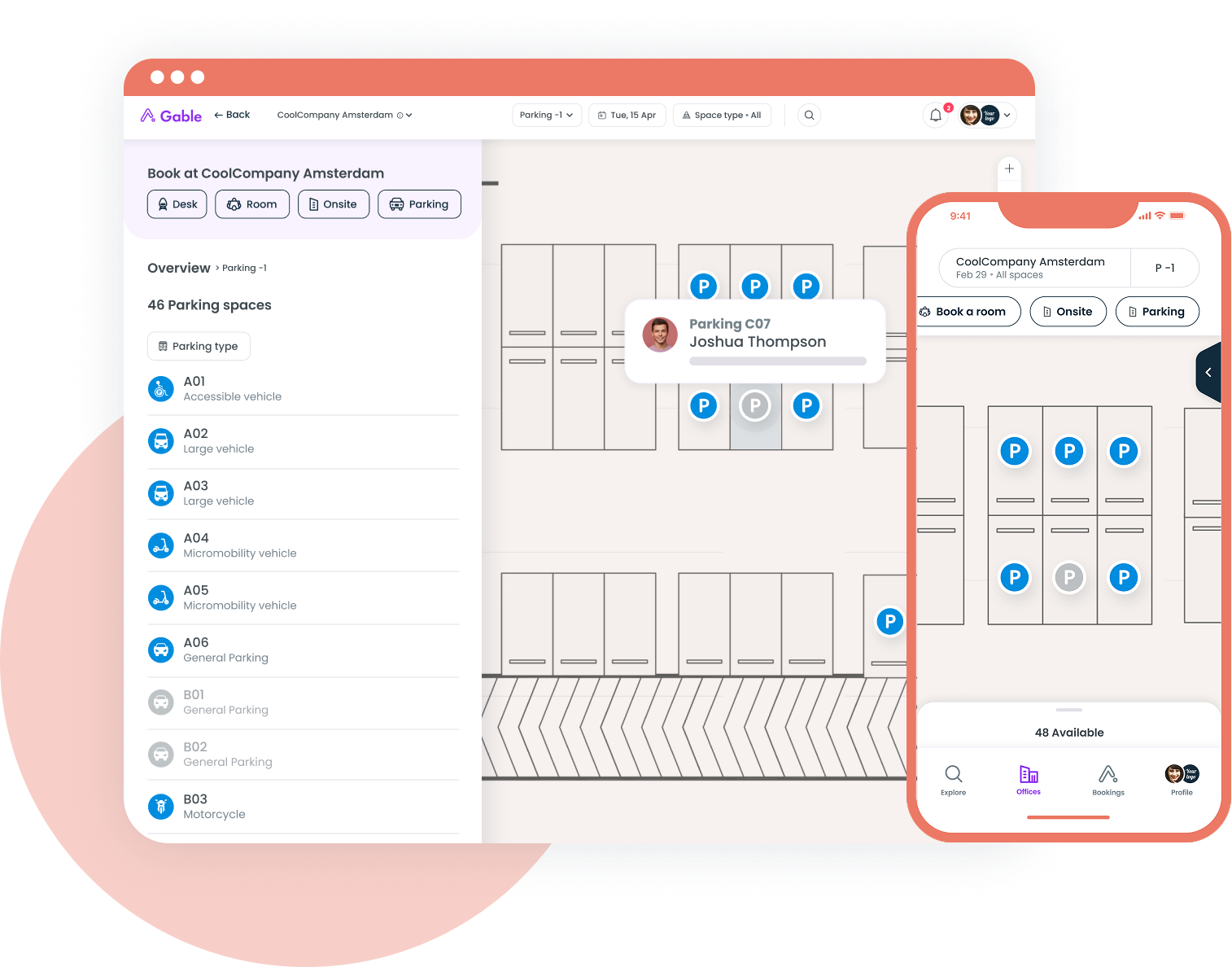
Desk booking, room scheduling, visitor management, and utilization data in one platform built for hybrid teams.
Learn more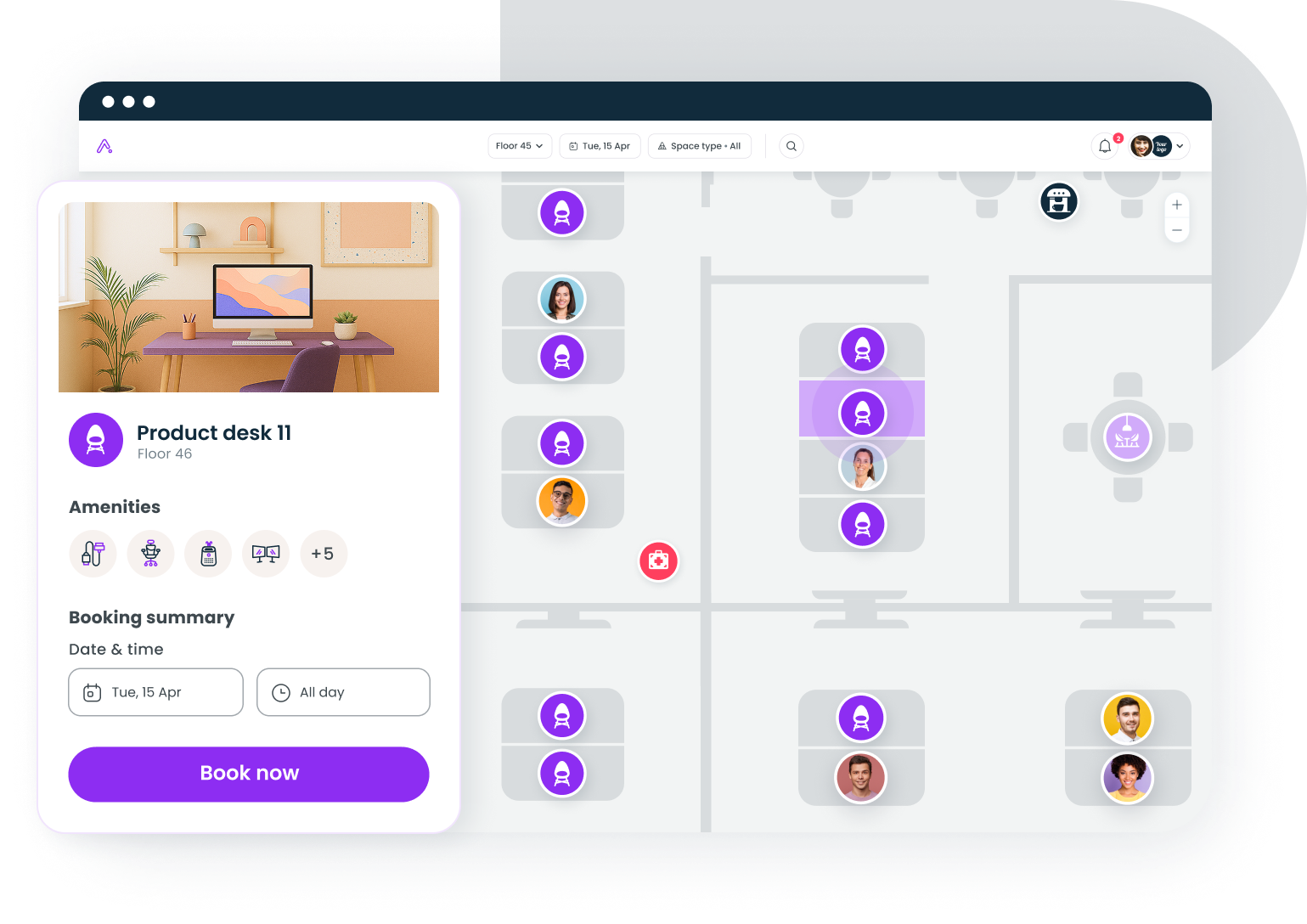
Key trends shaping FM software in 2026
AI and predictive maintenance
AI-driven predictive maintenance is the top planned technology investment for facility teams in 2026. Instead of scheduling maintenance on a fixed calendar (replace the filter every 90 days whether it needs it or not), predictive systems analyze sensor data to flag equipment that's actually degrading. The result: fewer unnecessary maintenance events, fewer surprise failures, and better allocation of technician time.
AI is also showing up in space management. Predictive models can forecast which floors will be busy next Tuesday based on historical booking patterns, badge data, and calendar density. Our predictive analytics guide explores how this works in practice.
Platform consolidation
Organizations are consolidating toward fewer, more integrated platforms. The era of best-of-breed point solutions for every function (one tool for maintenance, another for space booking, a third for visitor management, a fourth for analytics) created data silos that made cross-functional decisions nearly impossible.
The consolidation trend doesn't mean everyone needs an IWMS. It means buyers are prioritizing platforms that integrate well over platforms that do one thing perfectly in isolation. The best workplace management software comparison covers how different platforms approach this integration challenge.
The hybrid work factor
Hybrid work didn't just change where people sit. It changed what facility management software needs to do. Traditional FM tools were designed for buildings that operated at predictable capacity five days a week. When occupancy swings from 20% on Friday to 70% on Tuesday, you need software that can handle dynamic space allocation, not just static floor plans.
This is why a new category of workplace management platforms has emerged alongside traditional CMMS, CAFM, and IWMS. These tools focus on the employee-facing side of facility management: desk booking, room scheduling, visitor check-in, and real-time occupancy data. They're not replacing industrial maintenance systems. They're filling the gap between "managing the building" and "managing how people use the building."
IoT and smart buildings
The global smart building market is projected to surpass $229 billion by 2026. Occupancy sensors, environmental monitors, and connected building systems generate data that FM software can act on: automatically adjusting HVAC when a floor is empty, flagging restrooms that need cleaning based on foot traffic, or identifying meeting rooms that are consistently booked but rarely occupied.
The challenge isn't the sensors. It's connecting sensor data to decision-making workflows. FM software that can ingest IoT data and trigger automated responses (not just display dashboards) is where the market is heading.
How FM software supports different organizational roles
Facility management software isn't just for facility managers. Different stakeholders interact with it differently, and understanding those perspectives helps you build the business case.
Facility managers use FM software daily for work orders, preventive maintenance scheduling, vendor management, and compliance tracking. Their priority is operational efficiency and risk reduction.
Workplace and people operations leaders care about space utilization, employee experience, and the connection between physical space and culture. They need booking tools, occupancy data, and feedback mechanisms. The workplace experience guide covers what this role looks like in practice.
Finance and real estate teams want portfolio-level visibility: cost per square foot, lease expiration timelines, utilization rates that justify (or challenge) current lease commitments. They need FM software that exports clean data to financial models.
IT and security teams care about integrations, data security, and access control. They want SSO, role-based access control, and audit logs. They'll ask about SOC 2 Type II compliance, encryption standards, and API documentation before anyone else does.
Employees just want to book a desk, find a meeting room, and check in a visitor without friction. They don't care what category the software falls into. They care whether it works.
The bottom line on facility management software
Facility management software is a broad category that spans five distinct system types, each optimized for a different operational problem. CMMS handles maintenance. CAFM handles space. IWMS tries to handle everything. EAM focuses on asset economics. BMS controls building systems.
The right choice depends on your primary pain point, your organization's size and complexity, and your willingness to invest in implementation. Most mid-market companies don't need an IWMS. Most corporate offices running hybrid work don't need an industrial CMMS. And almost nobody needs to buy all five categories from the same vendor.
Start with the problem. Match it to the category. Evaluate three to five vendors within that category. Phase the implementation. Measure adoption, not just deployment. That's the framework that actually works.
Gable unifies desk booking, room scheduling, visitor management, and space analytics for hybrid teams. See how it works for your organization.
Get a demo