


.svg)


.svg)
Six in 10 employees with remote-capable jobs want a hybrid work arrangement, according to Gallup. Less than 10% prefer to work on-site full-time.
The message is clear: the traditional office model no longer fits how people want to work. But building a hybrid office that actually works requires more than letting employees split their time between home and the physical office. It takes intentional design, the right technology, and a willingness to adapt based on how your team members actually use the space.
This guide covers everything you need to know about hybrid offices, from choosing the right hybrid working model for your company to designing layouts that support collaboration, focus, and flexibility.
What is a hybrid office?
A hybrid office is a physical workspace designed to support employees who split their time between remote and on-site work. Unlike traditional offices built around assigned desks and fixed schedules, hybrid office spaces prioritize flexibility, offering varied work areas that adapt to different work modes and fluctuating attendance.
The concept is not new. Knowledge workers have been working from home at least part-time for decades. But adoption accelerated dramatically after 2020, when organizations discovered that remote work did not tank productivity the way many business leaders feared. Today, 64% of companies operate on a hybrid model, and that number continues to grow. The result: millions of square feet of office space that needs to be rethought.
Key characteristics of a hybrid office environment:
- Flexible seating arrangements that allow employees to book desks and rooms based on need rather than assigned workstations
- Dynamic office layouts optimized for in-person collaboration rather than individual desk work
- Bookable hybrid workspace where hybrid employees can reserve meeting rooms, focus pods, or shared spaces on demand
- Technology infrastructure that keeps remote workers and in-office team members equally connected
The shift to the hybrid office model is not just about where people work. It is about rethinking the purpose of the physical office space itself. When employees can do focused work from anywhere, the office becomes more than just a place to sit at a desk. It becomes a destination for face-to-face interaction, spontaneous collaboration, relationship building, mentorship, and company culture. Designing for that purpose requires a fundamentally different approach to office space.
Types of hybrid office arrangements
Not all hybrid workplace models look the same. The right approach depends on your company culture, the nature of your work, and the level of structure your hybrid teams need. Here are the most common arrangements:
Fixed hybrid work schedule
Employees come into the office on set in-office days each week, such as Tuesday through Thursday. This hybrid working model offers predictability for space planning and makes it easier for team members to coordinate in-person work. It is common among hybrid office companies with return-to-office mandates that still want to offer some flexibility.
Flexible hybrid
Employees choose when to come in based on their own schedules and work needs. This approach requires robust space-booking software to prevent overcrowding and ensure people can find a hybrid space upon arrival. It works best in high-trust cultures where output matters more than in-office time.
Team-based hybrid with anchor days
Hybrid teams coordinate their in-office days together rather than following a company-wide schedule. This maximizes the value of in-person time by ensuring remote colleagues are actually there when you show up. A clear cadence is the number one factor in employees accepting a hybrid work policy, because it sets expectations around when, why, and how often they need to be on-site.
Remote-first with office access
The default expectation is remote work, but employees have access to physical office space or flexible workspaceswhen needed. This model works well for distributed teams spread across multiple cities or time zones, where maintaining a large headquarters does not make sense.
Office-first with remote flexibility
The expectation is that hybrid workers come to the office most of the time, with remote and hybrid work available for specific circumstances like doctor appointments, childcare needs, or deep-focus projects. This is the most traditional hybrid model and appeals to business leaders who value in-person collaboration but recognize that rigid policies hurt employee retention.
Hybrid office design: Layouts that actually work
Traditional office layouts, with rows of assigned desks and a few conference rooms, were built for a different era. When everyone showed up five days a week, assigned seating made sense. In today's hybrid workplace, it creates empty desks, wasted space, and frustrated employees who commute in only to sit alone.
Effective hybrid office design starts with activity-based working: creating distinct zones for different types of work rather than one-size-fits-all workstations.
Focus zones and quiet zones
Quiet areas for concentrated, individual work. These private spaces feature sound-absorbing materials, minimal foot traffic, and visual cues that signal silence. Phone booths and small pods work well here. Research shows that 13% of meeting room usage involves single occupants, which highlights the need for individual spaces that free up larger conference rooms for actual team meetings.
Collaborative spaces
Open areas are designed for teamwork, brainstorming, and group projects. These spaces include writable surfaces, modular furniture that can be reconfigured quickly, and technology for hybrid collaboration so remote participants feel equally included. Proper acoustic treatment prevents collaboration zones from disrupting nearby focus areas.
Social zones
Informal spaces for casual interaction, relationship building, and culture. Lounge areas near coffee stations, comfortable seating arrangements, and spaces that feel more residential than corporate all encourage the spontaneous conversations that build team cohesion and support employee well-being.
Flex zones
Bookable, multi-purpose spaces that can shift based on demand. A flex zone might serve as overflow physical workspace in the morning and transform into a team meeting area in the afternoon. These spaces provide the buffer that a hybrid office thrives on to handle attendance fluctuations.
For detailed guidance on zoning and spatial planning, see our guides on how to design a collaborative office layout and office space planning.
Office layout approaches
Beyond zones, consider these overall layout strategies for your hybrid office space:
- Neighborhood-based seating: Hybrid teams cluster in designated areas but without assigned desks. This maintains team proximity while enabling flexibility within the neighborhood.
- Hot-desking configurations: Shared workstations that anyone can use, managed through a booking system. This approach maximizes office space usage but requires clear protocols and adequate storage for personal items. Learn more about hot desking and office hoteling.
- Hub-and-spoke models: A central headquarters supplemented by satellite offices or access to on-demand flexible office space in other locations. This works well for companies with remote team members spread across multiple cities who need professional workspace options beyond their homes.
Why companies are investing in hybrid office space
The shift to hybrid is not a passing trend. Business leaders are making strategic investments in hybrid office space because it delivers measurable benefits across real estate, talent, and productivity.
Optimizing existing office space and reducing costs
Remote and hybrid work has fundamentally changed how much physical office space companies need. Global workplace utilization has stabilized at 40%, meaning the average office sits more than half empty on a typical day. McKinsey research shows that office attendance remains roughly 30% below pre-pandemic levels.
Smart companies are responding by right-sizing their real estate footprint for significant cost savings. Checkr, a leading background check platform, reduced workplace costs by 51% by transitioning to a flexible workspace model with Gable. Rather than paying for existing office space that sits empty, they scaled their hybrid office based on actual demand.
For strategies on reducing waste, see our guide to office space optimization.
Attracting and retaining talent
A well-designed hybrid office environment is a competitive advantage in hiring. According to Cisco's 2025 Global Hybrid Work Study, 78% of high performers would consider leaving a company that does not offer hybrid options. Owl Labs reports that 40% of workers would start job hunting if their flexibility were removed.
The talent market reflects employee preferences. Hybrid job postings grew from 15% to 24% between Q2 2023 and Q2 2025, while fully in-office postings declined from 83% to 66%. Companies that insist on five days of in-office work are fishing from a shrinking talent pool.
Boosting productivity and job satisfaction
The data on hybrid productivity is compelling. Hybrid workforces are approximately 5% more productive than fully remote or fully in-office teams. Gallup finds that 36% of hybrid employees are engaged in their work, compared to just 30% of fully on-site employees.
When people can match their office environment to their task, working from a quiet home office for deep focus and coming into the physical office for collaboration, both employee satisfaction and performance improve. The key is designing office spaces that deliver value employees cannot get at home.
For more data points, explore our complete roundup of hybrid work statistics.

Explore our collection of case studies from workplace leaders at Checkr, Ironclad, and more, who are supporting employees with offices that are data-driven, and designed for connection and collaboration.
Explore case studies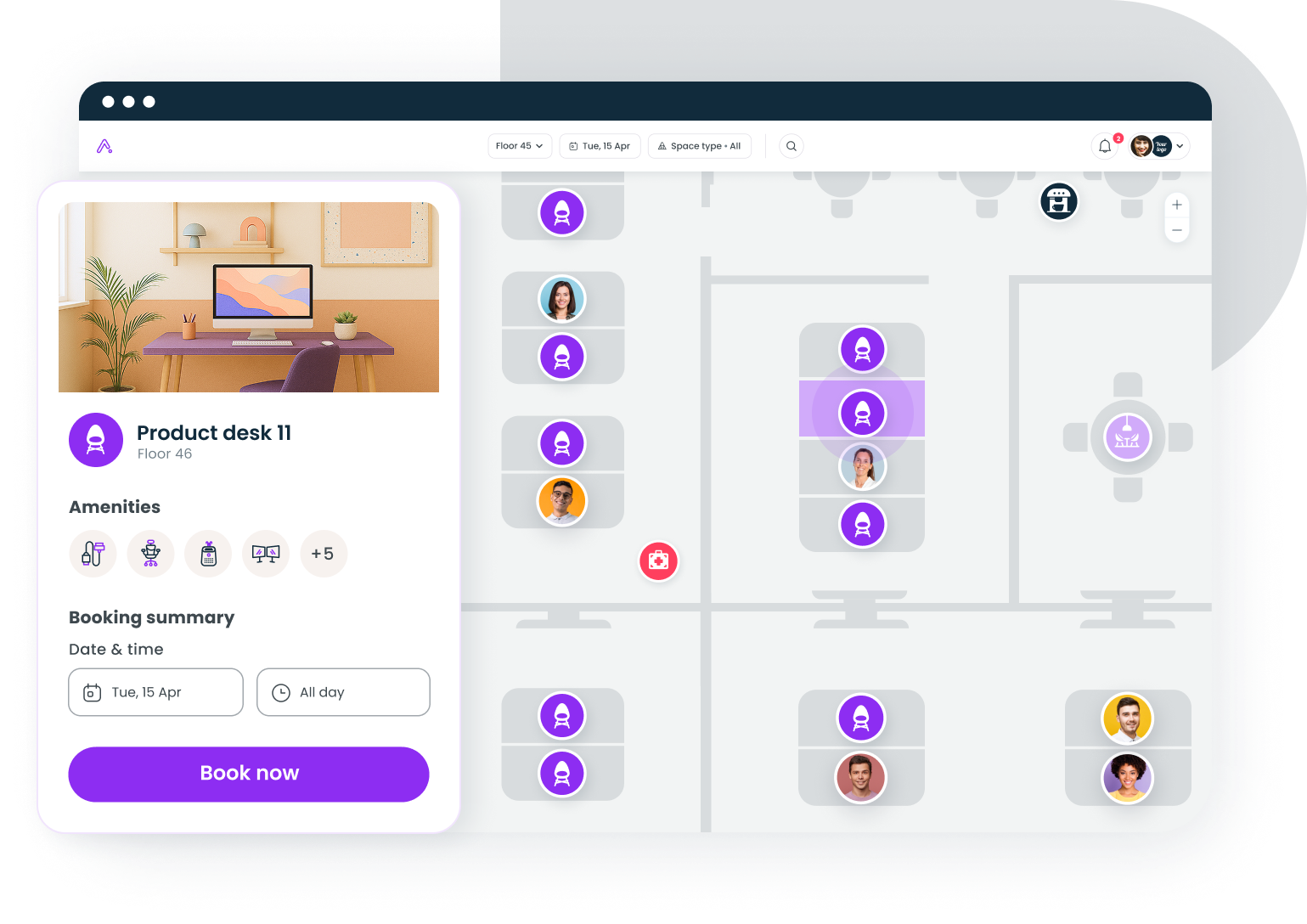
Benefits of hybrid office space
For employers
The business case for investing in hybrid office design extends beyond cost savings:
- Reduced real estate costs: Right-sizing your footprint based on actual office space usage rather than headcount can cut expenses by 20% to 40%.
- Higher-value space: Money saved on square footage can be reinvested into better furniture, technology, and amenities that make the office worth visiting.
- Higher employee retention rates: Hybrid office companies with well-designed spaces report significantly lower voluntary turnover.
- Improved space utilization: Booking systems and analytics ensure every square foot serves a purpose rather than sitting empty.
Ironclad used Gable's workplace analytics to make data-driven decisions about their hybrid office strategy. By tracking workspace usage with the same data across all locations, they optimized their office layout to ensure team members had access to the right spaces at the right times, improving both hybrid collaboration and efficiency.
For employees
A thoughtfully designed hybrid office environment delivers real benefits:
- Better work-life balance: Flexibility to handle personal responsibilities without sacrificing career progress, plus flexible working hours that accommodate different schedules.
- Reduced commute costs: Owl Labs data shows hybrid workers spend an average of $55 per day when in the office versus $18 when working from home.
- Access to purpose-built spaces: Rather than one generic desk, employees can choose quiet zones, collaborative spaces, or social areas based on their immediate needs.
- Greater autonomy and well-being: The freedom to choose where and when to work signals trust and improves job satisfaction.
Challenges of managing a hybrid office
Hybrid office space delivers real benefits, but it also introduces complexity. Here are the most common challenges and how to address them:
Creating clear policies around office use
Without well-defined guidelines, a hybrid office environment quickly becomes chaotic. Some employees may feel uncertain about expectations, while others game the system. The solution is establishing structured policies that outline in-office expectations, team coordination norms, and workspace booking procedures. Involve team members in shaping these guidelines to improve buy-in.
Making the physical office worth the commute
If employees can do the same work from home, why would they spend time and money commuting? Cisco's researchfound that 77% of employees believe organizations mandate in-office time for reasons other than productivity.
The fix is designing an office experience that delivers value you cannot replicate at home: high-quality collaborative spaces, social connection, mentorship opportunities, and access to valuable resources or equipment unavailable remotely. Your physical workspace needs to justify every trip.
Designing office layouts for diverse work styles
Some employees thrive in open, buzzing office environments. Others need quiet zones to focus. An office designed for only one work style will alienate part of your workforce. Activity-based layouts with distinct zones for focus, collaboration, and socializing let hybrid employees choose the environment that fits their current task.
Managing fluctuating space demand
Hybrid attendance patterns are predictable but uneven. XY Sense data shows Tuesday utilization peaks at 52% while Friday drops to 28%. Without visibility into these patterns, you either waste money on empty hybrid space or create frustrating overcrowding on peak days.
The solution is implementing space booking software and tracking office space utilization to understand demand patterns and adjust your office layout accordingly.
Coordinating teams across the office
Nothing frustrates hybrid workers more than commuting to an empty office. When hybrid teams lack visibility into who will be on-site, they miss collaboration opportunities.
Transparent scheduling systems, anchor days for team meetings and gatherings, and workplace analytics that identify peak days help team members coordinate effectively.
How to design and set up a hybrid office
Building an effective hybrid office is not a one-time project. It is an ongoing process of measurement, adjustment, and iteration. Here is a framework to create spaces that work:
Step 1: Audit your current space usage
Before making changes, understand how your existing office space is actually used. Track desk occupancy, meeting room bookings, and attendance by day of week. Identify which areas are overcrowded, which sit empty, and what types of spaces hybrid employees request most.
Benchmark your utilization against the 40% global average. If you are significantly below that, you are likely paying for physical workspace you do not need. Our office space planning checklist provides a detailed framework.
Step 2: Choose your hybrid model
Based on your company culture, work patterns, and business needs, select the hybrid working model that fits best. Consider whether you need company-wide consistency or if different hybrid teams can operate under different models. Whatever you choose, communicate the reasoning clearly. Employees accept policies better when they understand the logic behind them.
For detailed guidance, see our hybrid work model guide.
Step 3: Redesign your office layout
Shift from assigned seating to activity-based zones. Convert underused desk banks into collaboration hubs, add focus pods and phone booths with private spaces, and create social spaces that encourage connection. Right-size your overall footprint based on actual attendance rather than total headcount.
If your workforce is distributed, consider a hub-and-spoke model that combines a smaller headquarters with access to on-demand workspaces in other cities for remote team members.
Step 4: Implement workspace booking
A booking system serves two purposes: it ensures hybrid employees can find a hybrid space when they need it, and it generates data on how your office is used. Enable reservations for desks, meeting rooms, and collaborative spaces. Provide visibility into who plans to be in the office so person and remote team members can coordinate.
Reduce no-shows and ghost bookings through automated reminders and check-in requirements. For implementation guidance, explore our resources on office hoteling and hot desking.
Step 5: Equip for hybrid collaboration
Technology gaps create second-class experiences for remote participants. Invest in all the tools needed for quality hybrid meetings: cameras, microphones, and displays that help remote participants feel equally present. Provide digital whiteboards, async communication tools, and project management platforms that keep distributed teams aligned.
Our guide on hybrid work software covers the essential tools.
Gable Offices gives you desk booking, room scheduling, and real-time utilization insights in one platform, so you an make better decisions, support a connected workforce, and reduce office costs.
Learn more
Essential technology for hybrid office spaces
The right technology stack makes the hybrid workplace model seamless. The wrong one creates friction that discourages office attendance and frustrates remote colleagues. Here are the categories that matter most:
Workspace scheduling software
The foundation of any hybrid office. Hybrid employees need to book desks and conference rooms in advance, see real-time availability, and coordinate with teammates on in-office days. Look for solutions that integrate with your calendar and communication tools.
Workplace analytics
You cannot optimize what you do not measure. Analytics tools track utilization patterns, identify peak days, and surface insights that inform space planning decisions. The best platforms turn raw data into actionable recommendations using the same data across all your locations.
Hybrid meeting solutions
Every conference room should support hybrid collaboration with quality video and audio. Remote participants should be able to see everyone in the room, hear clearly, and participate in whiteboard sessions. This is not optional for hybrid office companies anymore.
Visitor management
Professional visitor experiences matter, especially when hybrid workers split time across multiple locations. Modern visitor management systems handle check-ins, notify hosts, and maintain security across all your spaces.
Project management and async tools
When hybrid teams are not always in the same place at the same time, async communication becomes critical. Platforms that keep work visible, enable collaboration across time zones, and reduce the need for synchronous team meetings help distributed teams stay productive.
The future of hybrid office design
Hybrid work has moved from experiment to expectation. The question is no longer whether to adopt the hybrid office model, but how to design physical workspace that supports it.
A few trends will shape the next phase of hybrid office space:
Smaller footprints, higher-quality spaces. Companies are trading large, underutilized offices for smaller spaces with better amenities, furniture, and technology. Every square foot needs to earn its place.
Activity-based layouts become standard. The rows-of-desks model is fading. Expect more hybrid offices organized around zones for focus, collaboration, and social connection, with modular furniture that can be reconfigured as needs change.
Data-driven space decisions. The best hybrid office companies treat their physical office space as a dynamic system that evolves based on actual usage. Companies that collect utilization data, track employee preferences, and iterate on their layouts will outperform those relying on assumptions or mandates.
Office as destination, not obligation. Generational preferences add nuance here. Only 23% of Gen Z want fully remote arrangements, while 65% prefer hybrid. Younger knowledge workers value in-person work for mentorship, social connection, and clear boundaries between work and home. Successful hybrid offices will design spaces that make people want to come in.
The companies where a hybrid office thrives will be the ones that stop treating their office as a fixed asset and start treating it as a tool that adapts to how their people actually work.
See how Gable helps workplace leaders reduce costs, improve utilization, and create offices employees actually want to use.
Get a demo


