Essential Distributed Workforce Tools For Managing Remote Teams

Managing distributed teams requires more than good intentions. When your employees work from different physical locations spanning multiple time zones, the informal coordination that happens naturally in a traditional office simply disappears. No more quick hallway conversations to align on priorities. No more reading body language during team meetings.

The right distributed workforce tools bridge that gap. They replace the systems that a physical office space provided automatically with intentional technology that keeps your entire team connected, productive, and working toward shared goals.

This guide covers the essential categories of tools every distributed team needs, how to select the right software for your organization, and strategies for building a technology stack that actually helps distributed employees stay productive rather than drowning them in apps.

Why the right tools matter for distributed teams

Distributed teams rely heavily on technology to function. According to Gartner research, nearly 80% of workers now use collaboration tools, up from 55% before the pandemic. This represents a fundamental shift in how work gets done.

But more tools do not equal better outcomes. Many distributed workers report spending significant time switching between collaboration apps, with studies showing that 64% of employees waste at least three hours weekly due to collaboration inefficiencies. The goal is not adopting every available tool. The goal is building an integrated technology stack that supports how your distributed team actually works.

When you get this right, the results speak for themselves. Research from Stanford shows that well-organized hybrid and distributed work has zero negative impact on productivity while dramatically improving retention. The technology you choose plays a central role in whether your distributed workforce achieves those benefits.

Communication tools for distributed teams

Communication forms the foundation of any remote team. Without the ability to communicate effectively across different time zones and locations, project management falls apart and company culture erodes.

Asynchronous messaging platforms

Distributed teams need communication tools that support both real-time chat and asynchronous communication. Platforms like Slack and Microsoft Teams serve as the digital equivalent of a central office, creating space for casual conversation, quick questions, and team collaboration without requiring everyone to be online simultaneously.

The best asynchronous communication happens when teams establish clear norms about which channels serve which purposes. Project updates belong in dedicated project channels. Company-wide announcements go to designated spaces. Casual conversation has its own home. These transparent communication practices help team members find information quickly and reduce the noise that leads to important messages getting lost.

Video conferencing solutions

Video calls remain essential for face to face interaction when remote workers cannot gather in person. Video conferencing tools like Zoom, Google Meet, and Microsoft Teams enable virtual meetings where distributed team members can read facial expressions, share screens, and build relationships that strengthen team collaboration.

Gallup research indicates that remote employees and hybrid workers report higher engagement rates (36% and 35% respectively) compared to on-site workers (20%). Part of this comes from regular check-ins and team meetings that video conferencing makes possible regardless of physical locations.

Video messaging for async updates

Not every communication needs to happen in real-time. Video messaging tools like Loom allow team leaders and distributed team members to record explanations, project updates, and training materials that colleagues can watch on their own time. This approach works particularly well for global teams where synchronous video calls would require someone to join at inconvenient hours.

Need On-Demand Coworking or Office Space Management? 

Schedule a demo and talk to one our experts
Get a Demo
Gable Team
Workplace Management

Essential Distributed Workforce Tools For Managing Remote Teams

READING TIME
10 minutes
AUTHOR
Gable Team
published
Dec 11, 2025
Last updated
Dec 11, 2025
TL;DR

Managing distributed teams requires more than good intentions. When your employees work from different physical locations spanning multiple time zones, the informal coordination that happens naturally in a traditional office simply disappears. No more quick hallway conversations to align on priorities. No more reading body language during team meetings.

The right distributed workforce tools bridge that gap. They replace the systems that a physical office space provided automatically with intentional technology that keeps your entire team connected, productive, and working toward shared goals.

This guide covers the essential categories of tools every distributed team needs, how to select the right software for your organization, and strategies for building a technology stack that actually helps distributed employees stay productive rather than drowning them in apps.

Why the right tools matter for distributed teams

Distributed teams rely heavily on technology to function. According to Gartner research, nearly 80% of workers now use collaboration tools, up from 55% before the pandemic. This represents a fundamental shift in how work gets done.

But more tools do not equal better outcomes. Many distributed workers report spending significant time switching between collaboration apps, with studies showing that 64% of employees waste at least three hours weekly due to collaboration inefficiencies. The goal is not adopting every available tool. The goal is building an integrated technology stack that supports how your distributed team actually works.

When you get this right, the results speak for themselves. Research from Stanford shows that well-organized hybrid and distributed work has zero negative impact on productivity while dramatically improving retention. The technology you choose plays a central role in whether your distributed workforce achieves those benefits.

Communication tools for distributed teams

Communication forms the foundation of any remote team. Without the ability to communicate effectively across different time zones and locations, project management falls apart and company culture erodes.

Asynchronous messaging platforms

Distributed teams need communication tools that support both real-time chat and asynchronous communication. Platforms like Slack and Microsoft Teams serve as the digital equivalent of a central office, creating space for casual conversation, quick questions, and team collaboration without requiring everyone to be online simultaneously.

The best asynchronous communication happens when teams establish clear norms about which channels serve which purposes. Project updates belong in dedicated project channels. Company-wide announcements go to designated spaces. Casual conversation has its own home. These transparent communication practices help team members find information quickly and reduce the noise that leads to important messages getting lost.

Video conferencing solutions

Video calls remain essential for face to face interaction when remote workers cannot gather in person. Video conferencing tools like Zoom, Google Meet, and Microsoft Teams enable virtual meetings where distributed team members can read facial expressions, share screens, and build relationships that strengthen team collaboration.

Gallup research indicates that remote employees and hybrid workers report higher engagement rates (36% and 35% respectively) compared to on-site workers (20%). Part of this comes from regular check-ins and team meetings that video conferencing makes possible regardless of physical locations.

Video messaging for async updates

Not every communication needs to happen in real-time. Video messaging tools like Loom allow team leaders and distributed team members to record explanations, project updates, and training materials that colleagues can watch on their own time. This approach works particularly well for global teams where synchronous video calls would require someone to join at inconvenient hours.

Master distributed team management with practical strategies

Leading teams across locations requires different approaches than traditional management. Get actionable guidance on communication, virtual meetings, and building remote team culture.

Read the guide

Project management and task management software

When your entire team works from different locations, visibility into work progress becomes critical. Project management tools create the shared awareness that comes naturally in a traditional office, where a team leader can see who is working on what simply by walking around.

Project management platforms

Tools like Asana, Monday.com, Notion, and Basecamp help distributed teams organize and track their work. They allow managers to assign tasks, set deadlines, and monitor progress without constant meetings or check-ins. Team members can update their status asynchronously, keeping everyone on the same page about project timelines and priorities.

The best project management tools integrate with your communication platforms so updates flow automatically between systems. When a task gets completed in your project management software, your team can receive notifications in Slack or Teams without anyone manually copying information.

To-do lists and personal task management

Beyond team-wide project management, individual remote workers need tools to manage projects and stay productive in their own work. Applications like Todoist, Things, or simple to-do lists built into larger platforms help distributed workers organize their responsibilities and manage their own time effectively.

Working remotely requires more self-direction than traditional office work. Without a manager physically present, distributed employees must structure their days and prioritize their own tasks. The right task management tools support this autonomy while still connecting individual work to team goals.

Collaboration and file sharing tools

Distributed teams need ways to work together on documents, share files, and collaborate on projects without being in the same room. This category of distributed team tools has matured significantly, making remote team collaboration nearly as seamless as working side by side.

Cloud-based document collaboration

Google Docs and Google Workspace, Microsoft 365, and similar platforms enable real-time collaboration on documents, spreadsheets, and presentations. Multiple team members can work simultaneously in the same file, with changes syncing instantly regardless of where each person sits.

These collaboration tools fundamentally changed how distributed teams work together. Rather than emailing document versions back and forth, teams maintain single sources of truth that everyone can access and update. This approach reduces version confusion and ensures team members always work from current information.

Cloud storage and file sharing

Beyond active collaboration, distributed teams need centralized online storage for completed work and reference materials. Platforms like Google Drive, Dropbox, and OneDrive provide easily accessible repositories where team members can find documents, images, and other files without hunting through email attachments.

For distributed teams, file sharing needs to be dead simple. If employees cannot quickly find and share materials, they create their own copies, leading to version proliferation and wasted time spent reconciling differences.

Screen sharing and digital whiteboards

Some collaboration requires more than shared documents. Screen sharing capabilities built into video conferencing tools, combined with digital whiteboard applications like Miro or FigJam, enable the kind of visual collaboration that used to require a conference room with a physical whiteboard.

These tools prove especially valuable for brainstorming sessions, design reviews, and any work that benefits from visual thinking. They help distributed teams approximate the spontaneous collaboration that occurs naturally in office space while accommodating remote workers who cannot physically gather.

Workspace and flexibility tools

Distributed teams do not always work from home. Many remote employees use co-working spaces, visit company office locations occasionally, or travel while maintaining productivity. The right tools support this flexibility rather than constraining it.

On-demand workspace access

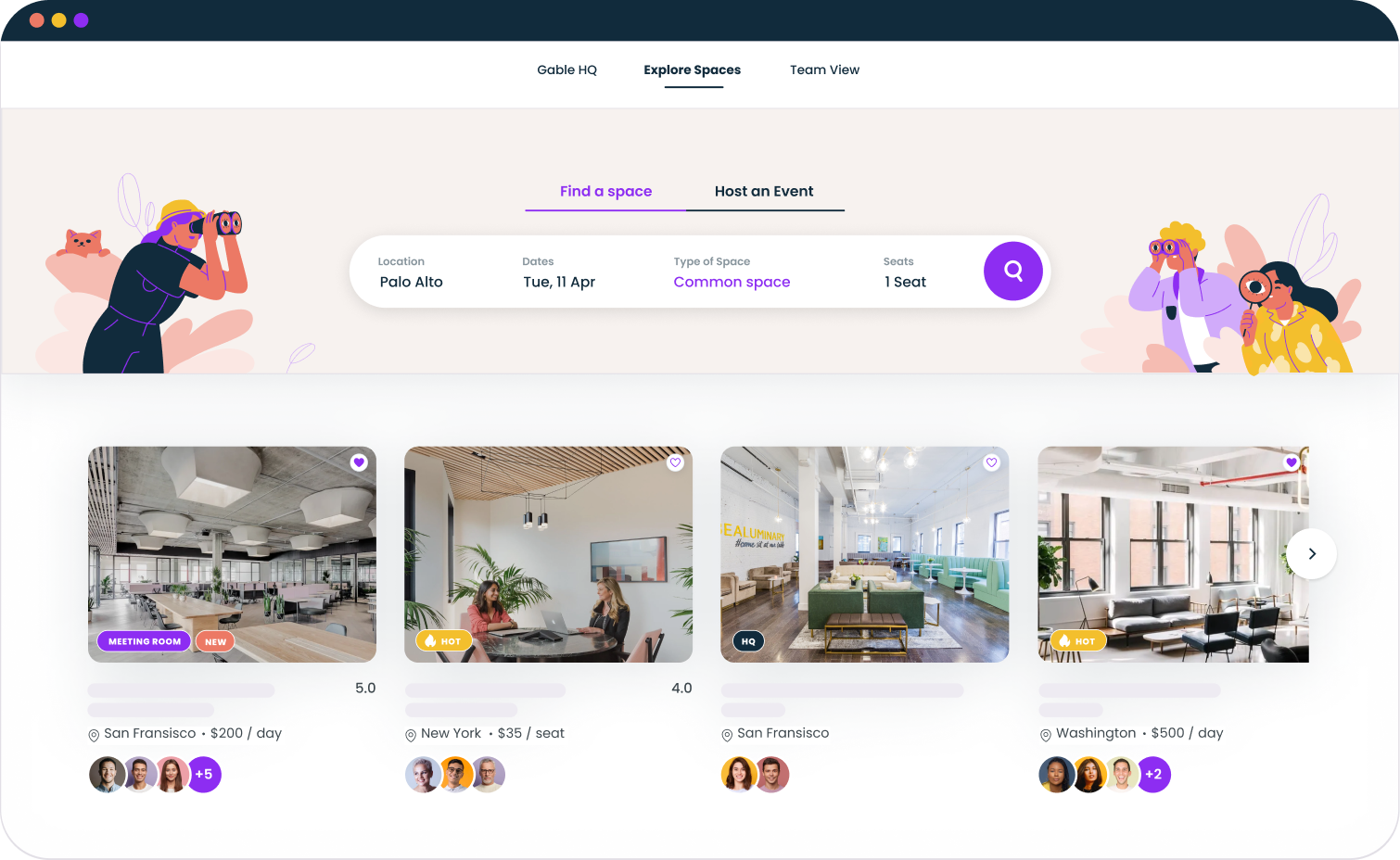
Platforms like Gable On-Demand give distributed teams access to thousands of workspaces worldwide without requiring permanent office space or individual coworking memberships. Employees can book meeting rooms for in-person gatherings, hot desks for focused work days, or event spaces for team offsites, all through one platform.

This approach addresses one of the key challenges distributed teams face: how to facilitate periodic face to face interaction without maintaining expensive permanent real estate. When your team members work from different geographical locations, being able to quickly book space anywhere they happen to be becomes invaluable for team collaboration.

Scheduling and coordination tools

Global teams spanning multiple time zones need tools that help coordinate schedules. Applications like World Time Buddy, Calendly, and timezone-aware calendar features help distributed team members find meeting times that work across different time zones without endless back-and-forth.

These scheduling tools reduce the coordination overhead that can make distributed work feel inefficient. Rather than manually calculating time differences, team leaders can propose times that automatically display in each participant's local timezone.

Security and IT tools

Distributed work introduces security considerations that traditional office environments handled through physical controls. When employees connect from various locations using diverse networks, protecting company data requires different approaches.

Password management and authentication

With remote workers accessing company systems from home networks, airports, and coffee shops, strong authentication becomes essential. Password managers like 1Password or LastPass combined with multi-factor authentication protect against compromised credentials.

These tools also reduce friction for employees who must manage access to dozens of different systems. Rather than remembering countless passwords or resorting to insecure practices, team members can maintain strong unique credentials without cognitive overload.

VPN and network security

Virtual private networks encrypt traffic between remote employees and company systems, protecting sensitive data even on unsecured networks. For distributed teams handling confidential information, VPN access is non-negotiable.

Security training also matters. The best tools cannot protect against employees who fall for phishing attacks or share credentials inappropriately. Building a security-conscious culture across your distributed workforce requires ongoing education, not just software deployment.

Give your distributed team access to workspaces worldwide

Gable On-Demand connects your team to 20,000+ premium flex spaces globally. Book meeting rooms, hot desks, and event spaces without long-term commitments.

Explore Gable On-Demand

How to choose the right distributed workforce tools

With so many options available, selecting the right software for your distributed team requires strategy rather than impulse. The sheer number of collaboration tools on the market can overwhelm teams that approach selection without clear criteria.

Start with your actual workflows

Before evaluating tools, document how your team actually works. What types of communication happen most frequently? How do projects flow from initiation to completion? Where do bottlenecks occur? Understanding your workflows reveals which tool categories deserve investment and which represent nice-to-haves.

Teams that skip this step often end up with tools that look good in demos but do not fit actual work patterns. A sophisticated project management platform adds no value if your team's work does not fit its structure.

Prioritize integration over features

Individual tools matter less than how well they work together. A distributed team using five well-integrated applications often outperforms one juggling fifteen disconnected platforms. When evaluating distributed team tools, consider whether they connect to your existing stack.

The goal is creating information flows that feel natural, where updates in one system automatically surface in others, and team members do not spend hours copying data between applications.

Consider adoption carefully

The best software in the world provides zero value if your team refuses to use it. When selecting tools, consider the learning curve, how similar the interface is to tools your team already knows, and whether the benefits clearly outweigh the effort of adoption.

Successful adoption requires more than announcing a new tool. It demands training, clear guidance on usage norms, and patience as team members develop new habits. Account for this investment when evaluating options.

Plan for scale

Your distributed team may be small today but grow significantly tomorrow. Tools that work perfectly for ten people sometimes break down at fifty or five hundred. Consider whether platforms can scale with your organization without requiring painful migrations later.

This consideration extends beyond user counts to features. A basic tier may meet current needs, but evaluate whether advanced capabilities you will eventually require are available and reasonably priced.

Building your distributed team technology stack

Rather than thinking about individual tools in isolation, successful distributed teams build integrated technology stacks where each tool serves a specific purpose and connects to others in the system.

A typical distributed team technology stack includes communication tools at the foundation, supporting both synchronous and asynchronous interaction. Project management and task management layers on top, creating visibility and accountability. Document collaboration and file sharing enable the actual work. Security tools protect everything. Workspace solutions like Gable support in-person gathering when face to face interaction adds value.

The best distributed workforce best practices treat technology selection as strategic rather than tactical. Tools either support your organizational goals or create friction against them. Choose accordingly.

The human element beyond tools

Technology enables distributed work, but tools alone cannot create success. The organizations that thrive with distributed teams invest equally in human elements: clear expectations, strong management practices, intentional culture-building, and regular opportunities for connection.

Tools create possibilities. Leaders create outcomes. As you build your distributed team technology stack, remember that even the best distributed workforce tools serve as infrastructure for human collaboration, not a replacement for it.

Optimize your distributed workplace strategy

Gable helps you coordinate distributed teams, manage office space scheduling, book flex workspaces worldwide, and make data-driven decisions about where and how your team works best.

Get a demo

FAQs

FAQ: Distributed workforce tools

What are the most important tools for distributed teams?

The most critical distributed workforce tools fall into several categories: communication platforms for both real-time chat and asynchronous messaging, video conferencing for virtual meetings and face to face interaction, project management software for tracking work and maintaining visibility, document collaboration tools for working together on shared materials, and security solutions to protect company data. The specific products matter less than ensuring each category is covered and tools integrate well together.

How do you choose the right software for a distributed workforce?

Start by documenting your actual workflows rather than assuming what you need. Evaluate tools based on how well they integrate with your existing technology stack, not just their individual features. Consider adoption challenges and the learning curve for your team. Plan for scale to avoid painful migrations as your organization grows. Finally, prioritize tools that support asynchronous communication since distributed teams across time zones cannot rely on everyone being available simultaneously.

What collaboration tools do remote workers use most?

According to research, nearly 80% of workers now use digital collaboration tools, with messaging platforms like Slack and Microsoft Teams seeing the highest adoption. Video conferencing tools remain essential for team meetings, while project management platforms like Asana, Monday.com, and Notion help teams track work. Cloud-based document collaboration through Google Workspace or Microsoft 365 enables real-time work on shared files. The most effective remote workers use an average of 4 to 5 different tools that work together as an integrated system.

How do distributed teams stay productive without being in the same office?

Productive distributed teams combine the right technology with strong management practices. They establish clear expectations about communication norms, working hours, and availability. They use project management tools to create transparency about who is working on what. Regular check-ins through video calls maintain connection between team leaders and direct reports. Asynchronous communication allows work to progress across different time zones without requiring constant meetings. Most importantly, they measure outcomes rather than hours worked, trusting distributed employees to manage their own time effectively.

Connect with a Gable expert today!

Contact usContact us