.svg)


.svg)
- Your desk setup matters more when you're sharing the space
- Ergonomic basics prevent pain; they also prevent distraction
- Cable management is the single most underrated productivity upgrade
- Personalization is possible even in a hot-desking environment
- Good lighting does more for focus than any app or playlist
A good desk setup isn't about aesthetics. It's about removing friction so you can actually think. And when you're working in a shared or hybrid workspace, where the desk you sit at on Tuesday might not be the one you get on Thursday, the stakes are different. These desk setup ideas are built for that reality: spaces that multiple people use, days that shift, and setups that need to work without a 30-minute reconfiguration every morning.
The average worker spends 5+ sitting at a desk. That's over 1,300 hours a year. If the chair's wrong, the monitor's too low, or the cables are a tangled mess, those hours compound into real problems: back pain, eye strain, lost focus. The good news is that most of these fixes are cheap, fast, and surprisingly obvious once someone points them out.
Why desk setup matters more in shared workspaces
In a home office, you set things up once and forget about it. In a shared workspace, every desk is a negotiation between your preferences and the last person's habits. That's why the best shared-space setups aren't personalized to one person; they're designed to be quickly adjustable by anyone.
This is also where most offices quietly fail. They invest in nice furniture but skip the details that make a desk actually usable: monitor arms that adjust easily, cables that don't need untangling, chairs with intuitive controls. The result is a room full of expensive desks that nobody's comfortable at.
More than half of office, and over a third deal with chronic neck pain. These aren't just wellness stats. They're productivity stats. An employee adjusting their posture every ten minutes isn't doing deep work. They're managing discomfort.
If you're thinking about workplace optimization more broadly, desk setup is where the abstract meets the physical. Strategy documents don't fix a wobbly monitor.
1. Start with the ergonomic foundation
Every other desk setup idea on this list is secondary to this one. If the chair doesn't support your lower back and the monitor isn't at eye level, nothing else matters.
Here's the checklist: feet flat on the floor, knees at 90 degrees, monitor top edge at or slightly below eye level, arms relaxed at your sides with elbows at 90 degrees when typing. That's it. No special equipment required for most of this, just a chair that adjusts and a monitor that can be raised.
For shared desks, invest in chairs with clearly labeled adjustment levers and monitor arms that move with one hand. The goal is a 30-second setup, not a 5-minute wrestling match. OSHA's ergonomics guidance is worth bookmarking; it's straightforward and free.
Ergonomic improvements deliver 3 to 15 times the investment through fewer sick days, increased productivity, and better health. That's not a wellness talking point. That's a finance argument.
2. The minimalist shared desk
Clutter on a shared desk isn't just annoying. It's a signal that nobody owns the space, which means nobody maintains it. The minimalist approach works especially well in hot-desking environments because it reduces the "reset cost" between users.
The rule is simple: if it doesn't help you work, it doesn't belong on the desk. That means a monitor, keyboard, mouse, and maybe a notebook. Everything else goes in a personal locker or a drawer. Shared desks should feel like a clean hotel room, ready for the next guest, not like someone's abandoned project.
Keep a small caddy with essentials (pens, sticky notes, a phone stand) that can be grabbed from a shelf and returned at the end of the day. This takes personalization off the desk surface and puts it in a portable kit.
3. Cable management that actually holds up
This is the single most impactful, least glamorous desk setup idea. A desk with tangled cables feels chaotic. A desk with clean cable runs feels professional. The difference takes about 20 minutes to create and costs under $30.
For shared workspaces, the best approach is under-desk cable trays that hold power strips and excess cable length out of sight. Add a single charging cable (USB-C) mounted to the desk edge with an adhesive clip, and most people can plug in their laptop without touching anything else.
Wireless peripherals help enormously here. A shared Bluetooth keyboard and mouse eliminate two cables per desk. Multiply that by 50 desks and you've removed a meaningful source of daily friction. If you're rethinking your office space planning, cable infrastructure should be on the checklist right next to power and data.
4. Lighting that reduces eye strain
Bad lighting is the silent productivity killer. Too dim and you squint. Too harsh and you get headaches. The fluorescent panels in most offices fall squarely in the "harsh" category, which is why task lighting matters.
The ideal setup combines ambient overhead light with a desk-mounted task lamp that has adjustable color temperature. Cooler light (4000-5000K) supports focus during the day. Warmer light (2700-3000K) reduces strain in the afternoon. Monitor light bars are excellent for shared desks because they illuminate the desk surface without creating screen glare.
Natural light is the best option when available, but it creates its own problems: glare on screens, uneven lighting across the room, and heat. Position desks perpendicular to windows rather than facing them. This gives you daylight without the squint.

Lighting and layout go hand in hand. If you're redesigning shared spaces, this guide covers the full picture.
Read the guide
5. The standing desk rotation
Standing desks aren't an all-or-nothing proposition. The research is clear: alternating between sitting and standing throughout the day is better than committing to either one exclusively. In a shared workspace, this means having a mix of sit-stand desks available, not converting every desk.
Alternating between sitting and standing lowers cardiovascular disease risk by 20% compared to sitting all day. But the key word is "adjustable." A standing desk locked at one height is just a tall desk. Make sure the adjustment mechanism is electric (not manual crank) so people actually use it.
Pair standing desks with anti-fatigue mats. Without them, people last about 45 minutes before their feet hurt and they give up on standing entirely. A good mat costs $40 and makes the difference between a desk that gets used and one that doesn't.
6. Dual monitors for focus-intensive work
Not every desk needs two monitors. But for roles that involve comparing documents, referencing data while writing, or any kind of design work, a second screen isn't a luxury. Dual monitors improve efficiency by 30% by letting you view multiple applications simultaneously.
In shared workspaces, the practical move is to designate certain desks as "dual-monitor stations" and let people book them when they need deep-focus time. This avoids the cost of outfitting every desk with two screens while still giving people access when it matters.
Mount both monitors on a single dual-arm stand. This keeps the desk surface clear, makes height adjustment easy, and lets the next person reposition everything in seconds. If your team coordinates in-office days through desk booking software, tagging desks by equipment type makes this smooth.
7. The personal kit for hot-desking days
When you don't have a permanent desk, your setup travels with you. The best hybrid workers I've talked to keep a small pouch with their essentials: a portable mouse, a laptop stand (the foldable aluminum kind), a USB-C hub, and earbuds. Total weight: under two pounds.
The laptop stand is the most important piece. Without it, you're looking down at your screen all day, which is how neck pain starts. A $25 foldable stand raises your laptop to near-eye level and collapses flat for your bag.
This kit approach also works for people splitting time between an office and home. Keep one set of peripherals at home, carry the portable kit, and you've got a consistent setup in three locations without buying everything three times.
8. Acoustic setup for open floor plans
Open offices are great for spontaneous conversation and terrible for concentration. If your shared workspace doesn't have dedicated focus rooms, the desk itself needs to compensate.
Noise-canceling headphones are the obvious answer, but they're a personal purchase, not a desk setup element. What you can control at the desk level: acoustic desk dividers (even short ones reduce perceived noise), felt desk pads that absorb sound, and strategic desk placement away from high-traffic zones.
If you're setting up a new shared space, consider alternating "quiet desks" and "collaboration desks" rather than treating every desk identically. Label them. Let people self-select based on what they need that day. This is a design decision that costs almost nothing but changes how the space feels.
9. Plants and biophilic elements
This one has real data behind it. Adding plants to a workspace boosts productivity by 15%. That's not a rounding error. For a shared workspace, the challenge is maintenance: nobody wants to be responsible for watering 40 desk plants.
The solution is to use low-maintenance species (snake plants, pothos, ZZ plants) and assign maintenance to facilities rather than individual employees. Alternatively, place larger plants at the ends of desk rows rather than on individual desks. You get the biophilic benefit without the "whose plant is dying?" problem.
If individual desk plants aren't practical, even a green wall visible from the workspace or planters along walkways creates the effect. The point isn't Instagram aesthetics. It's that humans focus better when there's something alive in their peripheral vision. For more on how physical environment shapes workplace experience, the connection between space design and employee satisfaction is well documented.
10. The "ready in 60 Seconds" shared desk standard
This is less a single idea and more a design philosophy. Every shared desk should be usable by a new person within 60 seconds of sitting down. That means: monitor adjusts easily, chair controls are intuitive, one cable to plug in, surface is clear, and there's a visible place to stow personal items.
Test this yourself. Sit at a random desk in your office and time how long it takes to get comfortable and productive. If it's more than two minutes, something's wrong. Common culprits: monitors that require tools to adjust, chairs with broken or unlabeled levers, and cables that are too short to reach a laptop placed naturally.
This standard is what separates a shared workspace that people tolerate from one they actually choose. When teams use Gable Offices to book desks and meeting rooms, the physical experience at the desk is what determines whether people come back or quietly start working from home instead.
Desk booking, meeting rooms, visitor management, and utilization data in one platform built for hybrid teams.
Learn more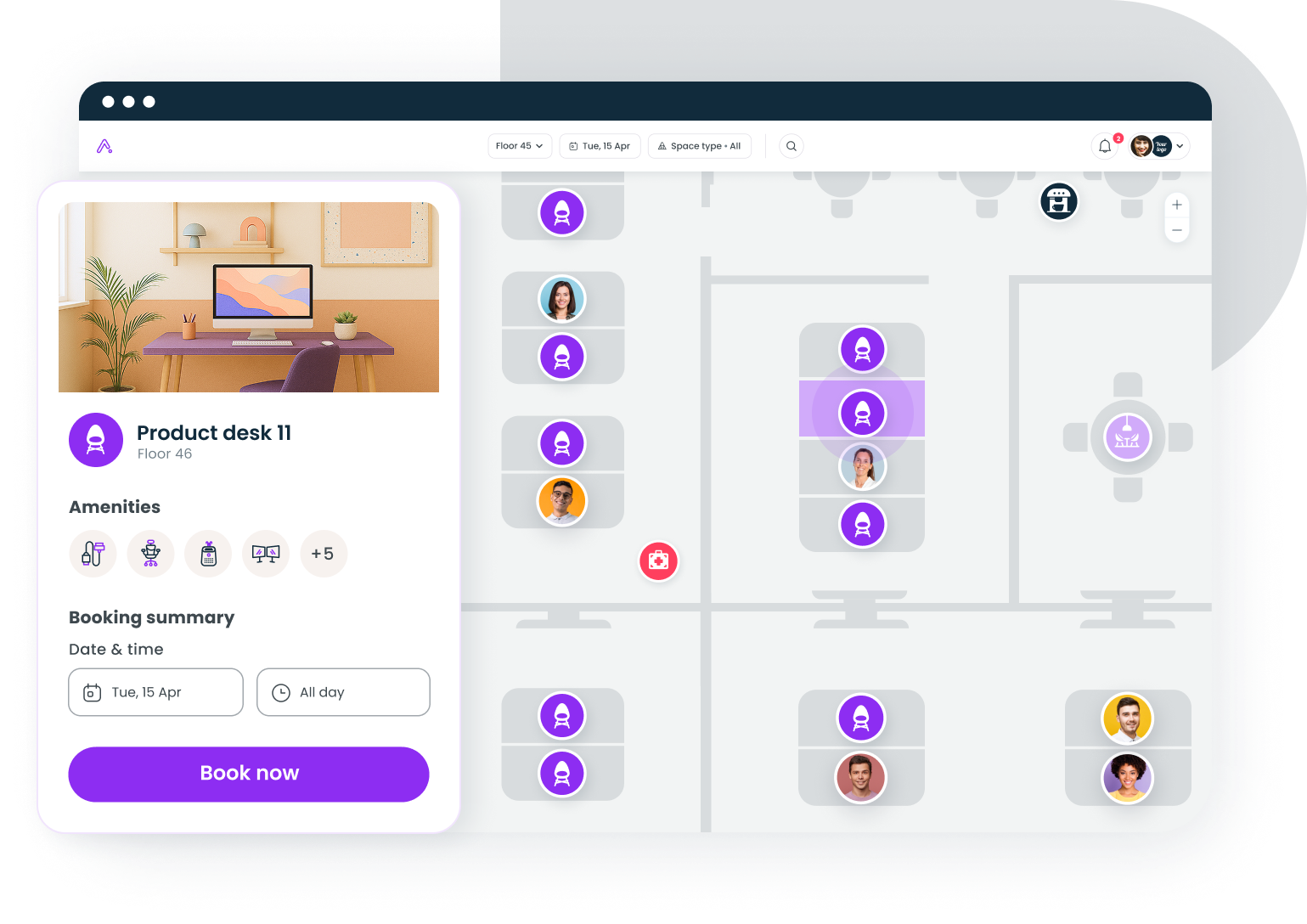
11. Smart storage for shared spaces
The number one complaint about shared desks is "there's nowhere to put my stuff." Solve this and you solve half the resistance to hot-desking.
Personal lockers near (not at) the desk area give people a home base without cluttering the desk. Day-use lockers with digital codes work best; no keys to lose, no permanent assignments to manage. Inside, people keep their personal kit, a jacket, maybe a pair of headphones.
At the desk itself, a single shallow drawer is enough for shared supplies: sticky notes, pens, a phone charger. Keep it stocked by facilities, not by whoever happens to sit there. This is a small operational detail that has an outsized impact on how "cared for" a workspace feels. If you're scaling this across locations, the principles in managing multiple offices apply directly.
12. Seasonal and rotating refresh
Desk setups go stale. The monitor arm that was great in January develops a wobble by June. The cable tray fills up with mystery chargers. The chair's lumbar support flattens out.
Build a quarterly desk audit into your facilities calendar. Check every shared desk for: broken or worn components, cable clutter creep, cleanliness, and whether the original setup standard still holds. Replace what's broken. Remove what's accumulated. Reset to baseline.
This isn't glamorous work, but it's the difference between a workspace that degrades over time and one that stays consistently good. People notice when things work. They notice more when things stop working.
The desk setup that works is the one people actually use
The best desk setup ideas share one trait: they reduce the gap between sitting down and doing real work. In a shared workspace, that gap is wider than in a personal office, which means every detail matters more. Ergonomics, lighting, cables, storage, acoustics; none of these are exciting on their own. Together, they're the difference between a space people choose and a space people avoid.
Don't try to implement all 12 ideas at once. Pick the three that address your biggest complaints (ask your team; they'll tell you), fix those first, and measure whether desk utilization changes. The data will tell you what to do next.
Book desks, manage visitors, and track utilization across every location your team uses.
Get a demo