


.svg)


.svg)
- Match AV gear to room size; one setup doesn't fit every space
- Certified ecosystems (Zoom, Teams, Meet) prevent compatibility headaches
- Audio matters more than video for hybrid meeting quality
- Control surfaces and room scheduling panels reduce friction
- Most AV failures trace back to skipping IT involvement early
Conference room AV in 2026 isn't about buying the fanciest camera. It's about matching equipment to room size, choosing within a certified ecosystem, and getting audio right. Most hybrid meeting complaints trace back to bad sound, not bad video. This guide walks through the equipment matrix by room type, the platform certifications that matter, and the mistakes that turn a $15,000 install into a $25,000 redo.
Why conference room AV decisions are harder now
Five years ago, you bought a speakerphone and a TV. Done. Hybrid work changed the equation entirely.
When half the participants are remote and half are in the room, the AV system has to do something it was never designed for: make both groups feel equally present. That's a fundamentally different engineering problem than amplifying a voice across a table.
42% of hybrid workers report that poor meeting technology is their top frustration with in-office days. The issue isn't budget. It's mismatched equipment. A huddle room with a boardroom camera. A 16-person space with a single tabletop mic. A display that can't wirelessly share from both Mac and PC without a five-minute troubleshooting session.
The cost of getting it wrong goes beyond the hardware. Teams stop booking rooms. Remote participants disengage. People default to taking calls from their desks with headphones on, which defeats the purpose of having conference room technology in the first place.
Getting it right starts with a room-size matrix.
Room sizes and AV minimums
Not every room needs the same gear. The biggest waste in conference room AV spending is over-specifying small rooms and under-specifying large ones. Here's the baseline by room type.
Huddle rooms (2 to 4 People)
These are your quick-sync spaces. Two to four people, usually one remote participant on the other end. The AV setup should be simple enough that nobody needs instructions.
Minimum spec:
- One all-in-one video bar (camera, mic, speaker integrated)
- Single display, 43 to 55 inches
- USB-C or HDMI cable for content sharing (wireless optional)
- No separate control surface needed; the laptop drives the call
Huddle rooms are where integrated bars like the Poly Studio or Neat Bar shine. One device, one cable, zero confusion. If you're designing these spaces from scratch, our conference room setup guide covers the physical layout considerations.
Small conference rooms (4 to 8 People)
This is the workhorse room in most offices. Team standups, project syncs, client calls. Remote participants are common.
Minimum spec:
- Conference camera with 120-degree field of view (minimum)
- Tabletop microphone array or integrated bar with beamforming
- Single display, 55 to 65 inches
- Wireless content sharing (Barco ClickShare, Mersive Solstice, or platform-native)
- Room scheduling panel outside the door
The camera matters more here than in a huddle room. With 4 to 8 people spread around a table, a narrow-angle webcam cuts half the room out of frame. Look for AI-driven framing that can switch between speaker view and gallery view automatically.
Medium conference rooms (8 to 16 People)
These rooms are where AV complexity jumps. More bodies mean more audio challenges, wider camera angles, and often a need for dual displays.
Minimum spec:
- PTZ (pan-tilt-zoom) camera or multi-camera system
- Ceiling microphones or distributed tabletop mic pods (minimum 2)
- DSP (digital signal processor) for echo cancellation
- Dual displays, 65 to 75 inches each
- Dedicated compute device (not a laptop)
- Touch panel controller
- Room scheduling panel
Ceiling microphones are worth the install cost at this size. Tabletop mics get moved, unplugged, and covered with papers. Ceiling arrays stay put and pick up everyone evenly.
Large conference rooms and boardrooms (16+ people)
These are your highest-stakes rooms. Board meetings, all-hands, client presentations. The AV system needs to be invisible; it should just work when someone walks in.
Minimum spec:
- Multi-camera system with automatic speaker tracking
- Ceiling microphone array (beamforming, minimum 4 zones)
- Professional DSP with acoustic echo cancellation and noise suppression
- Dual or triple displays, 75 to 85 inches
- Dedicated codec or compute appliance
- Programmed touch panel (Crestron, Extron, or Q-SYS)
- Integrated room scheduling and occupancy sensing
At this scale, you're likely working with an AV integrator. The InfoComm ANSI/AVIXA standards provide design guidelines for sight lines, display sizing, and audio coverage that integrators should follow.

Knowing which rooms get booked most, and for what size meetings, helps you prioritize AV upgrades where they'll have the most impact. Gable's office analytics show you utilization patterns by room type.
Read the guide
Camera systems: What to buy for each room size
Camera selection is where most teams either overspend or underspend. Here's how to think about it.
Webcams and integrated bars
Best for huddle rooms and small conference rooms. Devices like the Logitech Rally Bar Mini, Poly Studio, and Neat Bar combine camera, mic, and speaker into one unit. They connect via USB or run as standalone appliances.
The key spec to watch is field of view. Anything under 110 degrees will miss people sitting at the edges of even a small table. For huddle rooms, 90 degrees works. For small conference rooms, 120 degrees is the floor.
Dedicated conference cameras
For medium rooms, you need a standalone camera with better optics. The Logitech Rally Bar, Poly Studio X70, and Neat Bar Pro all offer wider fields of view and AI-powered framing. These devices use machine learning to detect faces and automatically crop the frame to show active participants.
AI framing has gotten genuinely good in the last two years. Early versions were jittery and distracting. Current-generation devices from major manufacturers handle speaker switching smoothly enough that remote participants don't get motion sick.
Multi-camera systems
Large rooms need multiple cameras. A single wide-angle camera in a 20-person room turns everyone into a thumbnail. Multi-camera setups use two or three cameras positioned around the room, with software that switches between them based on who's speaking.
Cisco Room Kit Pro, Poly Studio G7500, and Neat Board Pro all support multi-camera configurations. The compute device handles the switching logic, so remote participants see a broadcast-quality experience rather than a static wide shot.
Audio: the part that actually makes or breaks hybrid meetings
Here's the uncomfortable truth about conference room AV. Video quality accounts for roughly 20% of perceived meeting quality. Audio accounts for the rest. A slightly grainy video feed is tolerable. Choppy audio, echo, or background noise makes a meeting unusable.
Microphone types
Tabletop microphones work in rooms up to 8 people. They're affordable and easy to deploy. The downside: people move them, stack papers on them, and spill coffee near them. Expect to replace or reposition them regularly.
Ceiling microphones are the better long-term investment for rooms seating 8 or more. Brands like Shure, Sennheiser, and ClearOne offer ceiling arrays with beamforming technology that focuses pickup on active speakers and rejects ambient noise. Installation requires running cables above the ceiling tiles, so plan for this during fit-out, not after.
Beamforming arrays (whether ceiling or tabletop) use multiple microphone elements to digitally steer pickup patterns. This means the system can focus on whoever is talking and suppress noise from HVAC systems, hallway chatter, or that one person who always clicks their pen.
Speakers
Don't overlook speakers. Remote participants need to be heard clearly in the room, not just seen. For huddle and small rooms, the speakers built into an all-in-one bar are usually sufficient. For medium and large rooms, add dedicated ceiling or wall-mounted speakers.
The goal is even coverage. If the speaker is mounted next to the display, people at the far end of the table can't hear remote participants clearly. Distributed ceiling speakers solve this.
Digital signal processing (DSP)
DSP is the invisible layer that makes audio work. It handles echo cancellation (preventing the room's speakers from feeding back into the microphones), noise reduction, and automatic gain control (keeping volume consistent regardless of how far someone sits from a mic).
For huddle and small rooms, the DSP built into all-in-one bars is fine. For medium and large rooms, a dedicated DSP unit from Biamp, QSC, or Crestron is worth the investment. Without proper DSP, you'll get the echo-feedback loop that makes everyone on the remote side mute their audio and type in chat instead.
Display options for every room type
Single displays
Huddle rooms and small conference rooms need one display. Size it based on the farthest viewing distance. The AVIXA display sizing calculator recommends a minimum display height of 1/6th the distance from the screen to the farthest viewer for content-heavy use.
In practice: a 55-inch display works for rooms up to about 12 feet deep. Beyond that, go to 65 inches.
Dual displays
Medium and large rooms benefit from two displays. One shows the remote participants' video. The other shows shared content. This eliminates the constant toggling between "gallery view" and "screen share" that drives everyone crazy.
Mount them side by side or at a slight angle. Make sure both are the same size and model; mismatched displays look unprofessional and create color-temperature differences that are surprisingly distracting.
All-in-one collaboration boards
Devices like the Cisco Board Pro, Microsoft Surface Hub, and Neat Board combine display, camera, mic, speaker, and whiteboarding into a single unit. They're expensive ($5,000 to $15,000+) but eliminate integration headaches.
These work best in small to medium rooms where you want a single-vendor solution. For large rooms, they typically don't have enough audio coverage or camera range to serve as the primary system.
Gable's office management platform tracks room bookings, no-shows, and utilization patterns so you can make smarter decisions about where to invest in AV upgrades.
Explore Gable Offices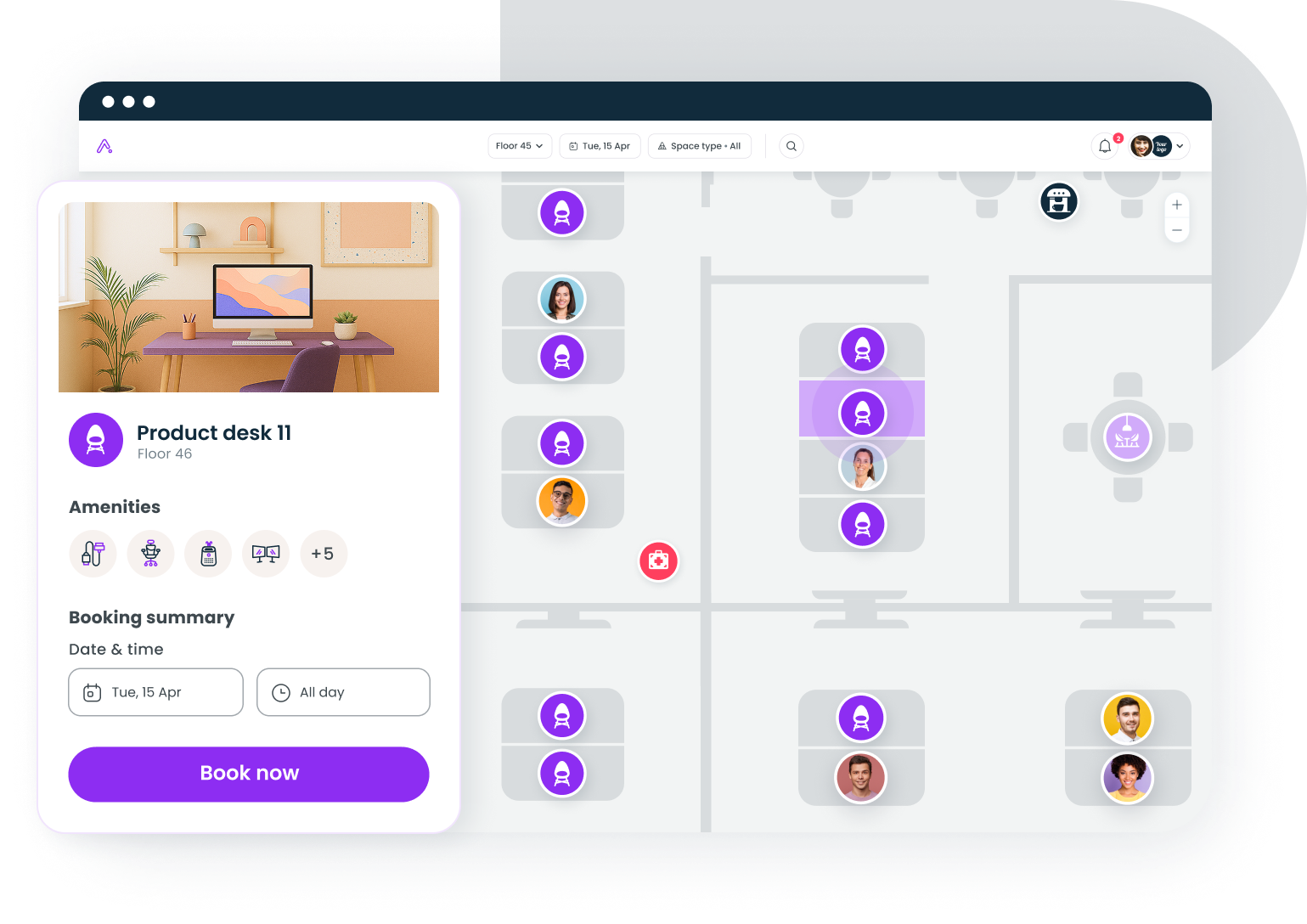
Certified ecosystems: Zoom, teams, and google meet
This is where procurement decisions get political. Your AV hardware needs to work with whatever platform your company standardizes on. Buying uncertified hardware is a gamble that usually ends with "it works, mostly, except when it doesn't."
Zoom rooms certified hardware
Zoom maintains a certified list of devices tested and approved for Zoom Rooms. Certified devices get automatic firmware updates, native Zoom UI on the room display, and priority support. Major certified vendors include Poly, Neat, Logitech, and DTEN.
The advantage of Zoom Rooms certification: one-touch join. Walk in, tap the controller, and you're in the meeting. No laptop needed. No "can you see my screen?" No driver updates mid-call.
Microsoft teams rooms
Microsoft Teams Rooms certified devices run a dedicated Teams application on a compute module. Certified options from Poly, Logitech, Yealink, and Crestron provide native Teams UI, calendar integration, and proximity join from personal devices.
Teams Rooms come in two tiers: Basic (free, limited features) and Pro ($40/room/month, includes AI-powered features like intelligent speaker recognition and front-row layout). If your org is on Microsoft 365, Teams Rooms Pro is usually worth the license cost for rooms that get heavy use.
Google meet hardware
Google Meet certified kits from Logitech, Poly, and ASUS provide native Meet UI with calendar integration. Google's ecosystem is smaller than Zoom's or Microsoft's, but the certified devices work reliably.
One thing to watch: if your company uses Google Workspace but some teams prefer Zoom for external calls, make sure your room systems can handle both. Some certified devices are locked to a single platform. Others (like Logitech Rally Bar) support multiple platforms through software switching.
Cross-platform considerations
If your company doesn't have a single platform standard (and many don't), look for BYOD-friendly rooms. These rooms have a display, camera, mic, and speakers connected to a general-purpose compute device that can run any platform. The tradeoff: you lose one-touch join and native UI, but you gain flexibility.
For teams navigating hybrid work technology decisions more broadly, platform choice for room systems should align with your overall collaboration stack.
Control surfaces and room scheduling
In-room controllers
A touch panel on the table or wall lets users start meetings, adjust volume, switch inputs, and control cameras without touching a laptop. For huddle rooms, this is optional. For medium and large rooms, it's essential.
Options range from simple tablet-based controllers (Logitech Tap, Poly TC10) to programmable panels (Crestron TSW, Extron TLP Pro). The simpler the interface, the better. If someone needs training to start a meeting, the system has failed.
Room scheduling panels
Wall-mounted panels outside the room show availability, current bookings, and allow walk-up reservations. They reduce double-bookings and the awkward "is this room taken?" interruption.
These panels integrate with your calendar system (Google Calendar, Outlook, or a dedicated meeting room booking platform). Brands like Logitech (Tap Scheduler), Crestron, and Neat offer panels that match their in-room hardware aesthetically.
Room scheduling panels also generate data. Which rooms get booked but not used? Which rooms are always full? That data feeds directly into space planning decisions, something we cover in our conference room analytics guide.
Voice control
Alexa for Business is gone. Google Assistant in meeting rooms is limited. Voice control in conference rooms hasn't lived up to the promise. In 2026, touch panels remain the most reliable control surface. Don't spec voice control as your primary interface.
Common failure modes (and how to avoid them)
Most conference room AV problems aren't equipment failures. They're design and process failures. Here are the ones that come up repeatedly.
Mic placement disasters
Putting a tabletop mic at one end of a 16-person table. Mounting ceiling mics directly above the HVAC vent. Placing mics near a glass wall that reflects sound. All of these create audio dead zones or noise problems that no amount of DSP can fully fix.
Fix: Map mic placement to seating positions before installation. Test with actual people in the room, not just an empty space.
Echo and feedback loops
Echo happens when the room's speakers feed audio back into the microphones. It's the single most common complaint in hybrid meetings. Built-in echo cancellation handles this in small rooms, but medium and large rooms need dedicated DSP with acoustic echo cancellation tuned to the specific room.
Fix: Never skip DSP in rooms with more than 8 seats. Have the integrator tune the system after furniture is installed, not before. Soft furnishings, carpet, and acoustic panels all change the room's audio profile.
No IT involvement until after install
This one is painful. Facilities or workplace ops specs the AV system, the integrator installs it, and then IT discovers it doesn't integrate with the company's network security policies, won't connect to the managed calendar system, or requires firewall exceptions nobody anticipated.
Fix: Include IT in the scoping process from day one. Network requirements, security policies, and platform certifications should be defined before hardware is selected.
Ignoring the remote participant experience
The room looks great. The in-room audio is crisp. But nobody tested what the meeting looks and sounds like from the remote side. The camera is backlit by a window. The mic picks up more HVAC noise than voices. The content share is laggy because the room's network connection is on Wi-Fi instead of ethernet.
Fix: Test every room from the remote participant's perspective. Join a test call from a laptop outside the building and evaluate video framing, audio clarity, and content share quality. Following basic conference room etiquette practices also helps, but the technology has to work first.
Buying before benchmarking
Spending $200,000 on AV upgrades across 30 rooms without knowing which rooms actually get used is a common and expensive mistake. If 10 of those rooms average less than 2 hours of bookings per week, you've over-invested.
Fix: Pull utilization data before scoping any AV project. Booking data, badge data, and sensor data all help you prioritize rooms that will deliver the most return on your AV investment.
Building your conference room AV budget
AV costs vary widely by room size and spec level. Here are rough ranges for 2026, excluding installation labor:
- Huddle room (all-in-one bar + display): $2,000 to $5,000
- Small conference room (camera + mic + display + controller): $5,000 to $12,000
- Medium conference room (PTZ camera + ceiling mics + DSP + dual displays + controller): $15,000 to $35,000
- Large conference room (multi-camera + ceiling array + DSP + triple display + programmed control): $35,000 to $80,000+
Installation and integration typically add 30 to 50% on top of hardware costs. Ongoing costs include platform licenses (Teams Rooms Pro at $40/room/month, for example), extended warranties, and periodic firmware management.
The smartest approach is to tier your rooms. Not every space needs top-tier AV. Match the investment to the room's usage patterns and strategic importance. A boardroom used for client presentations and board meetings justifies premium gear. A huddle room used for quick syncs does not.
Gable helps workplace leaders see which rooms are booked, which are empty, and where upgrades will have the biggest impact. Book a walkthrough with our team.
Request a demo


