.svg)


.svg)
- Hybrid office scheduling software coordinates who's in the office, when, and where they sit.
- The category splits into full platforms, booking tools, and chat-native apps.
- Gable unifies in-office-day coordination, desk booking, and analytics in one platform.
- Most tools run $2.50 to $5 per user monthly; some price per space.
- Pick based on team size, office-day frequency, and your existing tools.
Hybrid office scheduling software helps flexible teams answer a deceptively hard question: who's coming in, on which days, and where will they sit? With 52% of organizations now requiring three to four office days a week, according to JLL, the coordination problem is back, and a shared calendar isn't enough. This guide compares the 9 best hybrid office scheduling tools of 2026: what each does, who it fits, and what it costs.
What is hybrid office scheduling software?
Hybrid office scheduling software lets employees book desks and rooms, declare which days they'll be on-site, and see when teammates plan to come in. Some people call it hybrid work software or hybrid workplace software; the job is the same, turning a flexible, unpredictable office into something teams can plan around. It usually connects to your calendar and chat tools, so booking a day in the hybrid office takes seconds, not a thread of messages.
The need is real. Among employees who can work remotely, 51% are now hybrid and only 21% are fully on-site, per Gallup, and hybrid workers average about 2.3 office days a week. Flexible space is mainstream too: 55% of occupiers use it, per Cushman & Wakefield. That's the catch: if everyone picks different days, the office fills with people who don't need to see each other and empties when they do. As hybrid work statistics keep showing, coordination, not attendance, is the hard part.
How we picked these tools
We weighed each tool on five factors:
- Coordination, not only booking: can people see who's in and sync days, or merely reserve a desk?
- Booking depth: desks, rooms, and rules for neighborhoods or teams.
- Integrations: calendar, Slack, Microsoft Teams, and HR/SSO.
- Pricing model: per user, per space, or per workspace, and how it scales.
- Team fit: a 50-person startup versus a 5,000-person, multi-site company.
Hybrid office scheduling software at a glance

Software handles the logistics, but the model matters more. Our guide to hybrid work model best practices covers the 10 strategies that make flexibility stick.
Read the guide
The Best 9 Hybrid Office Scheduling Software for Flexible Teams
1. Gable
Gable is an all-in-one workplace platform that coordinates in-office days, desk and room booking, and utilization analytics in one place, so hybrid teams plan around each other instead of guessing. Employees see when teammates will be in and book a desk from Slack, Teams, or mobile, and workplace leads get the usage data behind it. Gable's own numbers show 72% of bookings are for team gatherings, which is the real reason to sync days. It all runs on Gable's office management software.
- Best for: hybrid teams (200 to 5,000 employees) wanting coordination, booking, and analytics in one system.
- Key features: in-office-day coordination with a live team view; desk and room booking; workplace analytics.
- Pricing: Office Management edition from $2.50 per user per month; the all-in-one plan is custom.
- G2 rating: 4.5/5 (127 reviews).
2. Robin
Robin helped popularize desk and room booking, and it's built around getting hybrid teams back into a space with minimal friction. Its scheduling leans on bookings and team coordination, with solid reporting on who came in and when.
- Key features: desk and room booking; team-day coordination; utilization and attendance reporting.
- Pricing: quote-based, by seats or desks.
- G2 rating: 4.4/5 (211 reviews).
3. Envoy
Envoy bundles desks, rooms, and visitor management, so the same tool that schedules your hybrid week also signs in guests at the front desk. Scheduling and deeper analytics sit in higher tiers.
- Key features: desk and room booking; visitor management; occupancy reporting across locations.
- Pricing: from about $109 per month on the entry Workplace plan; higher tiers are quote-based.
- G2 rating: 4.4/5 (163 reviews).
4. deskbird
deskbird is a mobile-first scheduling app that hybrid teams tend to adopt without training. Interactive floor plans show which colleagues are in, and a desk auto-cancels if no one checks in, so the occupancy data stays honest.
- Key features: floor plans with colleague presence; week planning; auto-cancel on no check-in.
- Pricing: Business from about $3.75 per active user per month; higher tiers custom.
- G2 rating: 4.5/5 (307 reviews).
5. Kadence
Kadence puts team coordination first: instead of booking a desk in isolation, you see where your team plans to be and pick a day that lines up. Desk and room booking sit on top of that who's-in-when layer.
- Key features: team-day visibility and coordination; desk and room booking; visual office maps.
- Pricing: quote-based (active-user billing, annual).
- G2 rating: 4.5/5 (143 reviews).
6. Officely
Officely runs entirely inside Slack and Microsoft Teams, so there's no separate app to adopt. People mark office days and book desks from the chat tool they already use, which keeps participation high.
- Key features: see who's in from Slack/Teams; desk booking; parking and team-lunch coordination.
- Pricing: free up to five users; paid from $2.50 per user per month.
- G2 rating: 4.6/5 (157 reviews).
7. Tactic
Tactic packs desk booking, room scheduling, wayfinding, and visitor management into a low per-seat price, with AI features in its higher tier. It's a strong value pick for teams that want breadth without enterprise pricing.
- Key features: desk and room booking; colleague visibility; visitor management and an AI assistant (Pro).
- Pricing: Core from $3 per user per month; Pro $4; Enterprise custom.
- G2 rating: 4.6/5 (554 reviews).
8. Skedda
Skedda is the most rule-driven option: if you need fine control over who can book what, when, and under which conditions, it's hard to beat. It prices per space rather than per user, which suits teams with many bookable spaces and lots of people.
- Key features: rule-based desk and room booking; interactive floor plans; utilization reporting.
- Pricing: from $99 per month (per space, billed annually), with unlimited users.
- G2 rating: 4.8/5 (283 reviews).
9. OfficeRnD Workplace
OfficeRnD Workplace (renamed from OfficeRnD Hybrid in 2025) is a full workplace platform covering booking, hybrid scheduling, utilization analytics, and visitor management. It fits teams that want one system for the whole office, not a single feature.
- Key features: two-click desk and room booking; hybrid scheduling; utilization analytics.
- Pricing: Start from about €199 per month (up to 150 users); Enterprise custom.
- G2 rating: 4.6/5 (158 reviews).
Gable lets your team see who's in, book a desk, and sync office days from Slack, Teams, or mobile.
Learn more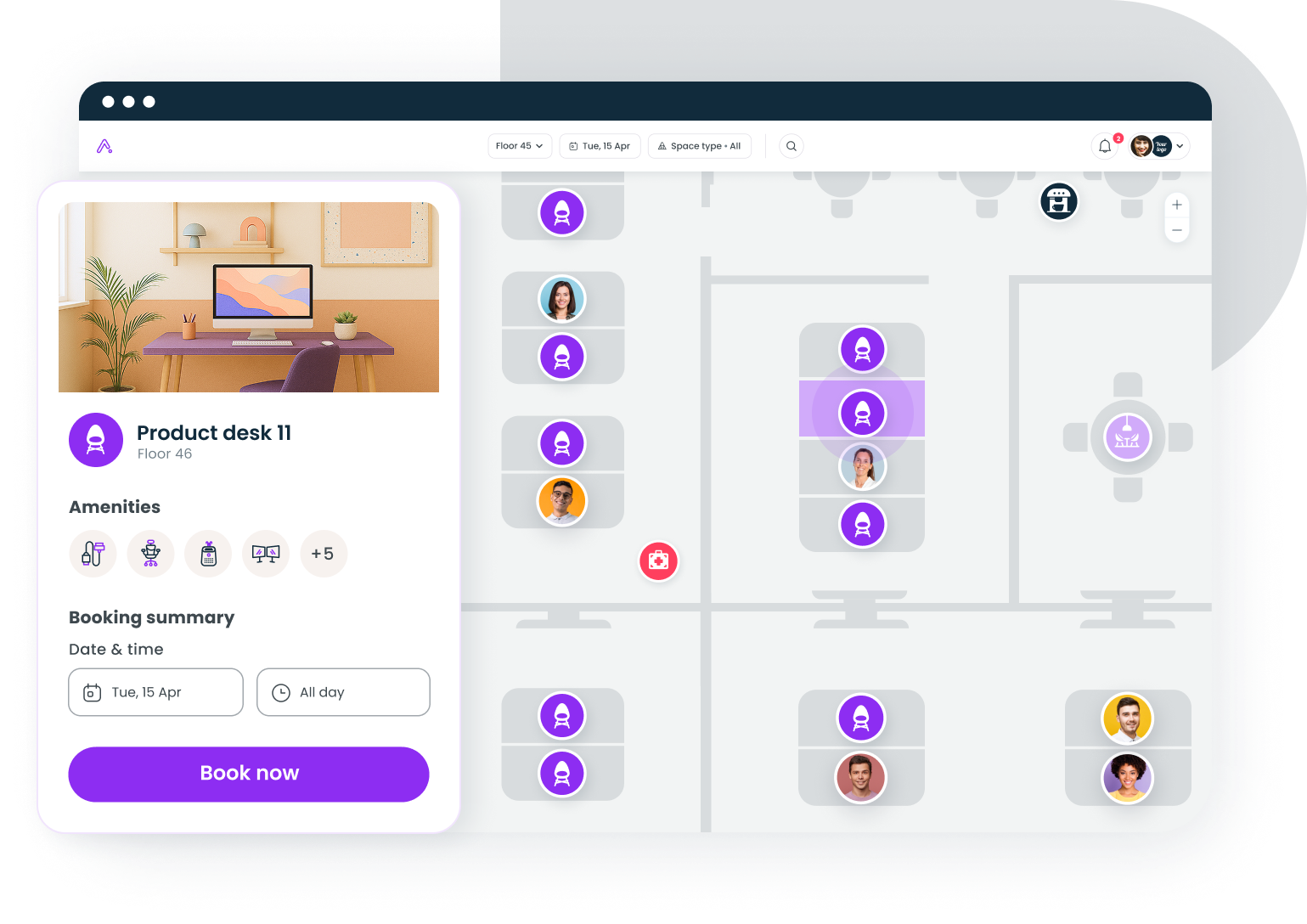
How to choose the right hybrid scheduling software for your team
The right hybrid work tools depend on how your team works.
- Start with team size. A 50-person office can run office-day coordination from Slack with Officely or a lightweight app like deskbird. A 5,000-person, multi-site company needs platform-grade booking, analytics, and SSO, which is where Gable, Robin, or OfficeRnD fit.
- Match it to office-day frequency. If you mandate three or four days, return-to-office coordination and desk supplies are your bottlenecks, so strong hot-desk booking matters. If people come in once or twice a week, presence and team-day visibility matter more than seat math.
- Check the integrations. Calendar, Slack, Teams, and HR/SSO should be table stakes. A tool people have to leave their workflow to use won't get used. If you're still deciding the underlying model, our guide to hot desking vs hoteling and examples from companies with hybrid work models help.
- Weigh budget against breadth. Per-user tools run $2.50 to $5 a month; per-space tools like Skedda can be cheaper at high headcounts; platforms cost more but replace several point tools. The payoff is real: hybrid schedules done well cut resignations by a third with no hit to performance, per a Stanford study, and global office utilization has climbed to 53%, according to CBRE, so the space you coordinate is finally getting used.
Which hybrid scheduling tool fits your team
For most hybrid teams, the simplest answer is one platform that does it all. That's Gable's case: coordination, booking, and analytics in one place, so you're not stitching together a scheduling app, a booking tool, and a separate dashboard to answer one question, is the office working? The niche tools have their moments; a Slack-only team might start with Officely, a booking-rules-heavy office with Skedda, but each solves one slice of the problem. Pick for how your team comes together, and for a tool that still fits as your needs grow.
Book a demo and we'll show you how Gable coordinates office days and desk booking for a hybrid team like yours.
Get a demo