.svg)


.svg)
- A desk sharing system lets large offices run more people than desks by managing who sits where, when, replacing fixed seating with bookable, shared space.
- Gable is the top pick for large offices: it combines desk and room booking, neighborhoods, visitor management, and utilization analytics in one platform.
- At scale, the features that matter are real-time availability, neighborhoods and team zones, no-show handling, deep calendar and chat integration, and reporting across floors and sites.
- Pricing ranges from about $2.50 per user per month to enterprise quotes; most enterprise tools are quote-based.
- The system only works if the policy works: clear rules, team neighborhoods, and check-in are what turn desk sharing from chaos into routine.
Desk sharing is simple in a 30-person office and brittle in a 3,000-person one. At scale, the same idea, more people than desks, runs into peak-day crunches, teams that cannot find each other, and desks that look booked but sit empty. A desk sharing system is the software that keeps all of that orderly: it shows what is free, lets people reserve in seconds, groups teams together, and turns every booking into data.
This guide covers the ten best desk sharing systems for large offices in 2026, the features that hold up at scale, and the policies that decide whether a rollout sticks.
Why desk sharing breaks down in large offices without the right system
In a large office, informal desk sharing fails fast. On busy days, more people show up than there are desks, and without a booking system nobody knows that until they are standing in the lobby. Teams that need to sit together end up scattered across floors. Desks get claimed by jackets and laptops for people who left at noon. And facilities has no way to know whether the floor is at 40% or 95%, so every space decision is a guess.
The right system removes each of those failure points: capacity is visible before people travel in, teams book adjacent space, no-shows are released automatically, and utilization is measured rather than estimated. For the difference between models, see hot desking vs hoteling.
What makes a desk sharing system actually work at scale
Small-office tools buckle under enterprise load. The features that matter for large offices:
- Real-time availability and floor plans: thousands of employees need a live map, not a list, to find and book space fast.
- Neighborhoods and team zones: the system keeps teams together by reserving areas, so sharing does not mean scattering.
- No-show handling: automatic release of unclaimed desks after a check-in window keeps real availability honest.
- Deep integration: booking from Slack, Microsoft Teams, Outlook, and Google Calendar drives the adoption that makes sharing work.
- Cross-floor and cross-site reporting: leaders need utilization across the whole portfolio, not one floor at a time.
The best desk sharing systems for large offices for 2026
We weighed fit for large and multi-site offices, integration depth, pricing transparency, and verified user reviews. Gable leads as the all-in-one platform; the rest fit specific enterprise needs.
1. Gable
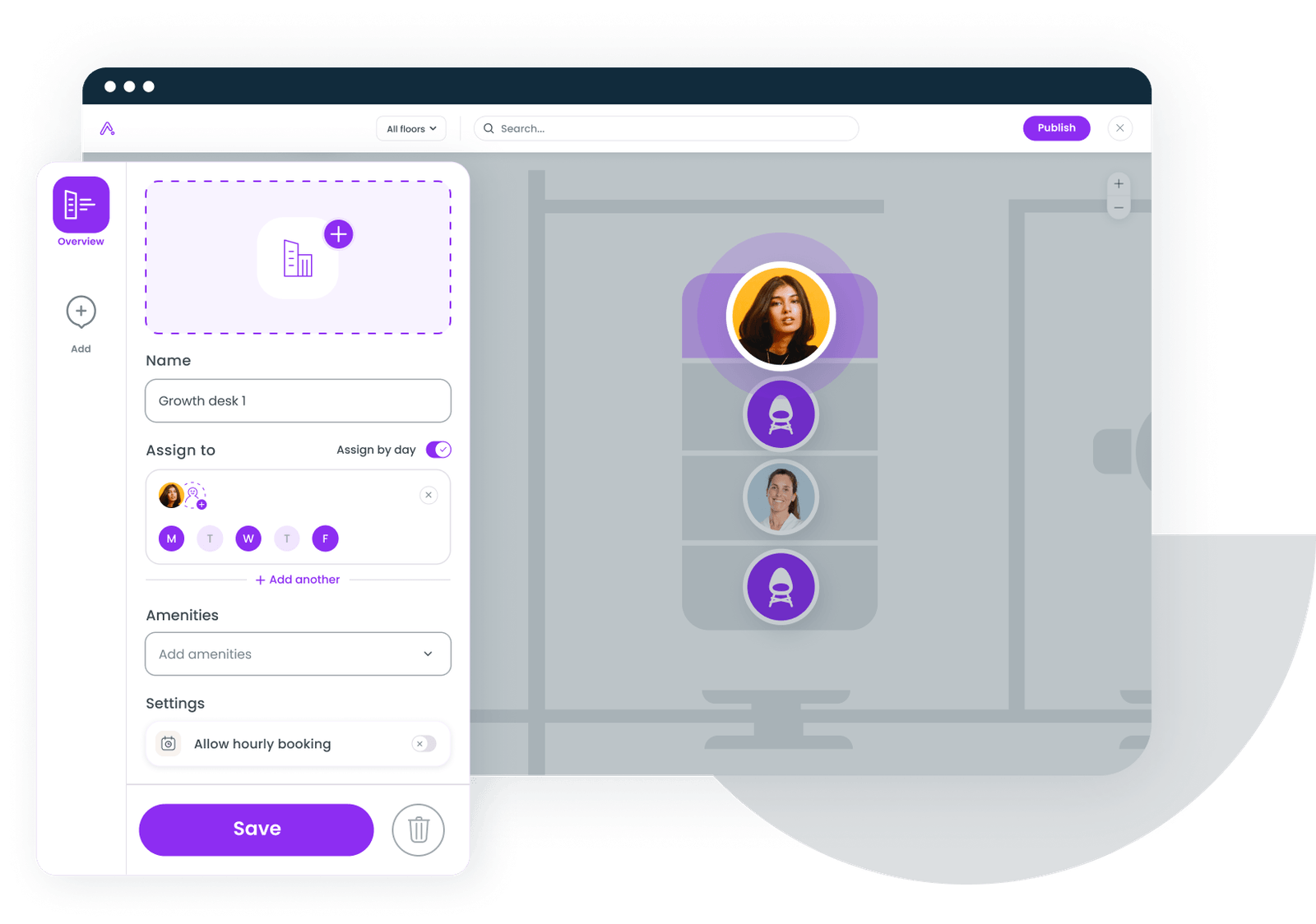
Gable runs desk sharing for large, distributed organizations from one platform: desks, meeting rooms, neighborhoods, visitor management, and on-demand outside space, all with utilization analytics built in. Employees book from Slack, Microsoft Teams, or mobile, and admins manage budgets, permissions, and team zones centrally. For enterprises that want sharing plus the data to right-size real estate, it replaces several point tools with one office management software platform.
- Desk and room booking with neighborhoods and team zones
- Visitor management and on-demand access to 20,000+ workspaces in 900+ cities
- Booking from Slack, Microsoft Teams, and mobile, with check-in
- Budgets, permissions, and cross-site utilization analytics
- Compliance: SOC 2 Type II, GDPR, SSO, RBAC, AES-256 encryption
- Pricing: Office Management from $2.50 per user per month; all-in-one custom
- G2 rating: 4.5/5 (156 reviews)

Our guide to hot desking covers the models, the etiquette, and the pitfalls, so a large-office rollout starts on solid ground.
Read the guide
2. OfficeSpace Software
OfficeSpace pairs desk sharing with detailed floor-plan and scenario planning, which suits large facilities teams managing complex portfolios and frequent reconfiguration.
- Desk booking on CAD-grade floor plans
- Move and scenario planning
- Advanced utilization analytics
- Pricing: quote-based
- G2 rating: 4.7/5 (126 reviews)
3. Robin
Robin is known for an employee-friendly booking experience with interactive maps and strong calendar integration, helping large offices drive adoption of shared seating.
- Desk and room booking with interactive maps
- Calendar sync and team scheduling
- Workplace analytics dashboards
- Pricing: quote-based
- G2 rating: 4.4/5 (211 reviews)
4. Envoy Desks
Envoy combines desk sharing with visitor and security features, fitting large offices that want reception and desks in one product. Pricing scales by module.
- Desk booking with interactive maps
- Visitor management and security workflows
- Occupancy analytics
- Pricing: Workplace from about $3 per user per month; modules separate
- G2 rating: 4.4/5 (163 reviews)
5. Eptura Workplace
Eptura bundles desk sharing into an enterprise worktech suite alongside asset and facilities management, fitting large organizations that want one system across space and maintenance.
- Desk and room booking in a broader worktech suite
- Facilities and asset management
- Enterprise reporting
- Pricing: quote-based
- G2 rating: 4.3/5 (168 reviews)
6. Skedda
Skedda is a clean, affordable booking tool priced by space rather than by user. Large offices use it where the need is straightforward shared booking without heavy enterprise analytics.
- Desk and room booking with custom rules
- Per-space pricing that stays predictable as headcount grows
- Simple admin and self-serve setup
- Pricing: from $99 per month (per-space tiers)
- G2 rating: 4.8/5 (283 reviews)
Gable manages shared desks, neighborhoods, and rooms across all your locations, with the utilization analytics to right-size each one.
Explore Gable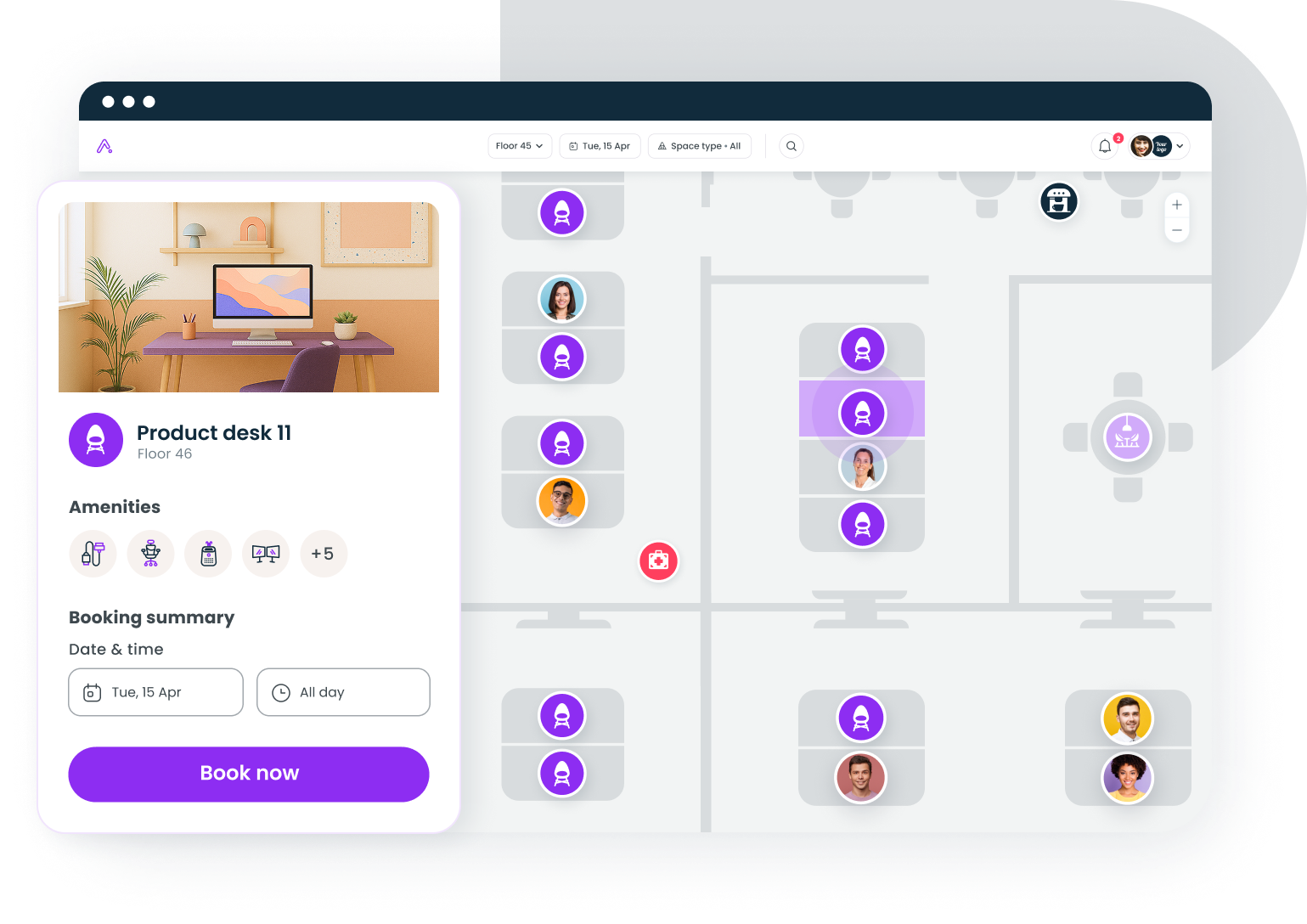
7. deskbird
deskbird focuses on a modern, mobile-first hot desking experience with strong Microsoft 365 and Google Calendar integration, fitting large offices that prioritize employee experience.
- Mobile-first desk booking and week planning
- Microsoft 365 and Google Calendar integration
- Team scheduling and analytics
- Pricing: from about $3.75 per user per month
8. FM:Systems
FM:Systems is built for regulated and campus environments, pairing desk management with facilities and space planning for organizations with compliance and asset needs.
- Desk and space management for large portfolios
- Facilities and maintenance integration
- Compliance-oriented reporting
- Pricing: quote-based
- G2 rating: 4.2/5 (26 reviews)
9. Archibus
Archibus is an enterprise IWMS for large real estate portfolios, with desk and space management sitting inside heavy CAD and BIM capabilities. It fits portfolio-scale facilities teams.
- Desk and space management within a full IWMS
- CAD and BIM portfolio tools
- Chargeback and cost reporting
- Pricing: quote-based
- G2 rating: 4.0/5 (19 reviews)
10. Wisp
Wisp is a managed floor-plan service that handles space and desk planning for teams that would rather outsource ongoing floor-plan upkeep than run it in-house.
- Managed floor-plan and desk planning
- Move management support
- Space utilization reporting
- Pricing: quote-based
- G2 rating: 4.8/5 (40 reviews)
How large offices use desk sharing data to make smarter space decisions
The hidden payoff of desk sharing is the data. Every booking and check-in shows which floors fill, which sit empty, when peaks hit, and which teams actually come in together. Over a quarter, that turns into decisions: consolidate two half-used floors into one, convert dead desks into the collaboration space people keep asking for, and renew or shed leases based on real occupancy instead of a headcount spreadsheet. Gable's data shows 72% of bookings are for team gatherings, so the most valuable signal is often when teams cluster, which tells you how much collaborative space to build, not just how many desks to keep.
How to set desk sharing policies that employees will actually follow
Software fails without policy. The rollouts that stick share a few practical choices. Give each team a home neighborhood so sharing does not mean wandering. Require check-in, with a short grace window, so no-show desks free up automatically. Set fair booking limits so no one camps a desk for the month. Keep a small number of bookable focus rooms for the days the floor is loud. And communicate the rules once, clearly, rather than policing them desk by desk. When the policy makes the right behavior the easy behavior, adoption follows.
Book a demo and we will show how Gable handles desk sharing at scale, from neighborhoods to no-show release to portfolio-wide analytics.
Get a demo