.svg)


.svg)
- An office space reservation system lets employees book desks, meeting rooms, and shared spaces in advance, replacing the spreadsheets and guesswork that create daily friction in hybrid offices.
- Gable is the top pick: it combines desk and room reservation, visitor management, and on-demand workspace access in one platform, with utilization analytics built in.
- The systems teams actually adopt share five traits: real-time availability, calendar and chat integration, mobile booking and check-in, clear admin controls, and usage analytics.
- Pricing runs from about $2.50 per user per month to custom enterprise quotes, with most enterprise tools quote-based.
- Match the system to your setup: a single floor, a multi-site enterprise, and a coworking operator each need different things from the same category of tool.
Most offices still run on memory and guesswork. Someone walks in, finds their usual desk taken, and the room they wanted is occupied by a team that never booked it. An office space reservation system replaces that friction with a simple promise: every desk, room, and shared space can be seen and booked in advance, from wherever people work.
This guide covers the six best office space reservation systems for 2026, what separates a system teams actually use from one that adds admin work, and how different office setups should choose.
Why office space reservation has become a core workplace problem
When booking depends on spreadsheets, shared calendars, or a sticky note on the door, three things break down. Employees waste time hunting for space and arrive to double-booked rooms. Facilities teams have no reliable record of what gets used, so they plan real estate based on anecdotes rather than data. And leadership cannot answer the question that decides every hybrid office budget: are we paying for space nobody uses?
Gable's booking data shows that 72% of bookings are for team gatherings, not solo desks. That means the real job of a reservation system is to coordinate people who arrive together, not just to hand out seats. Get it wrong and attendance drops. Get it right and the office earns its cost.
What to look for before choosing a reservation system
A reservation system earns adoption when booking is faster than not booking. Five criteria separate the tools teams keep from the ones they abandon:
- Real-time availability and floor plans: people book from a live map, not a static list, and see what is open right now.
- Calendar and chat integration: bookings made from Google Calendar, Outlook, Slack, or Microsoft Teams remove the extra step that kills adoption.
- Mobile booking and check-in: employees reserve on the way in and check in on arrival, which releases no-show space automatically.
- Admin controls: budgets, permissions, neighborhoods, and booking rules keep large offices orderly without manual policing.
- Utilization analytics: every booking becomes data on what gets used, when, and by whom, which is how the system pays for itself.
For a deeper look at how reservations fit the wider toolset, see our guide to workplace scheduling software.
The 6 best office space reservation systems
We weighed fit for hybrid and multi-site teams, integration depth, pricing transparency, and verified user reviews. Gable leads as the all-in-one platform; the rest are strong fits for specific setups.
1. Gable
Gable is a workplace platform that handles desk reservation, meeting room booking, visitor management, and on-demand access to external workspaces from a single system. Employees book from Slack, Microsoft Teams, or mobile, and admins manage budgets, permissions, and utilization analytics in a single dashboard. For companies that want reservation plus the data to right-size real estate, it replaces a stack of separate tools with office management software that does the whole job.
- Desk and meeting room reservation with real-time floor plans
- Visitor management plus on-demand access to 20,000+ workspaces in 900+ cities
- Booking from Slack, Microsoft Teams, and mobile, with check-in
- Budgets, permissions, and utilization analytics in one dashboard
- Compliance: SOC 2 Type II, GDPR, SSO, RBAC, AES-256 encryption
- Pricing: Office Management from $2.50 per user per month; all-in-one custom
- G2 rating: 4.5/5 (156 reviews)
2. OfficeSpace Software
OfficeSpace is built for facilities teams that plan moves and scenarios on detailed floor plans. Its strength is space planning and stack planning rather than lightweight daily booking, which makes it a fit for larger real estate portfolios.
- Desk and room booking on CAD-grade floor plans
- Scenario planning and move management
- Utilization reporting for real estate decisions
- Pricing: quote-based
- G2 rating: 4.7/5 (126 reviews)
3. Robin
Robin focuses on a friendly employee booking experience, with interactive maps and strong calendar integration. Teams that want high adoption on desks and rooms without heavy admin tend to like it.
- Desk and room booking with interactive maps
- Calendar sync and team scheduling
- Workplace analytics dashboards
- Pricing: quote-based
- G2 rating: 4.4/5 (211 reviews)

Our guide to office hoteling walks through how reservation models work, where they break, and how to roll one out that people actually use.
Read the guide
4. Envoy Workplace
Envoy pairs space booking with visitor and security features, which suits offices that want reception and reservation in one product. Pricing scales by module, so cost depends on what you switch on.
- Desk and room booking with interactive maps
- Visitor management and security workflows
- Space and occupancy analytics
- Pricing: Workplace from about $3 per user per month; modules priced separately
- G2 rating: 4.4/5 (163 reviews)
5. Skedda
Skedda is a clean, affordable booking tool for single offices and per-space use cases, priced by space rather than by user. It is light on enterprise analytics but easy to roll out.
- Desk and room booking with custom rules
- Per-space pricing that stays predictable as headcount grows
- Simple admin and self-serve setup
- Pricing: from $99 per month (per-space tiers)
- G2 rating: 4.8/5 (283 reviews)
6. Eptura Workplace
Eptura sits in the enterprise worktech category, bundling reservation with asset and facilities management. It fits large organizations that want one suite across space and maintenance, at the cost of more setup.
- Desk and room booking inside a broader worktech suite
- Facilities and asset management modules
- Enterprise reporting
- Pricing: quote-based
- G2 rating: 4.3/5 (168 reviews)
How different office setups use reservation systems differently
The same category of tool solves different problems depending on the office.
- Single-floor office: the priority is a frictionless daily booking experience and basic no-show handling. A clean tool like Skedda or Robin is usually enough.
- Multi-site enterprise: the priority is consistency, permissions, and cross-site analytics. This is where Gable, OfficeSpace, and Eptura earn their place, because they report across locations and enforce policy centrally.
- Coworking operator: the priority is monetizing space and managing members and visitors. A platform that combines booking, visitor management, and access data, like Gable, fits better than a single-purpose desk tool.
Whatever the setup, the principle holds: pick the system that matches how your space is actually used, and make sure it produces data you can act on.
Gable manages desks, rooms, and visitors across all your locations, with budgets and utilization analytics in one view, so reservation becomes a source of real estate decisions, not just a booking screen.
Explore Gable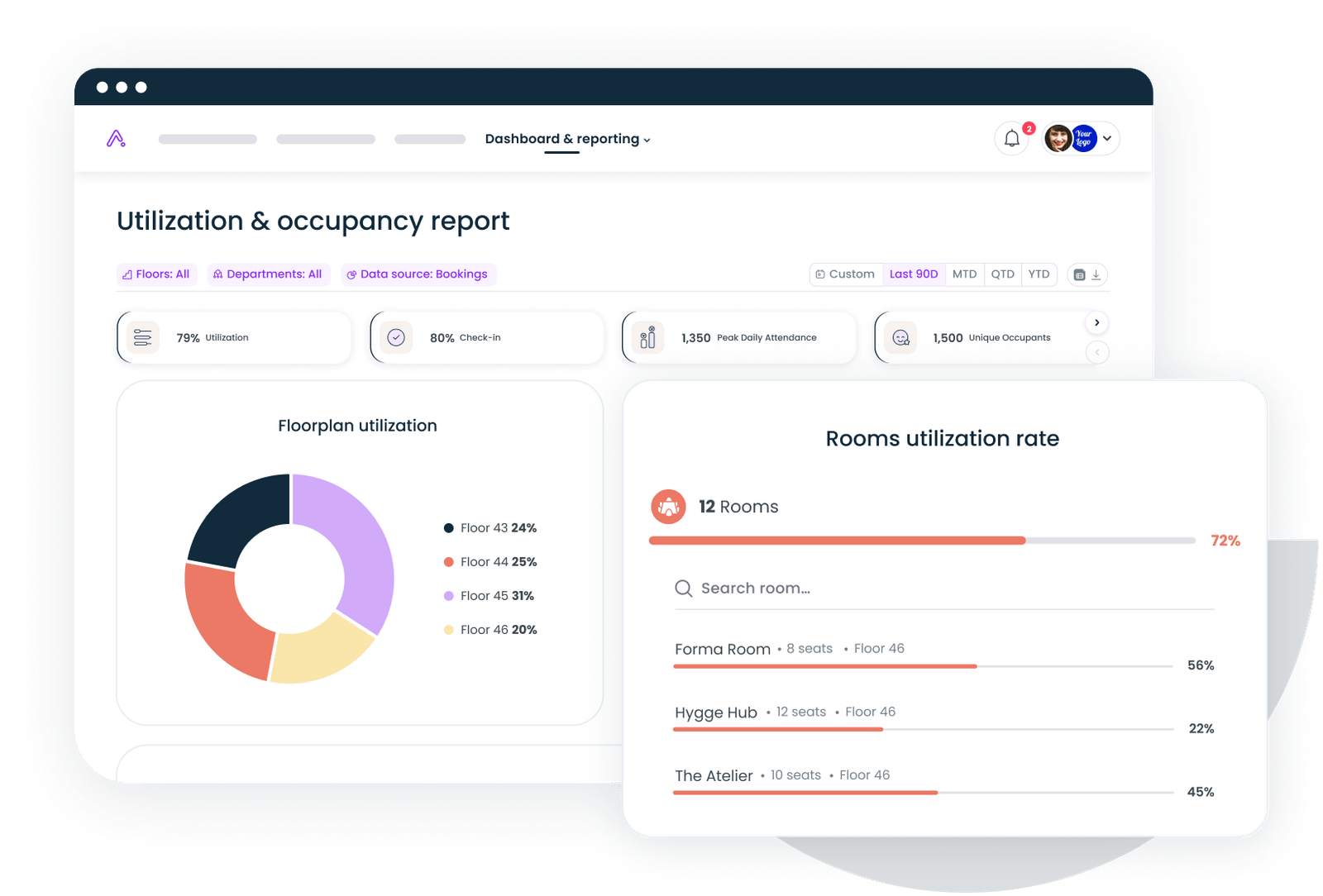
Common mistakes companies make when rolling out a reservation system
Most failed rollouts share the same handful of errors. Launching without integrating the tools people already live in, so booking becomes an extra chore. Setting no booking rules, so a few people reserve space they never use. Skipping check-in, so the utilization data is wrong from day one. And rolling out company-wide before piloting, so that problems surface at scale rather than in a controlled group. Fix these early and adoption follows.
How to know when your current system is no longer enough
Clear signals tell you that a booking process is holding the business back: employees still message colleagues to ask what is free, meeting rooms sit empty while people complain there are none, you cannot produce a utilization report without manual work, and real estate renewals happen without data to support them. When booking stops being a convenience and starts being a blind spot, it is time to upgrade.
Book a demo and we will show how Gable turns every reservation into utilization data you can act on, across desks, rooms, and sites.
Get a demo