


.svg)


.svg)
- Start planning 6 to 12 months before your target move date
- Office moves cost companies roughly $900K in lost productivity alone
- Assign a dedicated relocation team with clear ownership of every phase
- Don't stop at "unpacked"; measure how your new space actually performs
- A phased checklist prevents the chaos that derails most corporate moves
An office relocation checklist isn't a nice-to-have. It's the difference between a move that costs you three weeks of productivity and one that barely registers as a disruption. This guide walks through every phase of an office move, from early strategic planning through post-move optimization, so nothing falls through the cracks.
Why you need a structured office relocation checklist
Most office moves go sideways not because of the physical logistics, but because nobody mapped out who owns what, when. Office moves average 15 to of lost productivity, costing mid-sized companies nearly $900,000 in downtime alone. That's not a rounding error. That's a quarter's worth of output from a sizable team.
The problem compounds when you factor in employee experience. 67% of employees say their, citing distractions, longer commutes, and general productivity loss as the top issues. A structured checklist won't eliminate every headache, but it gives you a framework to anticipate problems before they become crises.
Think of your checklist as a project plan with teeth. It assigns ownership, sets deadlines, and creates accountability across departments that don't normally coordinate this closely: facilities, IT, HR, finance, legal. Without it, you're relying on institutional memory and good intentions. Neither scales.
Six to twelve months out: Strategic planning phase
This is where most of the important decisions happen. Rush this phase and you'll pay for it in every phase that follows.
Define your relocation goals. Why are you moving? Lease expiration? Growth? Consolidation? Shifting to a hybrid workplace strategy? Your answer shapes everything: how much space you need, where it should be, and what kind of layout makes sense. Write it down. Get leadership aligned.
Review your current lease. Check termination clauses, restoration obligations, and notice periods. Some leases require 6 to 12 months' notice, and missing that window can cost you an extra year of rent on space you don't want.
Assemble your relocation team. You need a project lead (usually facilities or operations) plus representatives from IT, HR, finance, and any department with specialized equipment or compliance requirements. Assign a single point of contact for vendor coordination.
Set your budget. Relocation costs typically range from, depending on distance, equipment volume, and complexity. But that's just the moving company. Budget separately for IT infrastructure, furniture, temporary space, and the productivity hit during transition. Companies that plan at least six months can reduce total relocation costs by up to 20%.
Start scouting locations. If you're evaluating new markets or neighborhoods, begin now. Factor in commute impact for your team; it's the number-one complaint employees have after a move.
Three to six months out: Preparation and vendor selection
You've got your strategy. Now it's time to lock in the details.
Finalize your new space. Complete facility walkthroughs. Check for structural issues, HVAC capacity, electrical load for your equipment, and ADA compliance. Don't sign until your IT team has assessed network infrastructure.
Design your floor plan. This is more consequential than most people realize. Your layout determines collaboration patterns, noise levels, and whether people actually want to come in. If you're moving to a flexible or hybrid model, think about designing a collaborative layout with neighborhoods, focus zones, and shared desks rather than assigning every seat.
Notify everyone who needs to know. That means your current landlord (in writing), employees, clients, vendors, insurance providers, and any regulatory bodies. Create a communication calendar so updates go out at predictable intervals.
Get moving quotes. Collect bids from at least three commercial movers. Ask about insurance coverage, after-hours availability, and their process for handling IT equipment. Check references. The cheapest bid is rarely the best value.
Plan your IT migration. This deserves its own workstream. IT-related expenses for a 30-person run between $5,000 and $10,000, covering data cabling, server relocation, and network setup. Your IT lead should create a separate, detailed checklist for infrastructure, phone systems, security, and access controls.

Before you move a single desk, get the space planning fundamentals right. Our checklist covers everything from square footage calculations to zone design.
Read the guide
Four to eight weeks before: Logistics and communication
This is where the checklist earns its keep. You're juggling dozens of parallel workstreams, and a missed task here creates a domino effect on move day.
Lock in your moving date. Confirm with your movers, building management at both locations, and your internal team. If possible, schedule the physical move over a weekend or holiday to minimize business disruption.
Create a detailed inventory. Catalog every piece of furniture, equipment, and supply. Tag items as "move," "dispose," or "replace." This is also a good time to declutter. Moving things you don't need costs money and creates confusion at the other end.
Develop a packing strategy. Color-code by department or floor. Label every box with its destination room and contents. Distribute packing supplies early and assign team leads to oversee their department's packing.
Schedule utilities and services. Internet, phone, electricity, water, waste removal, cleaning. Confirm activation dates at the new space and disconnection dates at the old one. Build in overlap; you don't want to discover your internet isn't live when 200 people show up Monday morning.
Communicate relentlessly. Send employees a detailed timeline, FAQ document, and point of contact for questions. Cover the basics: new address, parking, transit options, first-day logistics, what they need to pack personally. If your team is distributed, update your workplace scheduling tools with the new location details.
Update your public information. Website, Google Business Profile, social media, email signatures, business cards, vendor portals, client contracts. Make a list of every place your address appears and assign someone to update each one.
Two weeks to move day: Final confirmations
Everything should be in motion. This phase is about verification, not initiation.
Confirm every vendor. Call your movers, IT contractors, cleaning crew, and building management. Reconfirm dates, times, access arrangements, and elevator reservations. Get confirmations in writing.
Back up everything. Full backup of all servers, cloud systems, and local drives. Test your backup recovery process. If something goes wrong during the physical move, your data needs to be untouchable.
Do a walkthrough of the new space. Test every outlet, light switch, and data port. Verify that internet and phone lines are active. Check that access cards, security systems, and building entry codes work. Fix problems now, not on move day.
Hold a final all-hands meeting. Walk employees through the move-day timeline, their responsibilities, and what to expect during the first week. Address concerns directly. If commute changes are significant, acknowledge it honestly and explain what support you're offering (transit subsidies, flexible hours, temporary remote work).
Prepare contingency plans. What happens if the movers are late? If the internet isn't working? If the freight elevator breaks? You won't anticipate every scenario, but having backup plans for the three or four most likely failures will save you hours of panic.
Gable Offices lets you set up desk booking, meeting room reservations, and visitor management before your team even walks through the door.
Learn more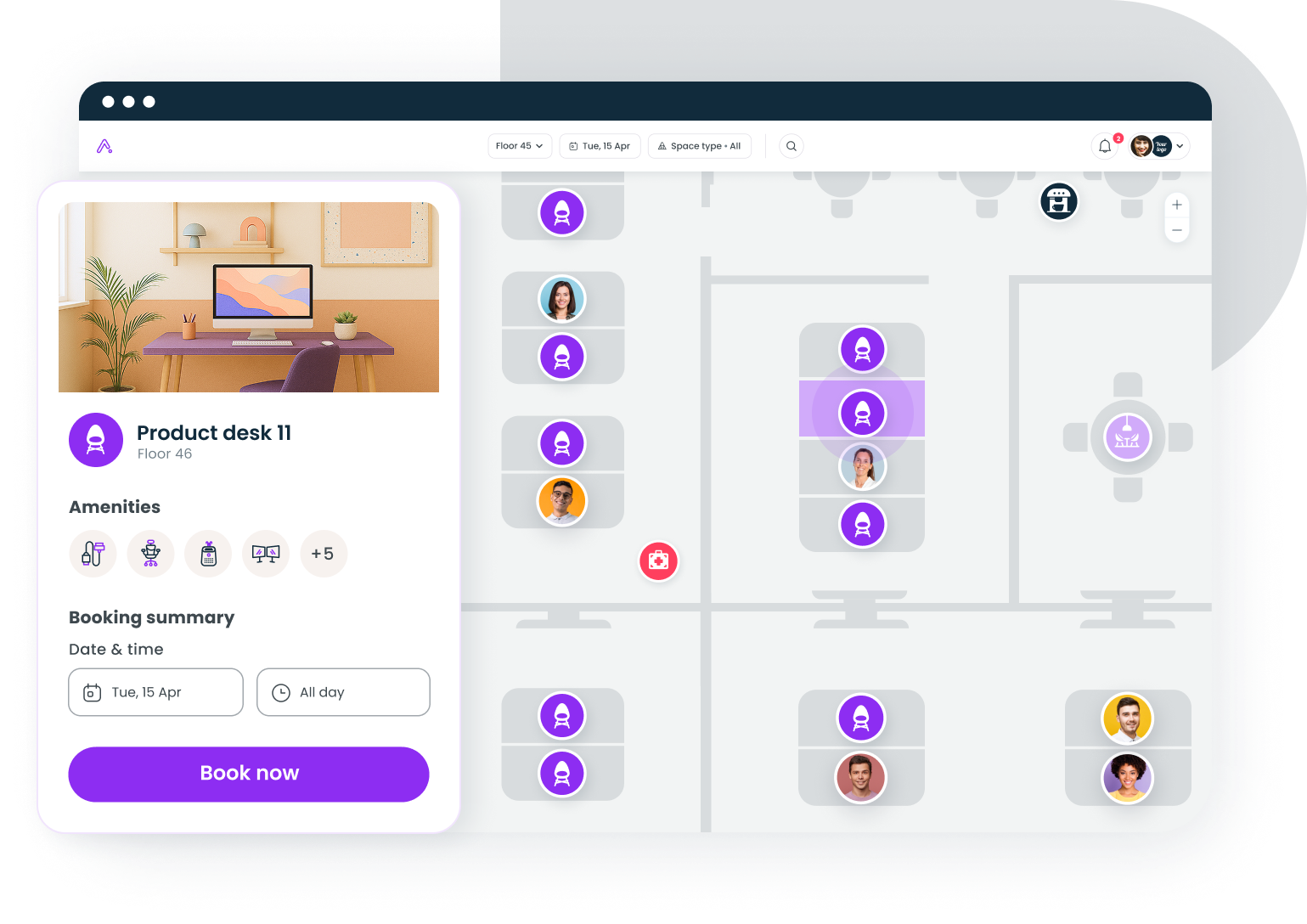
Move day: Execution
If you've followed the checklist, move day should be the least stressful part. Most of the work is already done.
Station team leads at both locations. Someone at the old office directs the movers. Someone at the new office directs placement. They need floor plans, contact lists, and authority to make real-time decisions.
Prioritize IT setup. Network, phones, and security systems come first. Nothing else matters if people can't log in or make calls. Have your IT team on-site and ready to troubleshoot.
Set up common areas first. Meeting rooms, break rooms, and reception areas signal that the space is functional. It's a psychological thing: when shared spaces look ready, people feel like the move is under control even if their individual desk is still being assembled.
Document everything. Photograph any damage to items or the space itself. Note missing inventory. You'll need this for insurance claims and vendor accountability.
Don't expect a normal workday. Even with a weekend move, the first day in a new office is disorienting. Give people time to settle in. Provide clear wayfinding, whether that's printed signs or a digital wayfinding system, so nobody spends their first hour wandering.
Post-move: Optimization and measurement
Here's where most office relocation checklists stop. They get you moved in and call it done. But the move isn't finished when the last box is unpacked. It's finished when you know the new space is actually working.
Conduct a damage and inventory audit. Compare your pre-move inventory against what arrived. File claims immediately for anything damaged or missing.
Gather employee feedback. Within the first two weeks, survey your team. What's working? What isn't? Are meeting rooms the right size? Is the noise level manageable? Are people struggling with the commute? This data shapes your near-term adjustments.
Measure space utilization. This is the step that separates a good move from a great one. Track which desks, meeting rooms, and common areas are actually being used. If you planned for 80% occupancy and you're seeing 50%, you've got an optimization opportunity (or a problem to diagnose). Tools like Gable Offices let you track bookings, occupancy, and utilization data from day one, so you're making decisions based on real usage patterns rather than assumptions.
Adjust your layout. The floor plan you designed six months ago was your best guess. Now you have data. Maybe you need more focus rooms and fewer open desks. Maybe one floor is packed while another sits empty. Use occupancy data to iterate. Your new space should evolve with how your team actually works.
Debrief with your relocation team. Document what went well, what didn't, and what you'd do differently. If your company is growing, you might be doing this again in a few years. Future you will appreciate the notes.
Hidden costs most teams forget to budget for
The line items that blow up relocation budgets are rarely the obvious ones.
Productivity loss. We covered the $900K figure earlier. Even a well-executed move costs you some output. Build buffer into your project timelines for the quarter of the move.
Lease overlap. You'll likely pay rent on both spaces for at least a month. Sometimes longer, depending on your old lease's termination terms and how long the new space needs for buildout.
IT surprises. Legacy systems, incompatible wiring, security upgrades. IT costs have a way of expanding once contractors open the ceiling tiles. Get detailed assessments early and add 15 to 20% contingency.
Employee attrition. A longer commute is a real retention risk. 28% of employees cite commute as a top challenge during office moves. If you're moving far enough to meaningfully change commute times, model the attrition risk and factor replacement costs into your budget. Consider how flexible workspace options might offset the impact for employees who live far from the new location.
Address change cascades. Updating your address everywhere takes longer than you think. Regulatory filings, bank accounts, insurance policies, vendor contracts, marketing materials. Assign someone to own this and give them a comprehensive list.
The relocation timeline at a glance
Here's the condensed version you can print and pin to the wall:
6 to 12 months out: Define goals, review lease, assemble team, set budget, scout locations.
3 to 6 months out: Finalize space, design floor plan, notify stakeholders, get moving quotes, plan IT migration.
4 to 8 weeks out: Confirm moving date, create inventory, develop packing strategy, schedule utilities, communicate with employees, update public information.
2 weeks out: Confirm vendors, back up data, walkthrough new space, hold all-hands meeting, prepare contingency plans.
Move day: Station team leads, prioritize IT, set up common areas, document everything.
Post-move: Audit inventory, gather feedback, measure utilization, adjust layout, debrief.
Making your relocation checklist work for hybrid teams
If your team splits time between office and remote, your relocation planning needs an extra layer. You're not just moving desks; you're redesigning how and when people use the space.
Start by reviewing your hybrid work schedule data. Which days have peak attendance? How many people are in on any given day? This tells you whether you need 200 permanent desks or 120 bookable ones with hot-desking. The answer changes your square footage requirements, your furniture order, and your budget.
Plan your new space for flexibility from the start. Neighborhoods that can expand or contract, meeting rooms with proper video conferencing for remote participants, quiet zones for focused work. It's much cheaper to build flexibility into the design now than to retrofit it six months later.
And set up your booking and space management systems before the move, not after. When people walk in on day one, they should be able to reserve a desk, find a meeting room, and know where their team is sitting. That first-week experience sets the tone for how your team feels about the new space.
Your office relocation checklist starts with clarity
A successful office move isn't about heroic logistics on move day. It's about the boring, methodical work you do in the months before. Define your goals early. Assign clear ownership. Communicate more than you think is necessary. And don't treat "moved in" as the finish line; measure how the space performs and adjust.
The companies that get this right don't just survive their relocation. They use it as an opportunity to rethink how their workplace actually supports the work.
From floor plan setup to post-move utilization tracking, Gable gives you the data to make your new space work from day one.
Get a demo


