.svg)


.svg)
- Gable is the top pick: seat booking, desk details, and analytics in one.
- Structured hybrid schedules concentrate demand into peak days that unmanaged seating can't absorb.
- Look for live availability, floor maps, desk-level details, booking rules, and reports.
- Booking rules decide adoption: windows, check-in, recurring team days, and quiet zones.
A workstation reservation system lets employees book a specific desk, with the monitors, dock, and neighborhood they need, before they leave home. The timing matters: global office utilization reached 53% in 2026, up from 38% in 2024, according to CBRE, which means more people competing for fewer shared seats. This guide compares the seven best systems for 2026, what to look for, and the rules that make an office seat reservation system work day to day.
Why offices are moving to reserved workstations
Structured hybrid is now the norm. 52% of organizations require employees in the office three to four days a week, per JLL, which concentrates demand into peak days when first-come seating runs out before 9 a.m.
Desk sharing saves money only when it's predictable. Most companies run fewer desks than people, and reservations let a leaner footprint survive a busy Tuesday. Sound office space planning depends on knowing which seats get used, and reservations produce that record automatically.
Equipment matters as much as location. An engineer needs the dual-monitor desk and a sales rep needs a seat near the phone booths. A reserved workstation guarantees the setup, not merely the square footage.
What to look for in a workstation reservation system
Whether the vendor calls it employee seat booking software or a desk sharing system, six capabilities separate tools people use from tools they abandon:
- Live availability: real-time seat status, so nobody books a desk that's already taken.
- Interactive floor maps: people book from a map of the floor, not a list of desk IDs.
- Desk details: filters for dual monitors, standing desks, docks, and accessibility features.
- Booking rules: advance windows, check-in, auto-release, and limits, configurable by zone.
- Reports: seat-level utilization data that tells you what to add, move, or retire.
- Integrations: booking from Slack, Microsoft Teams, and the calendar people already live in.

Reserved workstations sit on a spectrum between the two. Our comparison breaks down which flexible seating model fits your team, and when to blend both.
Read the comparison
The 7 best workstation reservation systems, compared
We weighed seat-level booking depth, desk-detail support, pricing transparency, and verified G2 reviews. Gable leads as the all-in-one workspace reservation system; the other six fit specific setups. If you're booking meeting rooms and whole offices too, see our roundup of office space reservation systems.
| Tool | Best for | Starting price |
|---|---|---|
| Gable | All-in-one seat booking with analytics | $2.50/user/month |
| Robin | Employee-friendly booking experience | Quote-based |
| Skedda | Simple booking at per-space pricing | $99/month |
| deskbird | Mobile-first booking and week planning | ~$3.75/user/month |
| Envoy Workplace | Seats plus visitor management | ~$3/user/month |
| OfficeSpace Software | Floor-plan and move planning | Quote-based |
| Eptura Workplace | Enterprise worktech suites | Quote-based |
1. Gable
Gable handles seat-level reservations, room booking, and visitor management in one platform, with utilization analytics built in. Employees book a specific desk from Slack, Microsoft Teams, or mobile and check in on arrival, while admins assign permanent seats, define team neighborhoods, and set booking rules centrally. It fits hybrid companies of 200 to 5,000 employees running one office or ten, especially teams that want desk booking software and their real estate data in the same place.
- Seat assignments, flexible pools, and team neighborhoods on interactive floor plans
- Booking from Slack, Microsoft Teams, and mobile, with check-in and auto-release
- Budgets, permissions, and cross-site utilization reporting
- On-demand access to 20,000+ workspaces in 900+ cities for days the office is full
- Compliance: SOC 2 Type II, GDPR, SSO, RBAC, AES-256 encryption
- Pricing: Office Management from $2.50 per user per month; G2 rating 4.5/5 (171 reviews)
2. Robin
Robin focuses on the employee side of seat reservation: interactive maps, fast booking, and calendar integration that make reserving a desk feel like part of the workday rather than an extra chore. It fits mid-size hybrid teams whose main rollout risk is employees ignoring the tool, and its polish is the draw. Teams that need deep space planning or move management should look further down this list, because Robin's strength is adoption, and pricing requires a sales conversation. It's a common shortlist pick when HR or workplace experience owns the rollout rather than facilities.
- Desk and room booking with interactive maps
- Assigned and flexible desk management
- Calendar sync and team scheduling
- Workplace analytics dashboards
- Pricing: quote-based; G2 rating 4.4/5 (211 reviews)
3. Skedda
Skedda prices by space instead of by user, which keeps costs predictable as headcount grows and makes it a favorite for single offices with straightforward needs. It fits smaller teams that want clean seat booking with custom rules and self-serve setup, and no enterprise overhead. The trade-off appears later: multi-site reporting and deeper integrations are thinner than the enterprise platforms here, so growing companies often outgrow it around their second location. Its 4.8 G2 average is the highest on this list, which reflects how well it does the narrow job it picks.
- Desk and room booking with custom booking conditions
- Per-space pricing that stays flat as teams grow
- Simple admin and self-serve setup
- Pricing: from $99 per month (per-space tiers); G2 rating 4.8/5 (283 reviews)
4. deskbird
deskbird takes a mobile-first approach to seat reservation, with week planning that shows who's coming in and when, plus tight Microsoft 365 and Google Calendar integration. It fits companies that prioritize employee experience and want people reserving desks from their phones on the commute, not from a desktop portal after they arrive. It's lighter on facilities-side depth, so complex portfolios may want to pair it with separate planning tools rather than stretch it across sites. Week planning also doubles as a lightweight attendance signal, showing managers which days their team plans to come in before anyone books a seat.
- Mobile-first desk booking and week planning
- Microsoft 365 and Google Calendar integration
- Team scheduling and analytics
- Pricing: from about $3.75 per user per month
Gable manages seat booking, desk details, and floor maps across all your offices, and turns every reservation into utilization data you can act on.
Learn more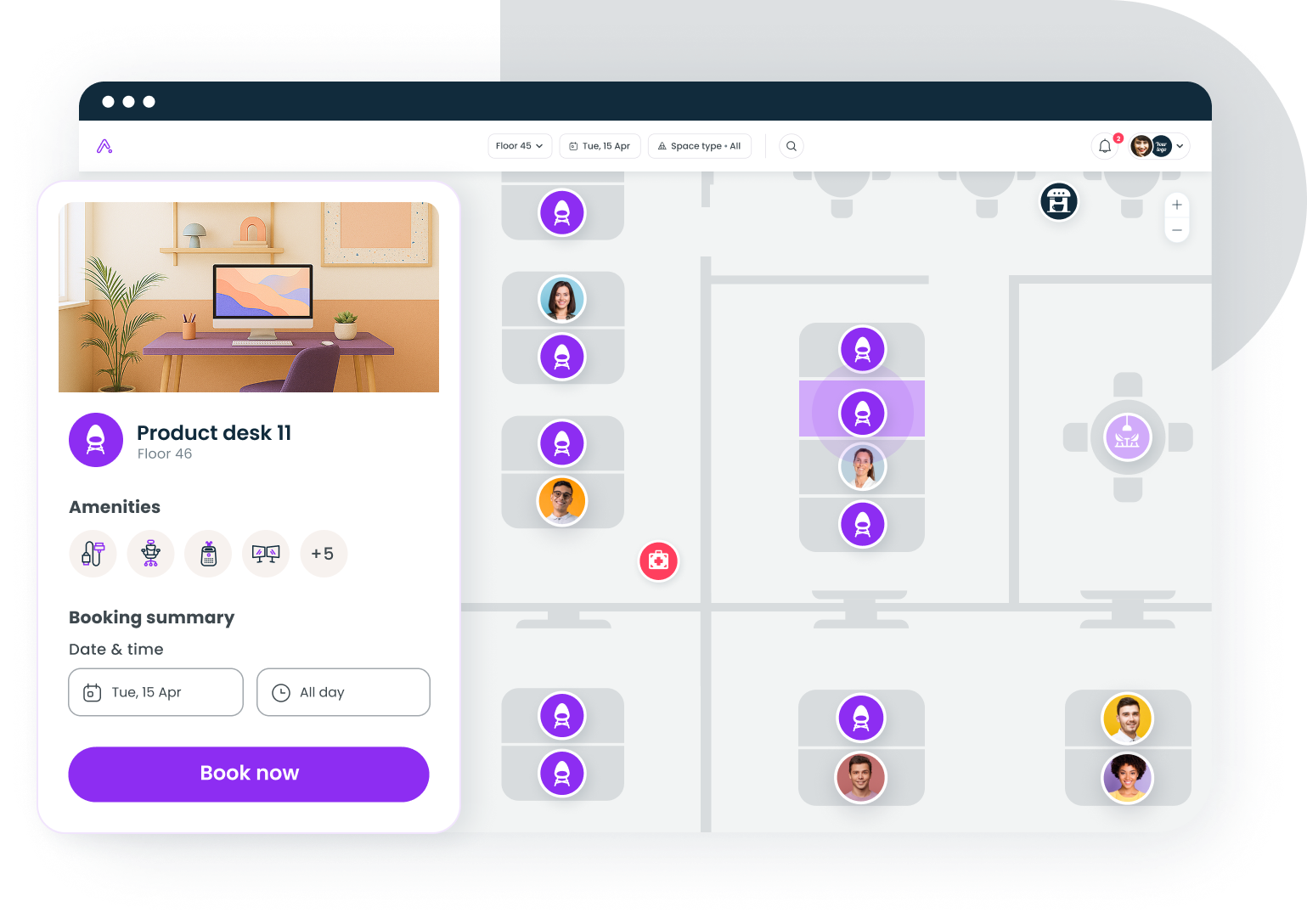
5. Envoy Workplace
Envoy pairs seat booking with visitor management and security workflows, which suits offices that want the front desk and the workstations handled by one product. It fits teams already using Envoy for visitors, or lobbies with heavy guest traffic where reception and seating share one admin. Watch the module pricing, though: desks, visitors, and rooms are priced separately, so the real per-user cost depends on which modules you switch on and how many sites you cover. For offices where security review is part of procurement, having badge and visitor workflows with the same vendor shortens that conversation.
- Desk booking with interactive maps
- Visitor management and security workflows
- Space and occupancy analytics
- Pricing: Workplace from about $3 per user per month, modules separate; G2 rating 4.4/5 (163 reviews)
6. OfficeSpace Software
OfficeSpace approaches seat reservation from the facilities side, with CAD-grade floor plans, move management, and scenario planning for teams that reconfigure space often. It fits larger portfolios where the seating chart changes quarterly and the workplace team reseats hundreds of people at a time. Daily booking works well enough, but the planning depth is the reason to buy it; smaller offices that want lightweight reservations will find it more machinery than the job needs. The reporting is deep enough to anchor lease decisions, which is why real estate teams, not IT, often own this purchase.
- Desk and room booking on CAD-grade floor plans
- Move management and scenario planning for reorganizations
- Advanced utilization analytics
- Pricing: quote-based; G2 rating 4.7/5 (126 reviews)
7. Eptura Workplace
Eptura bundles seat reservation into a broader worktech suite that also covers asset management, maintenance, and facilities operations. It fits large organizations that want one vendor across space and upkeep, and that accept a longer setup in exchange for consolidation. If seat booking is your only problem, this is more platform than the problem requires; if you're collapsing five point tools into one contract, it earns a serious look alongside the other enterprise options here. The suite approach appeals most to operations leaders consolidating vendors after a merger or a growth spurt.
- Desk and room booking inside a broader worktech suite
- Facilities, maintenance, and asset management modules
- Enterprise reporting across the portfolio
- Pricing: quote-based; G2 rating 4.3/5 (168 reviews)
Booking rules that make reservations stick
Software enforces rules; you still have to set sensible ones. (If most of your seats are permanently assigned, you're managing allocation instead, and our guide to desk allocation tools covers that layer.) For shared workstations, four rules do most of the work:
- Advance booking windows: Let people book one to two weeks out so hybrid weeks are plannable, but no further, since long windows invite speculative holds. Predictable seats help the schedules that Stanford-led research found cut attrition by 33% with no performance loss.
- No-show release: Require check-in and release unclaimed desks after 15 to 30 minutes. That keeps availability honest and stops ghost bookings from blocking real demand.
- Repeat bookings: Support recurring reservations for team days instead of forcing weekly rebooking. Gable's data shows 72% of bookings are for team gatherings, so sitting together should be the default, not a chore.
- Quiet areas: Zone a share of workstations for focus work, with norms to match. Collaboration demand keeps climbing, with meeting room bookings up 22% in the Americas per Cushman & Wakefield, and quiet zones keep heads-down work viable alongside it.
Match the tool to your seating model
A single office with simple needs points to Skedda or deskbird. A facilities team that replans space quarterly points to OfficeSpace or Eptura. A hybrid company that wants seat booking, desk-level details, and utilization data in one place points to Gable. Whichever you choose, the stakes reach past the floor plan: only 20% of employees worldwide are engaged at work, per Gallup, and a desk that's ready on arrival is one of the few daily experiences you control completely.
Book a walkthrough and we'll show how seat-level reservations, desk details, and no-show release work on your own office layout.
Get a demo