.svg)


.svg)
- Most workplace platforms ship an AI assistant; the useful ones complete bookings and reports.
- 55% of CRE teams call data quality their main AI obstacle; connect sources first.
- Gable, OfficeSpace, and Eptura lead on analytics; YAROOMS, Kadence, and Joan on chat booking.
- Microsoft Places is the cheapest option if you already pay for M365.
- Trial with real questions from your own last quarter before you sign.
An AI office assistant is a chat or voice layer on your workplace platform that books desks and rooms, answers utilization and visitor questions, and handles coordination without anyone opening a dashboard. Office utilization reached 53% in 2026, up from 38% in 2024, according to CBRE's occupancy report, so more people compete for the same space and the admin load has grown with it. We compared ten assistants with shipped AI features, Gable first.
How an AI office assistant differs from a booking tool
A booking tool waits for you. Someone opens the workplace scheduling software, finds the floor plan, picks a desk, and confirms. An assistant takes a plain-language request ("a desk near design on Thursday"), completes the steps, and answers the questions that used to mean pulling reports: which floors sat under 40% last month, how many visitors arrived before 9 a.m.
It also serves employees and workplace leads from one interface, inside Slack, Teams, Outlook, or a phone. JLL found 92% of corporate real estate teams planned AI pilots in 2025, up from under 5% two years earlier, and the coordination problem is permanent: Stanford's trial at Trip.com found hybrid schedules cut resignations by 33% with no productivity loss.
What an AI office assistant should be able to do
Workplace AI varies in scope, from chatbots bolted onto a booking app to assistants that reason over occupancy, HR, and badge data. Decide which of these you'd use weekly.
- Book desks, rooms, parking, and visitors from one message, including "four desks together."
- Answer analytics questions in plain language, with numbers that match the dashboard and an export for the exec deck.
- Resolve room conflicts unprompted; meeting room bookings rose 22% in the Americas per Cushman & Wakefield.
- Recommend in-office days based on who else is coming, since 68% of employees in CBRE's survey come in to collaborate.
- Show where an answer came from and keep your data out of model training.
CBRE also found 55% of CRE respondents cite data quality and lack of expertise as their biggest AI obstacle, so an assistant on clean, connected data beats a smarter model on messy inputs.

Before you buy an assistant, it helps to know where AI has produced measurable returns for workplace teams and where it hasn't yet.
Read the guide
How we picked these tools
Every tool here has AI features described on the vendor's own website as of September 2026, not on a roadmap. We scored each on whether the assistant takes actions or only answers, who it serves, where it runs, and how the vendor handles your data. Pricing comes from published pages, with estimates labeled. For the platform view beyond the assistant, see our comparison of workplace management software.
Gable is our product, so it sits first; we list its gaps in the same detail as everyone else's.
The 10 tools at a glance
| # | Tool | Best for | AI assistant | Starting price | G2 rating |
|---|---|---|---|---|---|
| 1 | Gable | Hybrid teams wanting booking and analytics in one chat | Gable AI (text and voice) | From $2.50 per user/mo | 4.4 (291) |
| 2 | Microsoft Places | Microsoft 365 shops | Copilot in Places | Included with M365 | Not rated yet |
| 3 | OfficeSpace | Enterprise space planners | Ossie and AI agents | Quote-based | 4.7 (127) |
| 4 | Eptura | Facilities plus real estate | Eptura Assistant and agents | Quote-based | 4.3 (168) |
| 5 | YAROOMS | Teams-first offices under 200 | Yarvis | From $99/mo | 4.3 (95) |
| 6 | Kadence | Chat-based team coordination | Kadence AI | Quote-based | 4.5 (143) |
| 7 | Joan | Offices running Joan displays | Joan AI Agent | Hardware plus software | 4.5 (269) |
| 8 | Robin | Large offices with room churn | Scheduling Agent | Quote-based | 4.4 (211) |
| 9 | Tactic | Employee desk requests | Tessa | Quote-based | 4.6 (555) |
| 10 | deskbird | Multi-office rollouts | Workplace Agent, Copilot link | From ~$3.75 per user/mo | 4.5 (279) |
G2 ratings are out of 5 with review counts in parentheses, current as of September 2026.
10 best AI assistants for office management
1. Gable
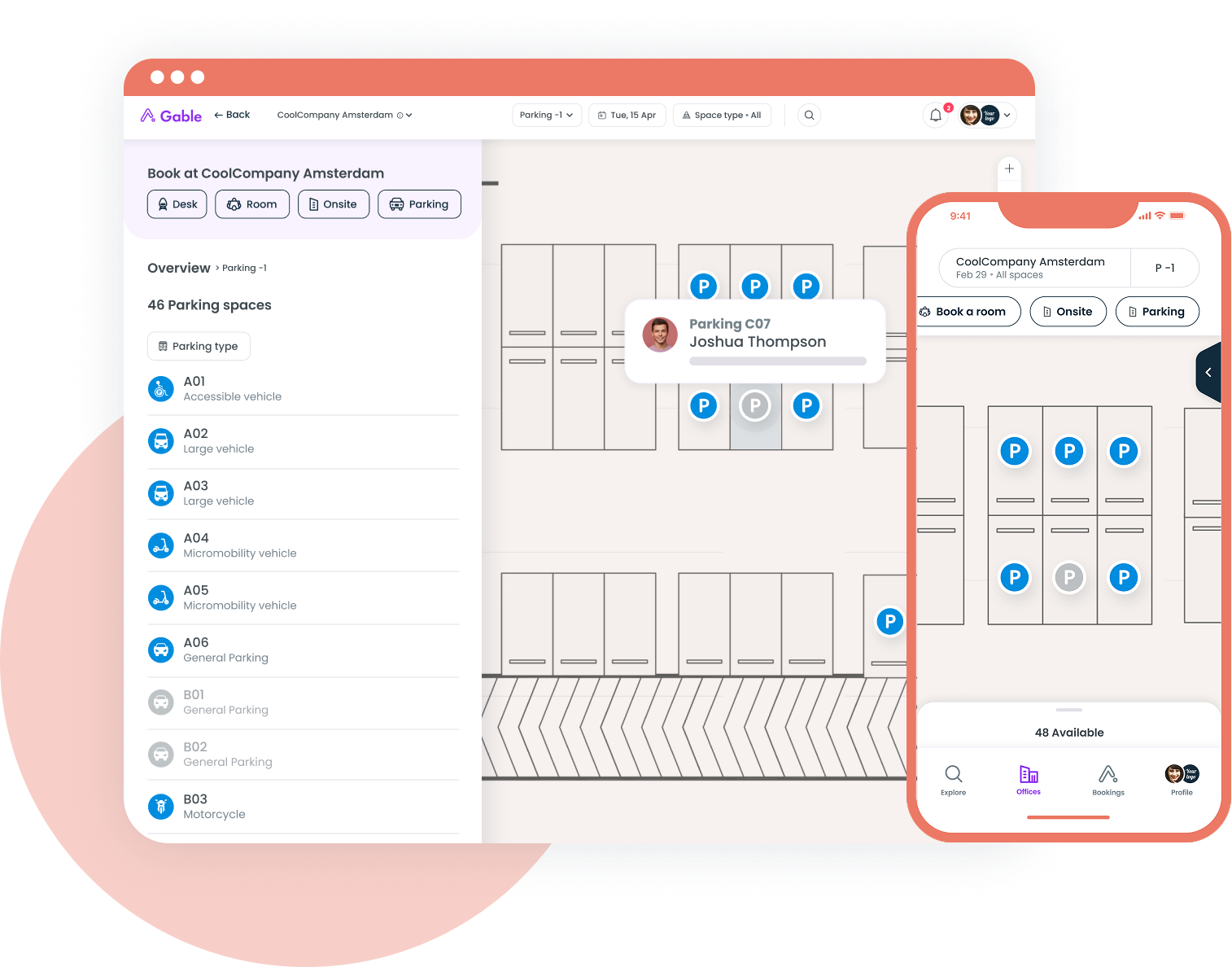
Gable AI is a conversational layer over the whole Gable platform: desk and room booking, visitors, on-demand coworking, and workplace intelligence across every office. Employees ask it to book near a teammate; leaders ask which offices were underused last quarter and get an answer, chart, and export in about 30 seconds. It runs in Slack, Teams, web, and mobile, and Gable doesn't train models on customer data. Its space-planning module (stack plans, scenarios) is still rolling out.
- Plain-language answers on utilization, bookings, and visitors from HR, badge, and Wi-Fi data
- Text and voice; book, message a teammate, or export from the same chat
- SOC 2 Type II, GDPR, RBAC, SSO, and AES-256 encryption
Pricing: Office Management from $2.50 per user per month; all-in-one plans are custom. Ask how Gable AI is included in your plan.
G2 rating: 4.4/5 (291 reviews)
Best for: Hybrid companies of 200 to 5,000 people; 72% of Gable bookings are for team gatherings, the signal most RTO plans chase.
2. Microsoft Places
Copilot in Places recommends which days to come in based on your meetings and colleagues, books desks and rooms inside Outlook and Teams, and gives admins occupancy data plus auto-release of unused rooms. If you run Microsoft 365, the employee features cost nothing extra, which makes Places the baseline every other vendor is compared against. The trade-off is depth: no visitor management, no coworking, and analytics limited to Microsoft's own signals.
- Copilot attendance recommendations from calendar and colleague signals
- Booking in Outlook and Teams, no separate app
- Planned versus actual attendance reporting
Pricing: Included with Microsoft 365 E3, E5, and Business plans; the Teams Shared Space license for shared desks and panels is $8.55 per month, paid annually.
G2 rating: Not rated yet
Best for: Microsoft-standard companies who want AI scheduling without a new vendor.
3. OfficeSpace
OfficeSpace has gone furthest into agents. The Space Planning Agent generates stack plans and layout scenarios from occupancy data, the Insights Agent answers occupancy questions with executive-ready charts and forecasts, and Ossie finds coworkers, desks, and rooms on request. Reviewers on G2 praise the floor plans and reporting, and also mention limited customization and floor plan edits that route through the vendor.
- Space Planning Agent for restacks and scenario testing
- Insights Agent with forecasting and anomaly detection
- Desk suggestions and recommended in-office days for employees
Pricing: Quote-based; typically for organizations above 1,000 employees.
G2 rating: 4.7/5 (127 reviews)
Best for: Space-planning teams who want AI to draft the restack itself.
4. Eptura
Eptura is the AI facility management pick here: it sells to facilities and real estate at once, so its AI covers work orders and asset condition alongside desks and portfolios. Eptura Assistant answers booking and maintenance questions, and agents for space planning, portfolio insights, maintenance, and security are rolling out, each citing its source data. Eptura is several acquired products, and reviewers describe a heavier implementation and a UI that differs by module.
- Assistant for bookings, asset status, and maintenance queries
- Agents that generate stack plans and flag at-risk assets
- Appears inside Copilot, Places, Outlook, and Teams
Pricing: Quote-based, by modules and headcount.
G2 rating: 4.3/5 (168 reviews)
Best for: Organizations where facilities and workplace share one budget.
5. YAROOMS
Yarvis lives in Microsoft Teams and email. Employees book "a desk near marketing tomorrow," and CC'ing Yarvis on an email books the room and registers the visitor. It scans calendars to flag conflicts before meetings. It's built for employee requests, so leaders still take analytics questions to the YAROOMS dashboard.
- Teams-native booking for desks, rooms, and visitors
- Email CC booking with visitor pre-registration
- Conflict detection across Outlook and Google calendars
Pricing: Flat tiers from $99 per month for up to 20 users; $399 up to 200 users; visitor management adds $99 per location per month.
G2 rating: 4.3/5 (95 reviews)
Best for: Teams-first offices under 200 people who want booking to disappear into chat.
If your utilization report takes a week to assemble, Gable AI answers the same question in a Slack message, then exports the chart for your exec review.
Learn more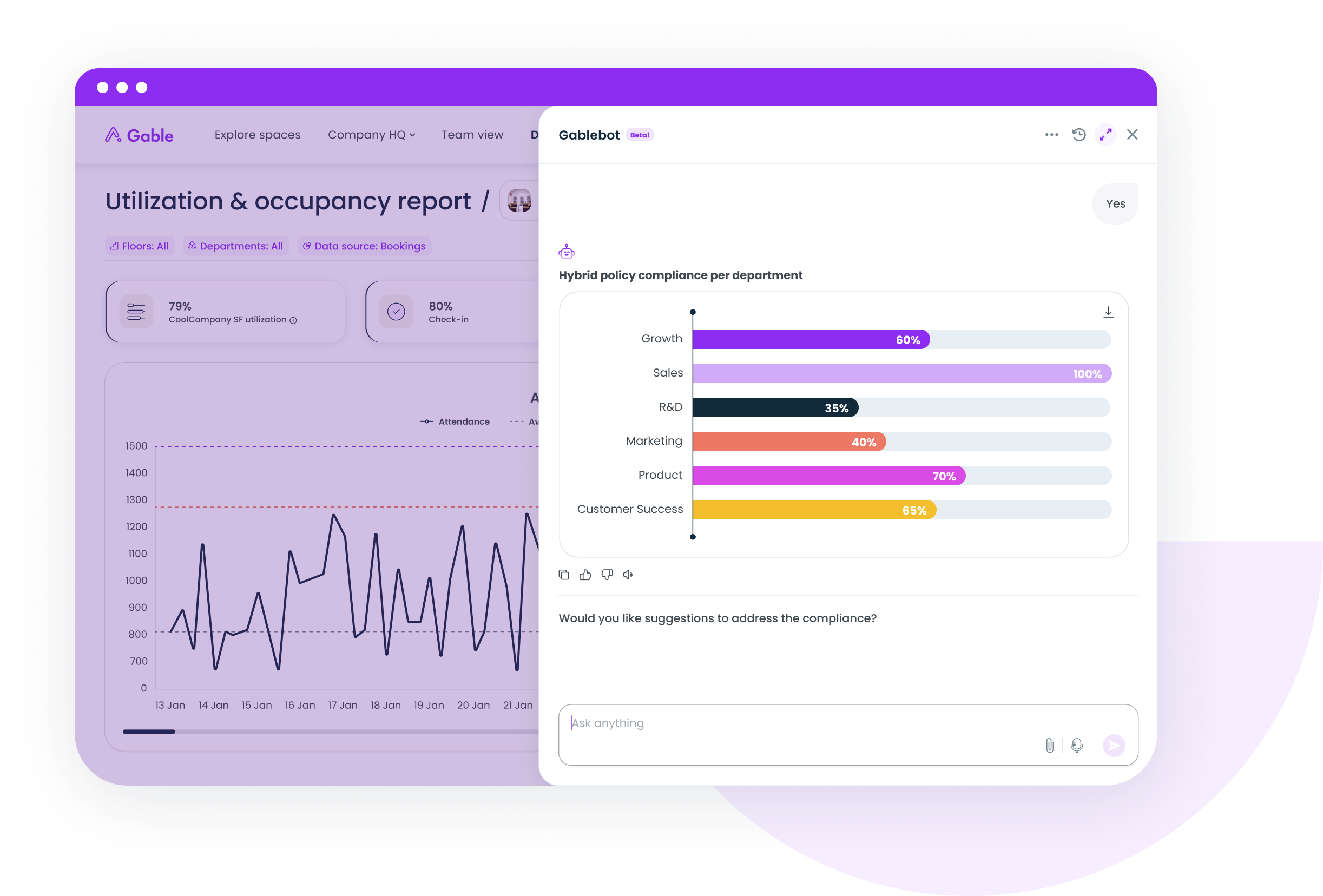
6. Kadence
Kadence AI runs in Teams and Slack and handles the coordination that fills a workplace coordinator's inbox: several desks for a team in one prompt, a matching room, a visitor invite with host notification, and which days teammates plan to be in. Kadence also publishes an MCP connection for other AI tools. Analytics are lighter than the enterprise platforms.
- Multi-desk and room booking in one message
- Visitor workflow from invite through arrival
- Teammate presence lookups in Slack or Teams
Pricing: Quote-based, billed on active users annually; mid-market estimates run $4 to $7 per user per month.
G2 rating: 4.5/5 (143 reviews)
Best for: Hybrid teams who coordinate in chat and want the assistant to do the same.
7. Joan
Joan began with e-ink room displays, and Joan AI Agent now sits in Teams as a direct-message app that books desks, rooms, parking, and lockers, registers visitors, and reports display health. It's included in the Joan subscription. The limits are on Joan's own page: Teams only, direct messages only, no Slack version.
- Desk, room, parking, and asset booking from a Teams DM
- Visitor registration and arrival status
- Device health checks for Joan displays
Pricing: Hardware from about $500 per display plus per-user software fees, quoted by Joan.
G2 rating: 4.5/5 (269 reviews)
Best for: Offices already on Joan hardware who want conversational booking without another vendor.
8. Robin
Robin's Scheduling Agent, launched September 2025, targets meeting room conflicts. When a meeting moves, it finds a space that fits, rebooks, and notifies attendees, a job Robin says used to take 20 minutes and now takes under 30 seconds. It suits large offices where hundreds of meetings move each week. Reviewers on G2 like the floor plans and calendar sync, and mention Outlook friction and pricing they consider high.
- Automatic conflict detection and room reassignment
- Attendee notifications without admin involvement
- Advanced analytics on room and desk usage
Pricing: Quote-based, per user; industry benchmarks place mid-market plans at $5 to $8 per user per month.
G2 rating: 4.4/5 (211 reviews)
Best for: Enterprises where room churn is the daily fire.
9. Tactic
Tessa is Tactic's employee assistant. People describe the desk they need (near a team, with a monitor) or the room (time, capacity, equipment), and Tessa finds it inside Tactic's maps and booking flow. It also answers usage questions and takes workplace requests. Tessa is a conversational front end, so leaders still work in the reporting views.
- Desk discovery by location and amenity
- Room requests matched on time, capacity, and equipment
- Workplace requests and usage questions in one chat
Pricing: Quote only; Tactic's estimator returns roughly $3,600 to $4,800 per year for a 150-person office with 100 desks.
G2 rating: 4.6/5 (555 reviews)
Best for: Companies whose main goal is painless booking for employees.
10. deskbird
deskbird's Workplace Agent digitizes floor plans from any file format, extracting desks, rooms, parking, and square footage so a multi-office rollout takes days rather than weeks. Its intelligence layer pairs dashboards with conversational analytics, and deskbird connects to Microsoft Copilot over MCP. There's no named assistant employees chat with for bookings yet, and meeting room AI sits on the public roadmap.
- AI floor plan digitization for fast multi-site setup
- Conversational analytics on occupancy and attendance
- Copilot and MCP connection for your existing AI tools
Pricing: From about $3.75 per active user per month, billed annually.
G2 rating: 4.5/5 (279 reviews)
Best for: Companies opening or consolidating several offices who want occupancy data without sensors.
How to run a meaningful trial of an AI office assistant
Demos show the assistant answering the vendor's questions. A trial should show it answering yours, on your data, over two to four weeks.
- Connect real sources before day one: booking history, HRIS, and badge or Wi-Fi data. Sample data tells you nothing about accuracy.
- Write down ten questions your team asked last quarter and check each answer against the report you built by hand.
- Give the employee side to a skeptical team and count bookings made through the assistant versus the app.
- Cancel a room on a busy morning and see whether the assistant reroutes the meeting or leaves it to a human.
- Ask in writing whether your data trains the vendor's models and whether the assistant respects role permissions.
Gallup found leaders use AI at 69% versus 40% of individual contributors, so decide up front which group has to adopt the assistant for the pilot to count.
Which AI office assistant to shortlist
Pick by the problem you're paying to remove. If reporting eats your week and you want booking, visitors, and analytics in one chat, Gable is built for that. If you're all-in on Microsoft, start with Places and see what's missing. Space planners should look at OfficeSpace or Eptura; Teams-first offices under 200 people will get more from YAROOMS or Joan; enterprises drowning in room conflicts should test Robin's agent. McKinsey's 2026 survey found only 37% of organizations attribute any EBIT impact to AI, so connect presence and HR data before the trial and judge the assistant on the ten questions you wrote down.
Bring your hardest utilization question to a 30-minute walkthrough and we'll show you how Gable AI handles it on data like yours.
Get a demo