


.svg)


.svg)
Kadence is a popular workplace management tool known for its ease of use and intuitive features, including interactive office maps and AI booking capabilities. Many reviews highlight that the software is intuitive and easy to navigate, with responsive customer support that helps with setup and day-to-day tasks.
But is Kadence the right fit for every organization? With custom pricing that can get expensive for smaller teams and some reported booking glitches during high-traffic times, workplace leaders are increasingly exploring alternatives that offer similar features with greater transparency and flexibility.
This guide compares the best Kadence alternatives for 2026, examining key features, pricing structures, and the specific use cases where each platform excels. Whether you need a complete workplace management platform for your hybrid teams, better space analytics, or more predictable costs, you'll find the right solution for your organization.
What is Kadence?
Kadence is a workplace management solution that offers tools to enhance collaboration and optimize office use. The platform supports flexible seating arrangements through interactive floor plans that help employees navigate office layouts and locate available spaces.
The platform includes several essential features for hybrid workplace management, including desk and room booking with an intuitive interface, hybrid scheduling that enables employees to plan in-office and remote days, location tracking to see where employees are working, and integrations with Slack, Microsoft Teams, and Outlook for streamlined workflows.
Kadence currently uses custom, quote-based pricing for its services, though historical data suggests monthly pricing starts around $4 per user for basic desk and room booking features. One common complaint about Kadence is that it can be costly, especially for smaller teams, though users often appreciate the functionality and find it worth the investment.
Kadence is praised for its customer service, with users highlighting quick responses and helpful support during setup. Some users have noted areas for improvement in the Insights section, stating it is not very helpful or comprehensive for organizations that need powerful analytics to make data-driven decisions about their real estate.
Why look for Kadence alternatives?
Organizations explore alternatives to Kadence software for several reasons. The current state of hybrid work demands workplace management platforms that deliver more than basic booking functionality. According to McKinsey research, workers go into the office about 30% less frequently than before the pandemic, creating new demands for space optimization and tracking utilization.
Pricing transparency is a key consideration when choosing a workplace management tool, with some platforms requiring custom quotes. Organizations often struggle to budget effectively when they can't predict costs upfront, particularly companies with fluctuating headcount or multiple locations.
For many workplace management platforms that prioritize user-friendly interfaces to enhance the user experience, the trade-off is limited analytics capabilities. Organizations implementing return-to-office policies need actionable data on occupancy tracking, space usage patterns, and attendance trends, not just intuitive booking interfaces.
Additionally, many hybrid teams need more than desk and meeting room scheduling. They need visitor management, event orchestration, and access to flexible workspaces for distributed employees, all managed from a single platform rather than cobbling together multiple point solutions.
Best alternatives to Kadence in 2026
1. Gable
Gable is a complete workplace management platform that combines office management software with access to a global network of flexible workspaces. The platform serves hybrid teams with desk booking, room scheduling, visitor management, and powerful analytics, all from a single dashboard.

Key features:
Gable offers comprehensive desk booking with interactive floor plans that let employees see neighborhoods, teammates, and amenities, so they can always reserve the spot that fits their day. The platform includes meeting room scheduling with two-way calendar sync with Google Calendar and Microsoft Outlook, as well as real-time availability displays.
Visitor management capabilities include pre-registration, QR code check-ins, badge printing, and host notifications, ensuring a seamless experience for both guests and employees. For organizations with distributed teams, Gable provides access to 14,000+ flexible workspaces across 600+ cities globally.
What sets Gable apart is its space analytics capabilities. The platform delivers workspace insights on desk utilization, occupancy tracking, and attendance patterns, helping workplace leaders make informed decisions about their real estate. Integration options include Microsoft Teams, Slack, Outlook, Google Workspace, and HRIS systems like Workday and Okta.
Pricing:
Gable offers transparent and flexible pricing suitable for businesses of all sizes, starting at $3 per seat per month for office management. This transparent approach allows organizations to budget effectively without waiting for custom quotes. Visitor management starts at $150 per month per location.
Best for:
Gable is ideal for hybrid teams that need a unified solution for managing headquarters, distributed employees, visitors, and events. Organizations seeking data-driven workplace optimization with extensive integrations will find Gable particularly valuable. The combination of office management and on-demand workspace access makes it especially useful for companies with employees spread across multiple locations.


Gable helps you book desks, schedule rooms, manage visitors, and access real-time analytics from one platform. See how leading companies optimize their workplaces with data-driven insights.
Learn more
2. Tactic
Tactic started as a hybrid workplace solution focused on workplace experience, providing desk booking, room scheduling, and visitor management through separate modules. The platform recently introduced Tessa AI, an AI assistant that helps employees find and book spaces through natural conversation.
Key features:
Tactic offers hot desking with assigned seating and neighborhood assignments through visual floor plans. The meeting room reservations feature includes two-way calendar sync, while workplace requests allow employees to submit catering, AV setup, and custom workspace needs. The Tessa AI assistant handles booking desks and rooms and reporting issues via chat, providing a conversational interface for workspace management.
Office insights dashboards display occupancy data and space utilization metrics, while team coordination features let employees see who else is in the office. The platform includes dedicated onboarding, with the implementation team building office maps and handling setup.
Pricing:
Tactic's pricing is quote-based and depends on the workspace size and the modules used. According to industry research, most plans start at around $5,000 per year, with larger custom options for companies with multiple offices. You'll need to contact Tactic directly for an accurate quote.
Best for:
Tactic is best for mid-to-large companies that want comprehensive desk and room booking with strong AI features and white-glove implementation. The dedicated onboarding team makes it ideal for busy operations teams that don't have bandwidth for complex setup processes.
3. Deskbird
Deskbird is a workplace management platform designed to make it easy for employees, team leaders, and office managers to use the office. The platform is quickly becoming one of the top contenders in workplace management, with recent funding being invested in AI capabilities and expanded features.
Key features:
Deskbird provides hot desking with advanced filters for amenities and colleague proximity, room scheduling with sync with Outlook and Google Calendar, and visitor management with guest pre-registration and host notifications. The hybrid scheduling feature lets teams plan office attendance and manage hybrid work policies.
Interactive floor plans display workspace layouts with real-time availability, while AI recommendations provide smart suggestions for desks and meeting times. The platform boasts 200+ integrations with tools like MS Teams, Outlook, Slack, Google Workspace, and BambooHR.
Pricing:
Deskbird offers a free plan and competitive per-user pricing, making it suitable for companies of all sizes. The Starter tier is free for up to 15 users and 1 office. Business starts at $3.75 per user per month when billed annually; Professional at $4.75 per user per month; and Enterprise pricing is available on request.
Best for:
Deskbird is best for companies that want an intuitive, feature-rich platform with extensive integrations. The free version makes it accessible for smaller teams testing workplace management software, while the competitive per-user pricing suits mid-sized organizations. Companies that have roughly the same number of employees as desks will find the per-user model cost-effective.
4. OfficeSpace Software
OfficeSpace is an enterprise-level workspace management platform with advanced features designed for complicated office setups. The platform works well for companies with multiple locations and complex real estate portfolios.
Key features:
OfficeSpace offers desk and room booking with neighborhoods, zoning, and future-looking presence data. Move management capabilities help organizations handle frequent office moves and reorganizations efficiently. Asset tracking lets facilities teams monitor equipment and assets across locations from one platform.
Interactive floor plans provide detailed visual layouts, while facility services features enable employees to request and manage workplace services. Analytics and reporting deliver deep insights into space utilization and planning. An optional AI add-on is available on the Pro tier.
Pricing:
OfficeSpace is designed for large enterprises with complex office setups and offers a subscription-based pricing model with three main plans (Lite, Essentials, and Pro). Custom pricing is based on company requirements, with industry research suggesting prices start at $60 per user annually, plus setup and per-floor-plan charges.
Best for:
OfficeSpace is best for large enterprises with hundreds of employees and multi-location operations. Organizations that need enterprise-grade space planning with detailed control over multiple facilities, scenario-building features, and move management will find that OfficeSpace delivers that sophisticated experience.
5. YAROOMS
YAROOMS started in 2010 as a simple meeting room booking tool and has evolved into a full workplace management platform. The platform now offers a wide mix of tools to help companies run modern offices, with particularly strong Microsoft Teams integration.
Key features:
YAROOMS provides desk booking with visual floor plans, meeting room scheduling with calendar integrations, and hybrid work planning for managing office attendance. Visitor management is available as an optional add-on at $99 per month per location. Digital signage capabilities offer wayfinding displays to guide people around buildings.
The Yarvis AI assistant, available on Business tier and above, provides AI-powered booking and workplace insights. Enhanced analytics on Business and Enterprise tiers deliver detailed space utilization reporting.
Pricing:
YAROOMS uses a subscription-based pricing model with three main tiers. Starter costs $99 per month for up to 10 users or $199 per month for up to 20 users. Business runs $399-$699 per month for 50-200 users and supports up to 2 locations. Enterprise starts at $899 per month for up to 300 users with unlimited locations.
Best for:
YAROOMS is best for small to mid-sized companies that need straightforward desk and room booking with strong Microsoft Teams integration. The tiered pricing makes it accessible for teams just starting out, while AI features usually found in more expensive tools are available at moderate price points.
6. Robin
Robin is an enterprise platform designed primarily for organizations with 500+ employees, with a strong focus on employee experience tools like surveys and satisfaction tracking. The platform helps workplace teams understand not only how spaces are used but also how employees feel about their work environment.
Key features:
Robin offers desk and room booking, visitor management, and wayfinding capabilities. The platform includes employee experience surveys and sentiment tracking, helping organizations measure workplace satisfaction alongside utilization metrics. Interactive maps and space reservation features support activity-based working environments.
Scheduling integrations connect with major calendar platforms, while presence detection features help teams coordinate in-person collaboration. Analytics dashboards combine space utilization data with employee feedback to provide comprehensive workplace insights.
Pricing:
Robin uses a subscription model with pricing available on request. The platform is positioned for enterprise customers and typically involves custom pricing based on employee count and feature requirements.
Best for:
Robin is best for large enterprises that want to combine space management with employee experience measurement. Organizations prioritizing employee sentiment data alongside occupancy metrics will find Robin's approach valuable.
7. Skedda
Skedda offers user-friendly tools for shared space management with particular strength in serving smaller teams and simpler use cases. The platform focuses on intuitive booking rather than comprehensive workplace management.
Key features:
Skedda provides interactive floor plans for reservations, two-way calendar sync with Google Workspace and Microsoft 365, and basic visitor management tools. The platform emphasizes simplicity, making it easy for small teams to get started with flexible workspace management without extensive training.
Space analytics provide visibility into booking patterns and utilization, though with less depth than enterprise-focused alternatives. Integrations with Slack and Google Workspace connect booking capabilities with daily workflows.
Pricing:
Skedda offers a tiered pricing model starting at $99 per month for basic features. Advanced functionalities such as custom branding, more robust reporting, or integrations come at an additional cost.
Best for:
Skedda is best for smaller teams with straightforward booking needs. Organizations that don't require advanced analytics, visitor management, or enterprise integrations will appreciate the simplicity and accessible pricing.
Our complete guide compares the top desk booking solutions for hybrid teams, covering features, pricing, and implementation considerations.
Read more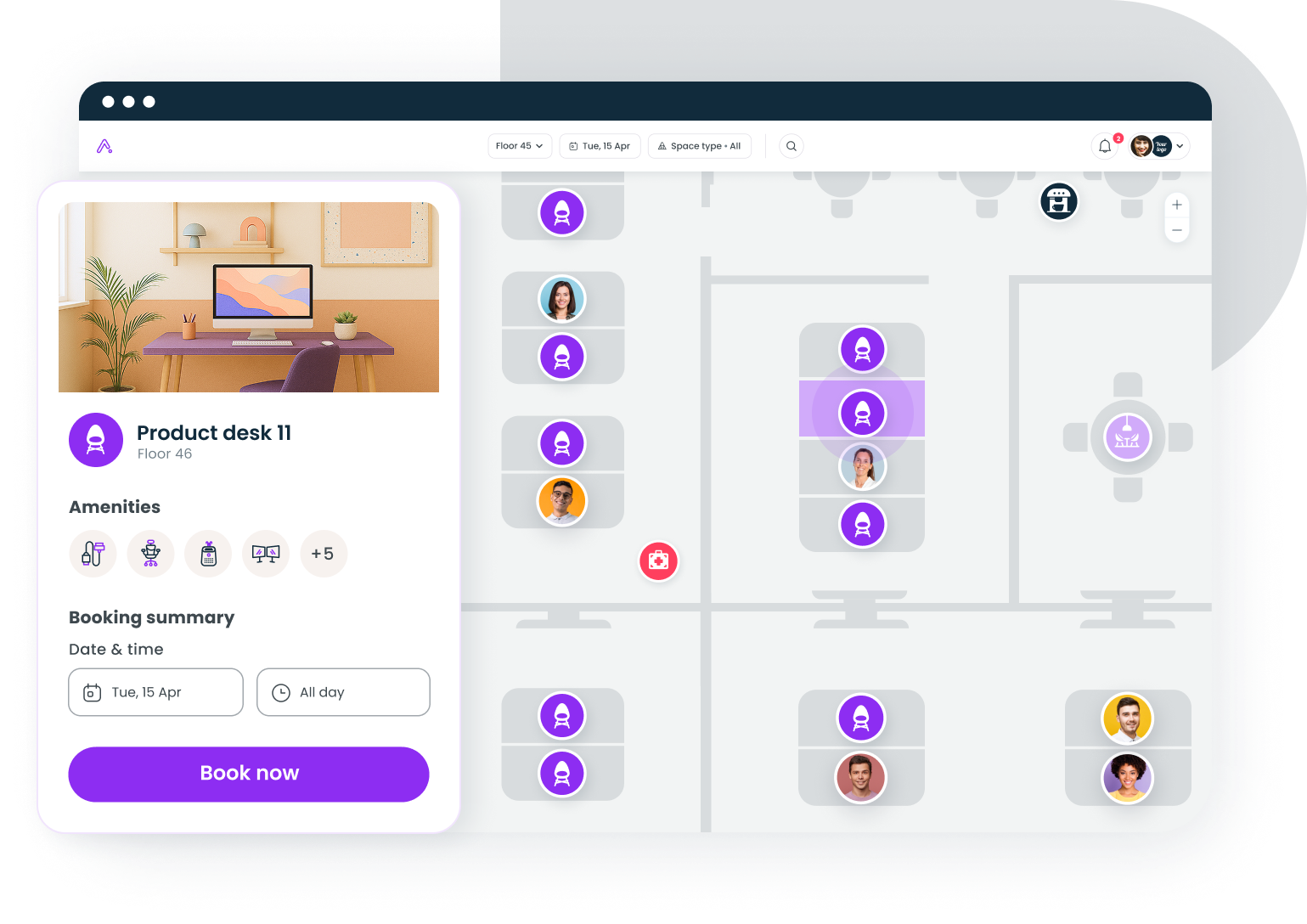
How to choose the right Kadence alternative
Selecting the ideal workspace management tool requires evaluating several factors against your organization's specific needs. Here's a framework for making the decision.
Assess your pricing model preferences
Consider whether per-user pricing or resource-based pricing works better for your office setup. Per-user models like Kadence, deskbird, and YAROOMS charge based on employee count, which works well when you have roughly a 1:1 desk-to-employee ratio. Resource-based pricing, where you pay per desk or room, becomes more cost-effective for organizations with more employees than desks, which is increasingly common as hot desking adoption grows.
Evaluate pricing transparency
Check whether pricing is publicly available or requires custom quotes. Gable and deskbird show clear rates upfront, while Kadence, Tactic, and OfficeSpace require contacting sales for quotes. Transparent pricing simplifies budgeting and speeds up vendor evaluation.
Consider AI features and automation
Decide if AI-powered booking is essential for your team. Kadence AI, Tactic's Tessa, deskbird's AI recommendations, and YAROOMS' Yarvis offer advanced AI-powered booking automation. These features help employees find optimal workspaces and reduce administrative burden, but add to platform complexity.
Assess implementation timeline
Evaluate how quickly you need to go live. Some platforms deploy in days with a simple setup, while others, like OfficeSpace, require around a month for full implementation. Consider your internal bandwidth for managing a complex rollout versus the benefits of a more sophisticated configuration.
Match platform to team size
Consider your current team size and growth trajectory. There are solutions optimized for small teams just starting with workplace management software, mid-sized organizations that need robust features without enterprise complexity, and large enterprises that require multi-location management and advanced analytics.
According to Gallup research, hybrid workers now spend 46% of their workweek in the office, or the equivalent of 2.3 days. This attendance pattern means most organizations are significantly overprovisioned on desk space, making utilization analytics and flexible booking capabilities more valuable than ever.
Prioritize integration requirements
Identify the tools your team uses daily. Seamless integration with Microsoft Teams, Slack, Google Calendar, and Outlook determines adoption rates. Organizations using HRIS systems like Workday or Okta should verify that those connections are available. Access control integrations become important for organizations wanting occupancy tracking through badge data.
Key features to look for in workplace management software
When evaluating Kadence competitors, prioritize these essential features based on your organization's hybrid work needs.
Desk booking
The foundation of any workplace management platform is desk booking. Look for interactive floor plans that show real-time availability, let you filter desks by amenities like monitors or standing desks, and offer both hot desking and assigned seating. The system should allow users to see where teammates are sitting and book nearby desks to improve team coordination.
Room scheduling
Meeting room scheduling should integrate with your calendar system through two-way calendar sync with Google Calendar and Microsoft Outlook. Features like automatic meeting room reservations when calendar events are created, room release for no-shows, and catering or AV requests simplify the meeting booking process.
Visitor management
A complete workplace management platform includes visitor management with pre-registration, QR code check-ins, badge printing, and host notifications. This creates a seamless experience for guests while maintaining security and compliance requirements.
Analytics and space utilization
Powerful analytics differentiate basic booking tools from strategic workplace platforms. Look for occupancy tracking that shows real utilization patterns, space usage reporting by zone or department, and forecasting capabilities that help plan for future needs. Organizations making real estate decisions need reliable data, not assumptions.
Integrations and extensibility
The platform should work with tools employees already use. Essential integrations include Microsoft Teams and Slack for communication, calendar platforms for scheduling, HRIS systems for employee data, and access control systems for occupancy verification. API access becomes important for organizations wanting custom integrations.
Customer support is a key differentiator when implementing workplace management software. Look for providers that offer responsive assistance during setup and ongoing operations. Gable offers 24/7 assistance, which becomes valuable when rolling out platforms across multiple time zones.
Comparing Kadence alternatives: quick reference
When evaluating these platforms against your requirements, consider the following comparisons.
Gable vs. Kadence: Both offer comprehensive workplace management, but Gable provides transparent pricing starting at $3 per seat per month, along with access to a global network of flexible workspaces for distributed teams. Gable's space analytics deliver deeper insights for data-driven real estate decisions.
Deskbird vs. Kadence: Deskbird offers a free plan for small teams and competitive per-user pricing, making it more accessible than Kadence's custom pricing approach. Both platforms provide similar features for desk and room booking with AI-powered recommendations.
OfficeSpace vs. Kadence: OfficeSpace provides advanced features like move management and asset tracking that Kadence doesn't match, but costs significantly more. For organizations with complex real estate portfolios and frequent relocations, OfficeSpace delivers enterprise-grade capabilities.
YAROOMS vs. Kadence: YAROOMS' tiered pricing structure provides predictability that Kadence's custom quotes lack. The Microsoft Teams integration is particularly strong, making YAROOMS a solid choice for organizations committed to the Microsoft ecosystem.
Tactic vs. Kadence: Both platforms emphasize AI capabilities and white-glove implementation. Tactic's Tessa AI provides conversational booking, while Kadence focuses on AI-powered scheduling optimization. Pricing is quote-based for both platforms.
Making the switch from Kadence
If you're currently using Kadence and considering a switch, plan your transition carefully to minimize disruption.
Start by documenting your current configuration, including floor plans, seat assignments, integration settings, and user permissions. This information accelerates setup on any new platform.
Request trials from your top alternatives and test them with a pilot group before committing. Pay attention to user adoption, not just feature checklists. A powerful platform that employees won't use doesn't deliver value.
Communicate the change to employees well in advance, explaining why you're switching and how the new platform will improve their experience. Provide training resources and support channels for questions during the transition period.
Finally, establish success metrics before launch. Define what good looks like for desk utilization, booking adoption, and employee satisfaction, then measure against those benchmarks as you roll out the new platform.
See how Gable helps leading companies optimize office space, boost collaboration, and make data-driven real estate decisions.
Get a Gable demo


