.svg)


.svg)
- Office utilization hit 53% in 2026, but badge data alone can't explain it.
- Check-in apps measure presence and space use, not hours worked.
- The winners ride desk booking, Slack, and badge swipes instead of kiosks.
- Gable leads for hybrid offices; Officely fits small Slack-first teams.
- Aggregate patterns earn trust; individual surveillance kills adoption.
An employee check-in app confirms who's working from the office each day, then turns those confirmations into occupancy data you can plan around. That data is suddenly worth a lot: global office utilization climbed to 53% in 2026, up from 38% two years earlier, according to CBRE, and workplace teams are being asked to prove it. This guide compares the seven best check-in apps of 2026: what each does, key features, and pricing.
What is an employee check-in app?
An employee check-in app lets people confirm they're at the office with a tap, a QR scan, or a badge swipe. Some run as part of an employee check-in system inside a desk booking platform; others sit at the front door as a standalone kiosk or mobile app. Either way, the output is the same: a reliable record of who used the office, and when.
That record matters more for hybrid teams than it ever did for five-day offices. With 52% of organizations now requiring three to four office days a week, according to JLL, attendance swings hard between a packed Tuesday and a quiet Friday. You can't right-size floors, set desk-sharing ratios, or follow hybrid work best practices on gut feel. You need presence data, day by day.
Employee check-in apps vs. time tracking tools
Time tracking tools answer a payroll question: how many hours did someone work, on which project, at what rate. Employee check-in software answers a space question: who's physically in the office today, and which desks, rooms, and floors are they using.
Hybrid offices need the second, not the first. Salaried knowledge workers rarely tolerate timesheet-style clock-ins, and hour counts wouldn't tell you anything about space anyway. What a workplace team needs is the pattern: peak days, dead zones, which neighborhoods fill first.
The distinction matters for trust as much as for data. CBRE found that 70% of organizations say employees come in less than leaders expect, which makes enforcement tooling tempting. Resist it. Gallup pegs global employee engagement at 20%, and treating professionals like hourly suspects won't raise it. Presence data works best as a planning input, and the tools below are built for exactly that.

Check-in data only helps if you know what good looks like. Learn how to calculate, benchmark, and act on office occupancy.
Read the guide
The 7 best employee check-in apps for 2026
Every tool below records office presence with minimal friction; they differ in where check-in lives (a booking flow, Slack, a kiosk) and how the data rolls up. We weighed the check-in experience, reporting depth, integrations, and price. G2 ratings are out of 5 with review counts in parentheses, current as of July 2026. Gable leads for hybrid offices that want check-in tied to desk booking; if your team lives in Slack and your budget is zero, start with Officely.
| Tool | Best for | Pricing | G2 |
|---|---|---|---|
| Gable | Check-in tied to desk booking | From $2.50/user/mo | 4.5 (171) |
| Officely | Small Slack-first teams | Free up to 5 users, then from $2.50/user/mo | 4.6 (157) |
| deskbird | Mid-size teams, active-user billing | From ~$3.75/active user/mo | 4.5 (307) |
| Robin | Enterprise workplace operations | Quote-based | 4.4 (211) |
| Envoy Workplace | Employee plus visitor check-in | From ~$3/user/mo | 4.4 (163) |
| Tactic | Attendance policy reporting | From $3/user/mo | 4.6 (554) |
| Sign In App | Budget multi-site rollouts | ~$425/site/yr | n/a |
1. Gable
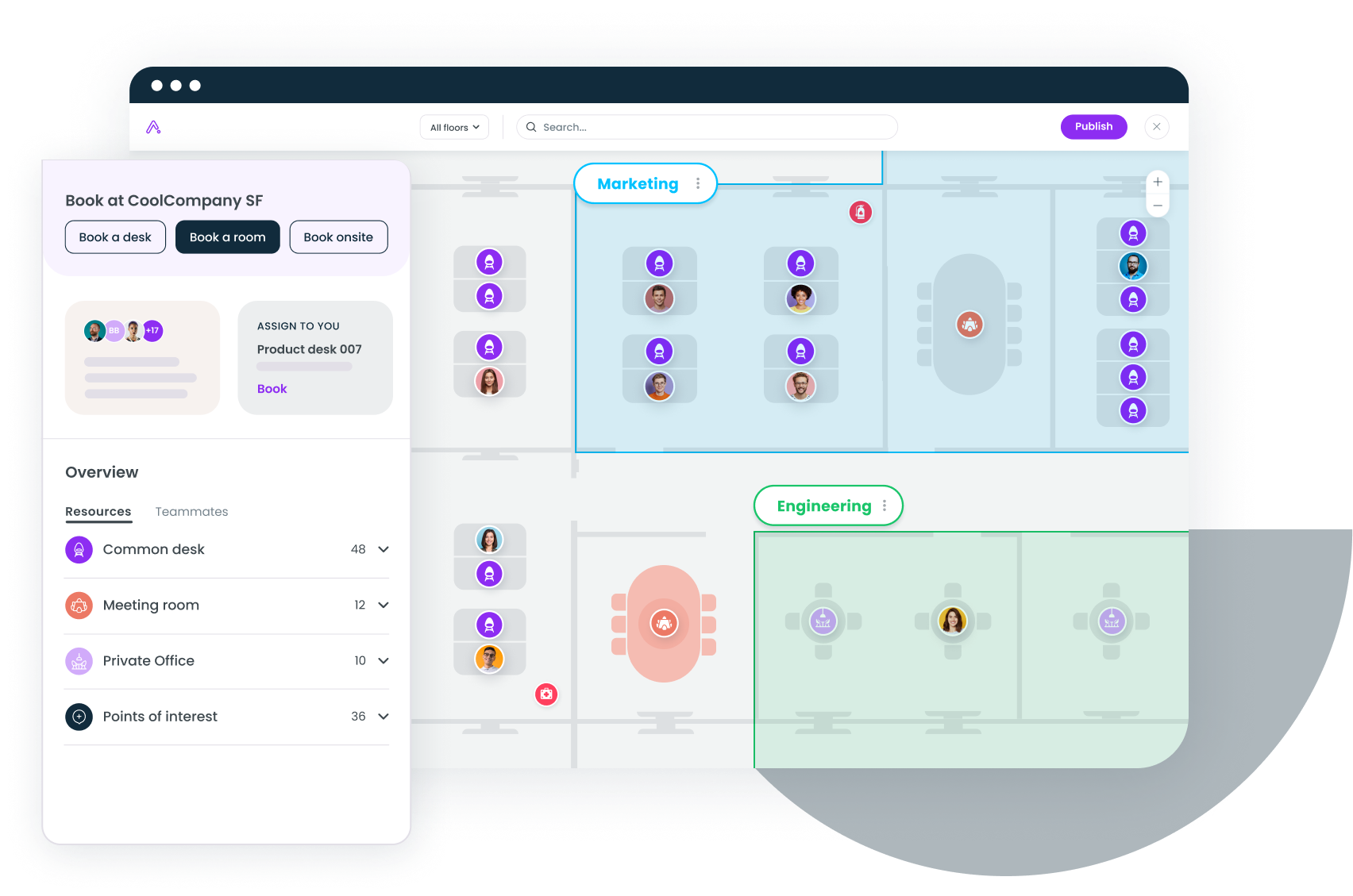
Gable treats check-in as a byproduct of a good workday rather than a separate chore. Employees reserve a spot through its desk booking software on web, Slack, Teams, or mobile, then confirm arrival with one tap; desks that never get claimed release automatically for someone else. Badge and WiFi integrations fill in whatever taps miss, so occupancy reports hold up even on chaotic days.
Key features:
- QR and NFC desk check-in, so every desk confirms its own use
- Booking check-in with auto-release for no-shows
- Badge and WiFi integrations for occupancy insight beyond self-reporting
- SOC 2 Type II and GDPR compliance, with SSO, RBAC, and AES-256 encryption
Pricing: Office Management from $2.50 per user per month; the all-in-one plan is custom. G2 rating: 4.5/5 (171 reviews).
2. Officely
Officely lives entirely inside Slack and Microsoft Teams, so there's no separate app to install or forget. People mark themselves in-office from a morning prompt, book a desk in the same thread, and see who else is coming in before they commit to the commute. Check-in doubles as visibility, which is why adoption tends to stick. The tradeoff is depth: floor plans and analytics are lighter than the dedicated platforms here.
Pricing: free up to five users; paid from $2.50 per user per month. G2 rating: 4.6/5 (157 reviews).
3. deskbird
deskbird pairs week planning with desk booking and check-in, and bills by active users, so you pay for the people who participate rather than the whole company roster. Employees plan their office days in advance, check in on arrival, and unclaimed desks release automatically. It's a strong middle ground for mid-size hybrid offices that want structure without enterprise procurement.
Pricing: Business from about $3.75 per active user per month; higher tiers custom. G2 rating: 4.5/5 (307 reviews).
4. Robin
Robin folds check-in into a broader enterprise workplace platform: desk and room booking, wayfinding, visitor management, and space analytics. Presence confirmations feed utilization dashboards that facilities teams use for capacity planning across large portfolios. It suits companies with dedicated workplace operations; smaller offices may find it more platform than they need.
Pricing: quote-based, by seats or desks. G2 rating: 4.4/5 (211 reviews).
Gable ties check-in to desk booking in Slack, Teams, and mobile, then fills the gaps with badge and WiFi data.
Learn more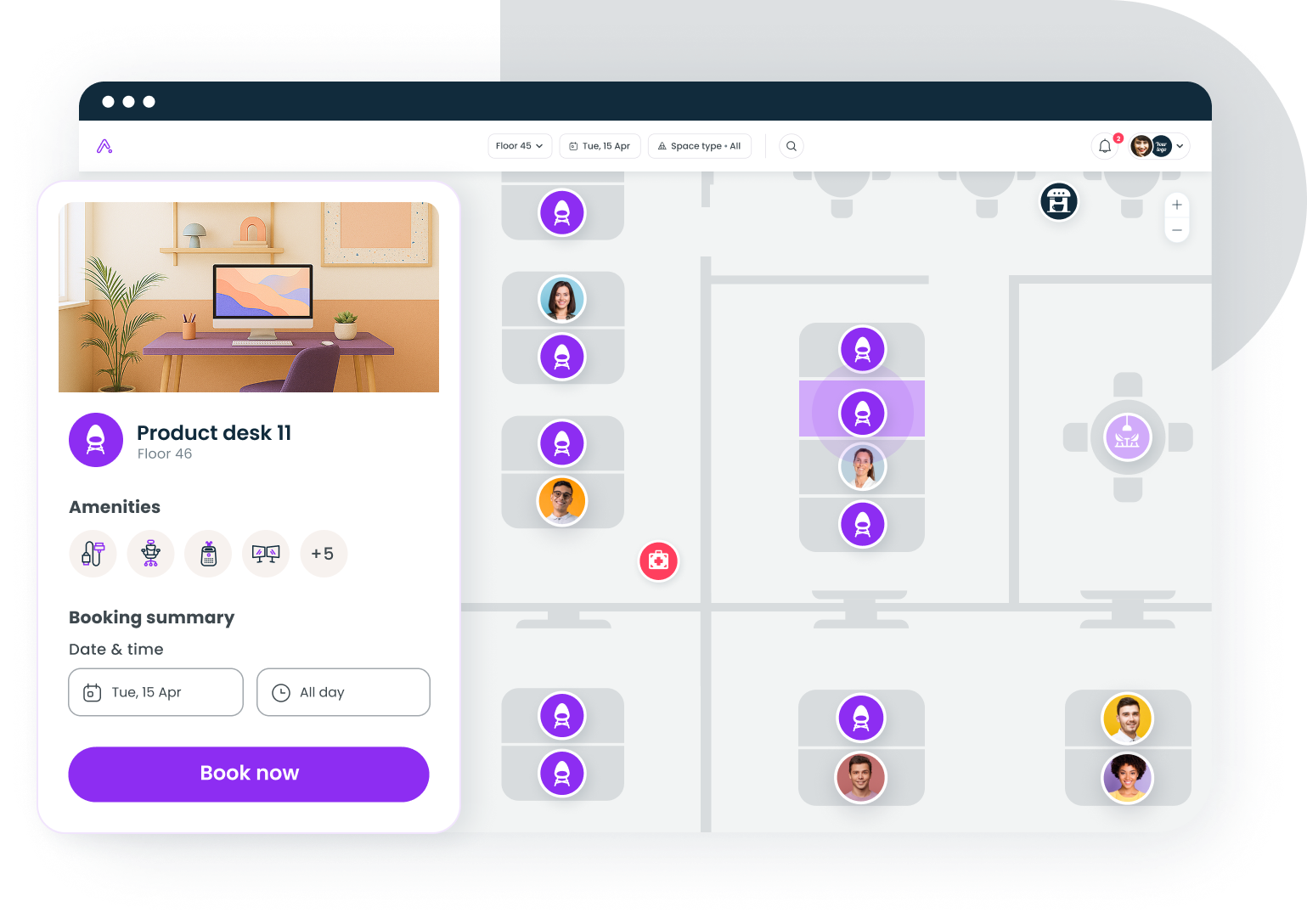
5. Envoy Workplace
Envoy started at the front-desk iPad and grew inward, so employee check-in and visitor sign-in share one system. Employees register their on-site days, sign in by app or kiosk, and reception gets a single log of everyone in the building. That's valuable for security reviews and evacuation lists. Modules are priced separately, so total cost depends on how much of the platform you switch on.
Pricing: from about $3 per user per month; modules priced separately. G2 rating: 4.4/5 (163 reviews).
6. Tactic
Tactic leans into attendance itself. Alongside desk and room booking, it tracks office attendance against your hybrid policy and reports on how reality compares. If leadership has set explicit in-office days and wants to know whether the policy is working, Tactic answers that question directly, without anyone exporting spreadsheets.
Pricing: Core from $3 per user per month; Pro $4; Enterprise custom. G2 rating: 4.6/5 (554 reviews).
7. Sign In App
Sign In App covers staff, visitors, and contractors for one flat per-site fee, with kiosk, mobile, and QR sign-in plus evacuation roll call included. The flat fee makes budgeting painless across many small sites: adding a building means adding a subscription, not renegotiating a contract. Desk booking and workplace analytics aren't the focus, so pair it with a booking tool if you need both.
Pricing: from about $425 per site per year.
How to get employees to check in without policing
Adoption decides whether any of these tools pays off. Four ways to make your office check-in system something people don't resent:
Keep it to one tap, or none
A QR code on the desk, a geofenced prompt, or a badge swipe that counts as check-in. Every added step cuts participation, and manual sign-in sheets die within a month.
Meet people inside Slack or Teams
A morning prompt where work already happens beats a standalone app that gets buried on a home screen. If employees have to remember the tool exists, the data will always undercount.
Tie check-in to desk booking
When check-in confirms a reservation, it stops feeling like roll call: people protect their own desk and free up the ones they won't use. It also matches why people show up; 72% of bookings on Gable are team gatherings, so confirming "my team is here today" rides motivation that already exists. Our comparison of the best desk booking software covers the booking side in depth.
Report patterns, not people
Tell employees what the data is for (consolidating a floor, adding meeting rooms, fixing Tuesday crowding) and share the aggregate results back. Hybrid flexibility cut quit rates by a third in a Stanford-led randomized trial, and that benefit runs on trust. Check-in that reads as surveillance spends trust fast; check-in that visibly improves the office earns it back.
Choose the app your team will barely notice
The pattern across all seven tools: check-in succeeds when it disappears into something employees already wanted to do, like claiming a desk or answering a Slack prompt. Pick the tool that matches where your team works (Slack-first, booking-first, or front-desk-first), then let the presence data accumulate. Within a quarter you'll know your real peak days, your real desk ratio, and whether your space matches either one.
Book a demo and see how Gable turns everyday check-ins into utilization insight your CFO will trust.
Get a demo