.svg)


.svg)
Most workplace teams still plan space in a spreadsheet sitting next to a floor plan PDF. Headcount comes from an HRIS export that was accurate the day someone downloaded it, attendance is an educated guess, and the whole exercise takes weeks of back-and-forth. By the time the plan is approved, the org chart has usually moved on. Then someone re-enters the result into the booking system, and the two start drifting apart.
Today we're launching Gable Space Planning to replace that workflow. It brings scenario planning, stack planning, and move management into the same platform your employees already use to book desks and rooms, and it feeds every plan with live data: HRIS headcount, real bookings, and check-ins.
Plans that start from data you already trust
If your team books desks and rooms through Gable, you're already sitting on the evidence a good plan needs: who actually comes in, on which days, to which floors and neighborhoods. Space Planning puts that history to work.
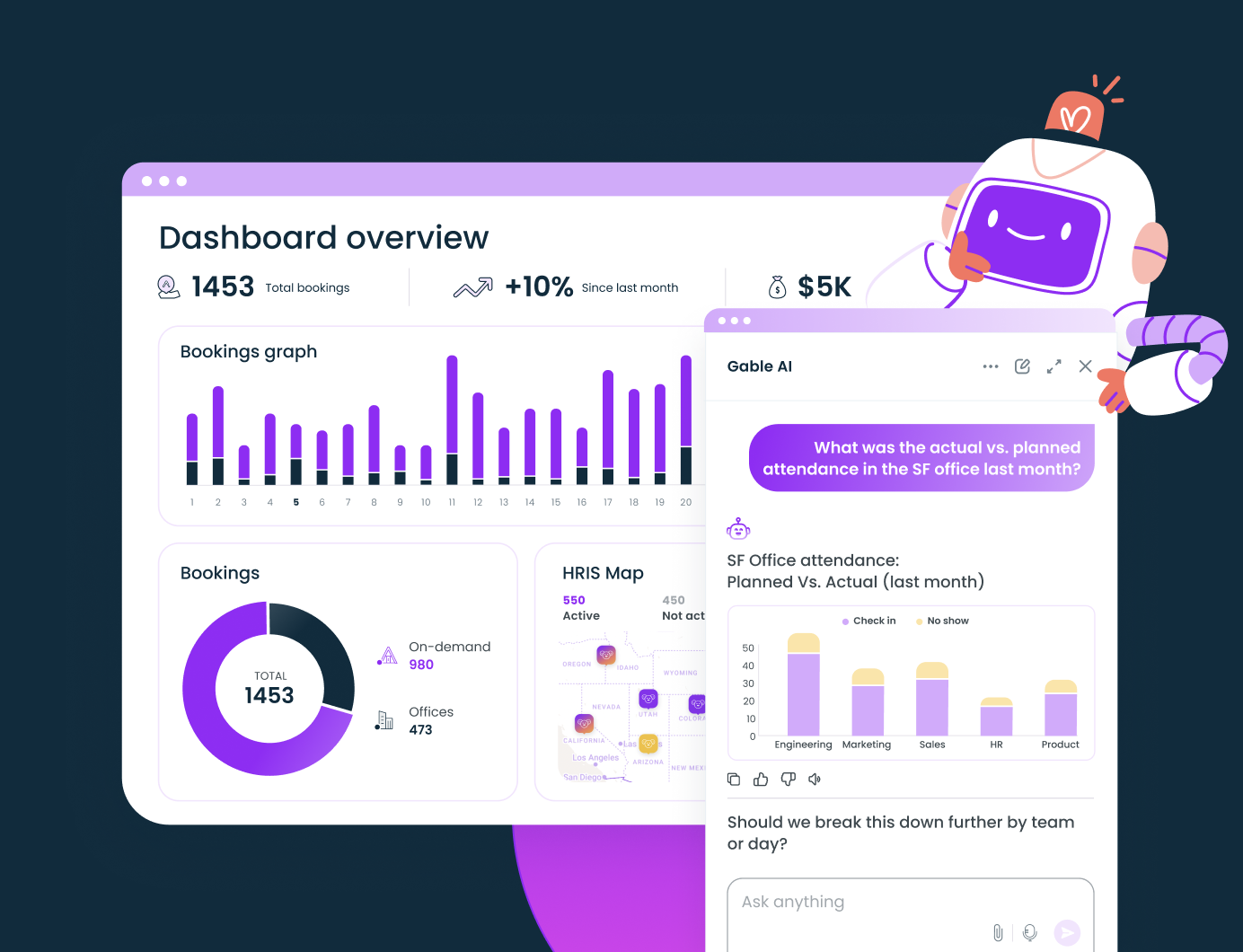
Allocated headcount syncs from your HRIS, so a reorg or a hiring wave shows up in your plan the same week it happens. Booking and check-in data show how each neighborhood performs on a Monday versus a Thursday, so you can size each area for how people actually attend.

Gable Space Planning brings scenario planning, stack planning, and move management into the platform your team already uses to book.
Explore Space Planning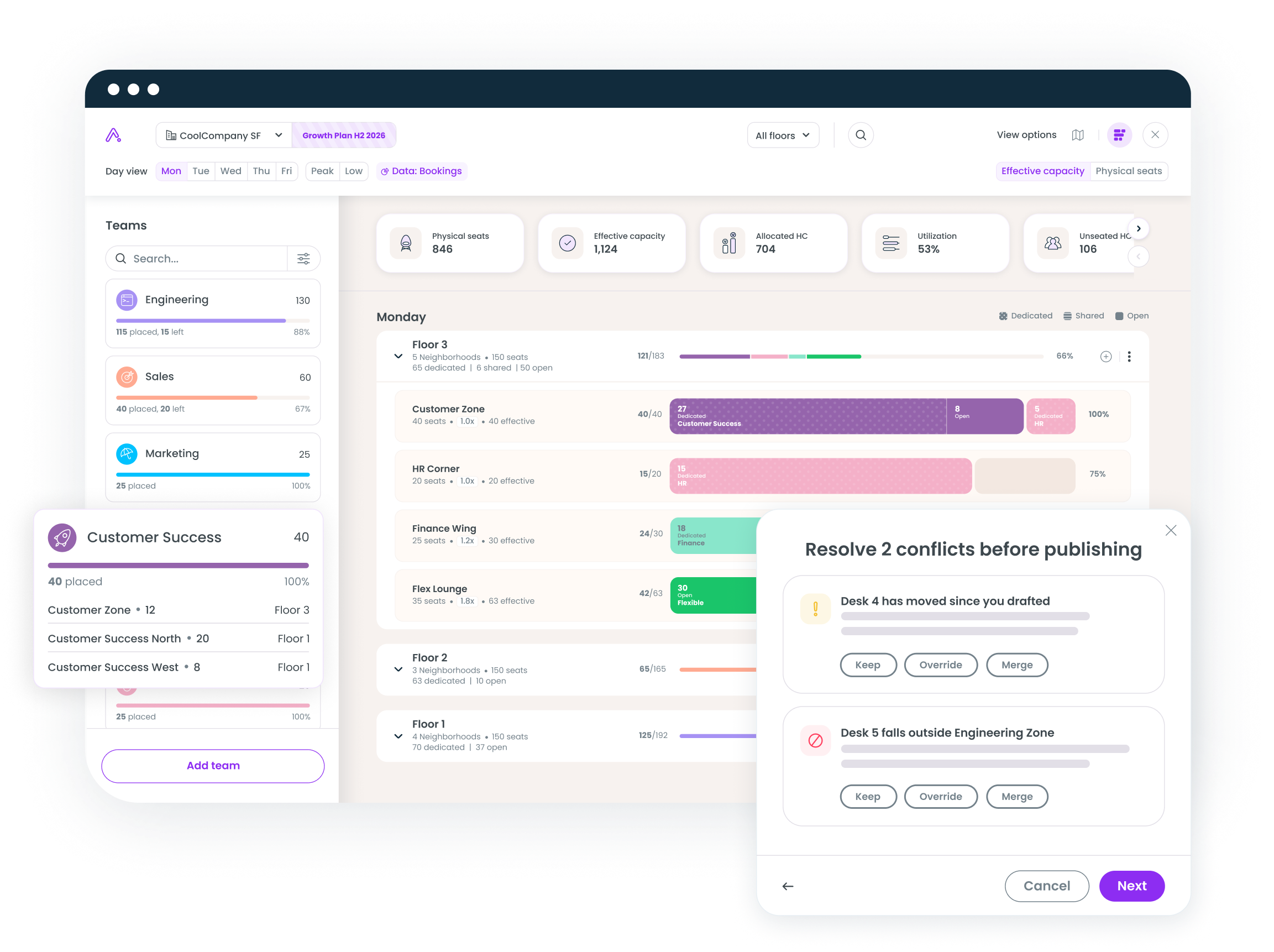
Scenario planning: test every option before anyone moves
Fork your live floor plan into a draft and experiment freely. Redraw neighborhoods, move desks, reassign seats, and keep as many competing drafts as you need. Compare scenarios side by side while the live plan stays untouched.
Before a draft goes live, Gable checks it against the current state of the floor. If a desk moved after you started drafting, or a seat now falls outside its team's zone, each conflict surfaces with a clear choice: keep your version, override, or merge. You resolve everything before publishing, so the plan that ships is the plan you reviewed.
Stack planning: allocate teams to floors and neighborhoods at scale
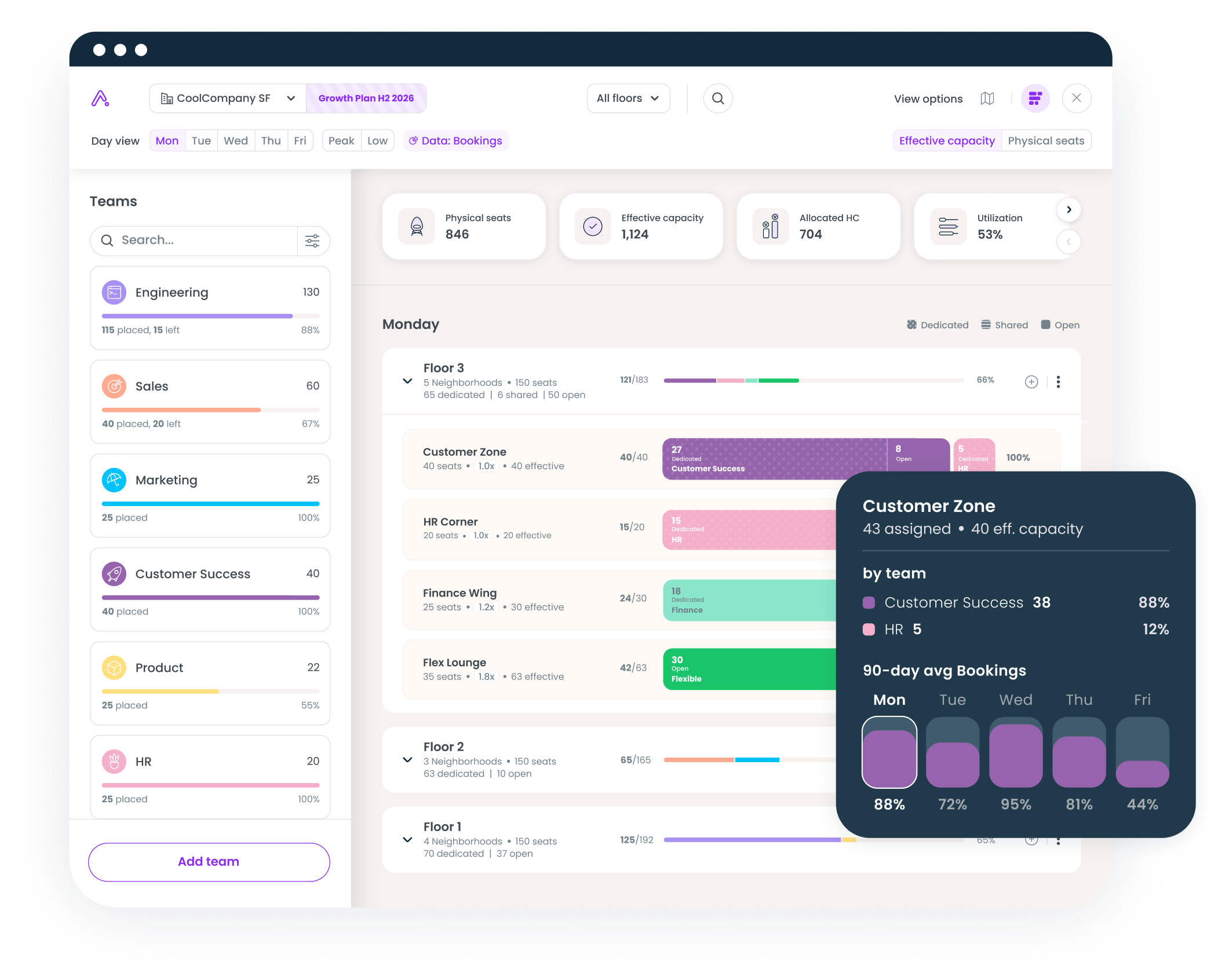
The stack view shows every team, floor, and neighborhood on one screen. Drag a team into a neighborhood and Gable shows effective capacity against the team's allocated headcount from your HRIS as you go.
Capacity here means more than counting chairs. A flex area with 35 physical seats and a 1.8x sharing ratio absorbs 63 people over a week, while a dedicated zone runs one-to-one. You can toggle between physical seats and effective capacity, view any weekday, and jump straight to your peak and low days. Hover over any neighborhood to see its 90-day booking average by day of week before you commit a team to it.
Move management: a desk swap and a full-floor restack, handled the same way
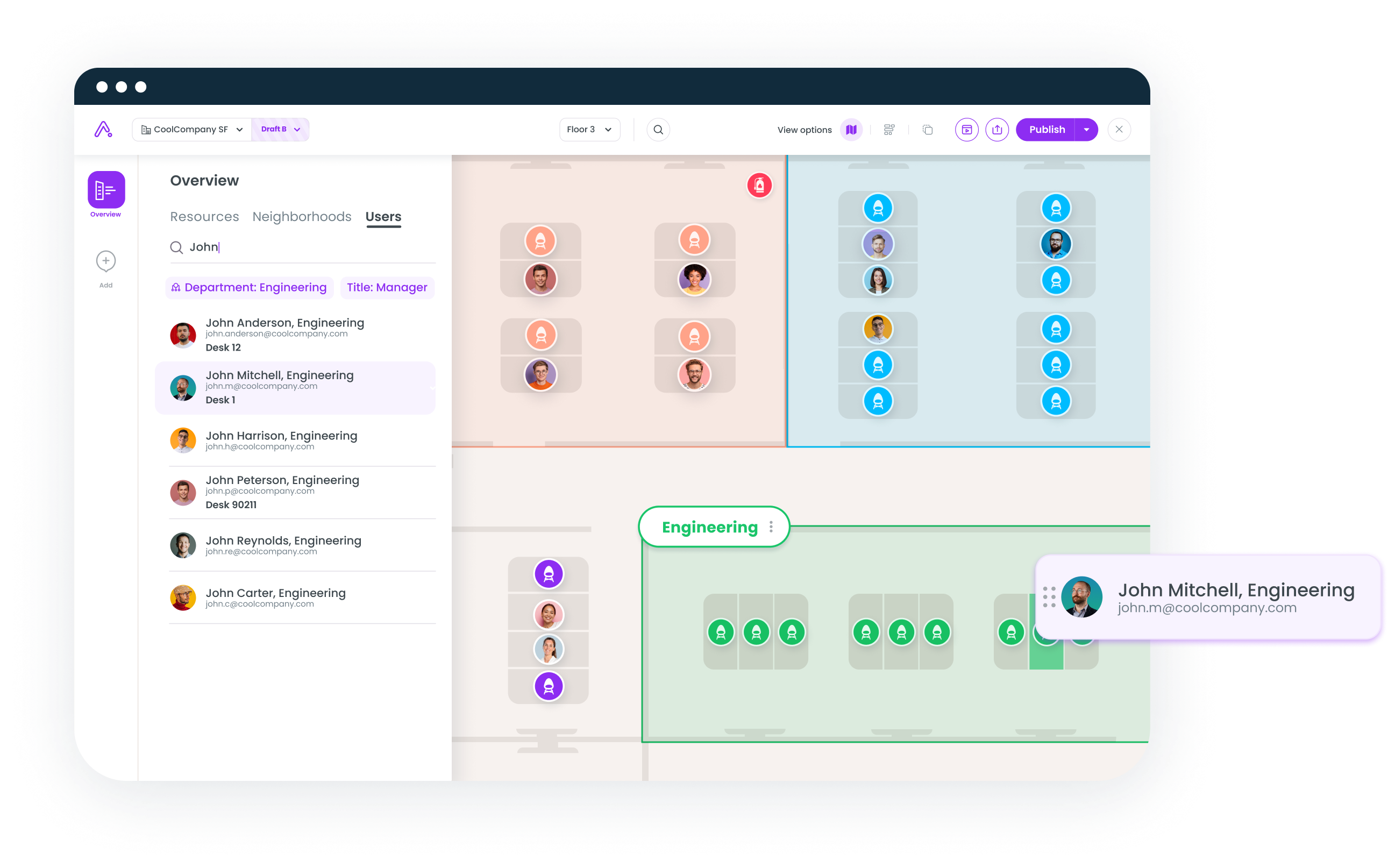
Once a plan is live, the day-two work starts: new hires, team growth, someone who needs to sit closer to their squad. Space Planning handles moves, adds, and changes by drag-and-drop on the floor plan, whether you're moving one person or restacking a floor.
Every change lands in the changes log: who moved, from which desk to which, and when. You can search any employee by name, department, or title to find their seat and history. When someone asks in November why a team sits where it does, the answer is on record.
Published means live
When a draft is ready, publishing takes one click. The new floor plan appears in the same Gable app your employees open to book a desk, so the plan people see on Monday morning is the plan you approved on Friday. Roles and permissions control who can draft and who can publish, and the audit trail records every step.
That connection between planning and booking is the point. The plan stays current because it lives where the activity happens, and next quarter's planning cycle starts from real utilization data.
Where teams use it first
Heads of real estate lean on it when a lease renewal or a consolidation decision needs numbers that hold up in the CFO conversation. Facilities and workplace ops managers use it to execute reorgs and new-hire waves without the spreadsheet churn. People ops teams use stack planning to align neighborhood allocation with actual attendance when hybrid policy changes.
What changes for planning teams
Customers using Space Planning have cut planning cycles from weeks to hours, and testing scenarios against real utilization data has helped teams cut unused space by 30%.
"I can't wait to have a space planning tool and actual utilization data. I hope I just did my final round of space planning via Google Sheets and Lucid." -Katie, Legora
See it on your own floor plans
Space Planning is available now. Book a demo, and we'll show you scenario planning, stack planning, and move management on a live floor plan.
Book a demo, and we'll show you scenario planning, stack planning, and move management on a live floor plan.
Get a demo